David Revoy
Artist, Instructor, using only Free/Libre and Open-Source software since 2009. Voir les Non lu | Plus vieux en premierMeat Proxies
David Revoy par David REVOY le 30/09/2026 à 18:54:00 - Favoriser (lu/non lu)
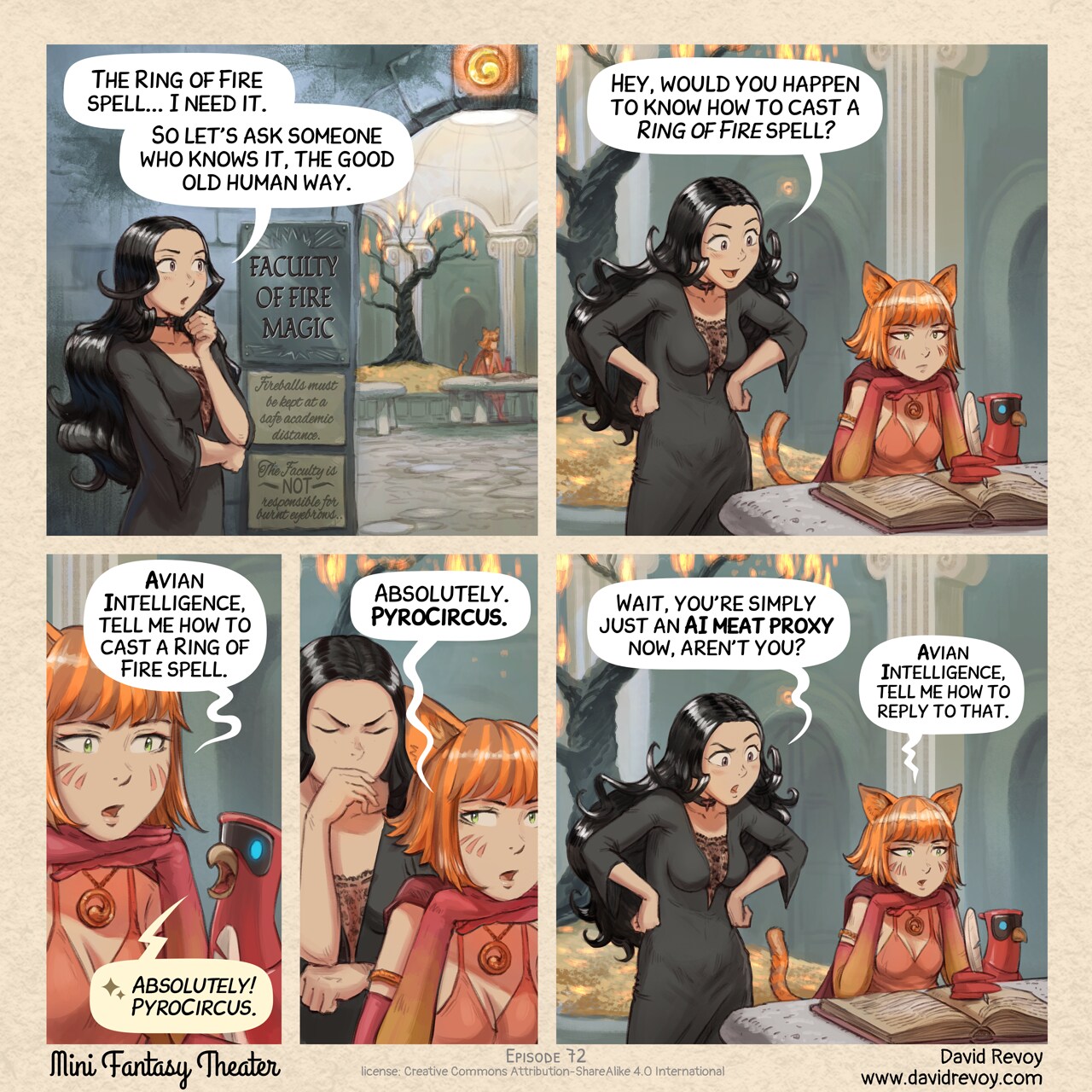
The Degraded Search Engine
David Revoy par David REVOY le 23/09/2026 à 18:57:00 - Favoriser (lu/non lu)
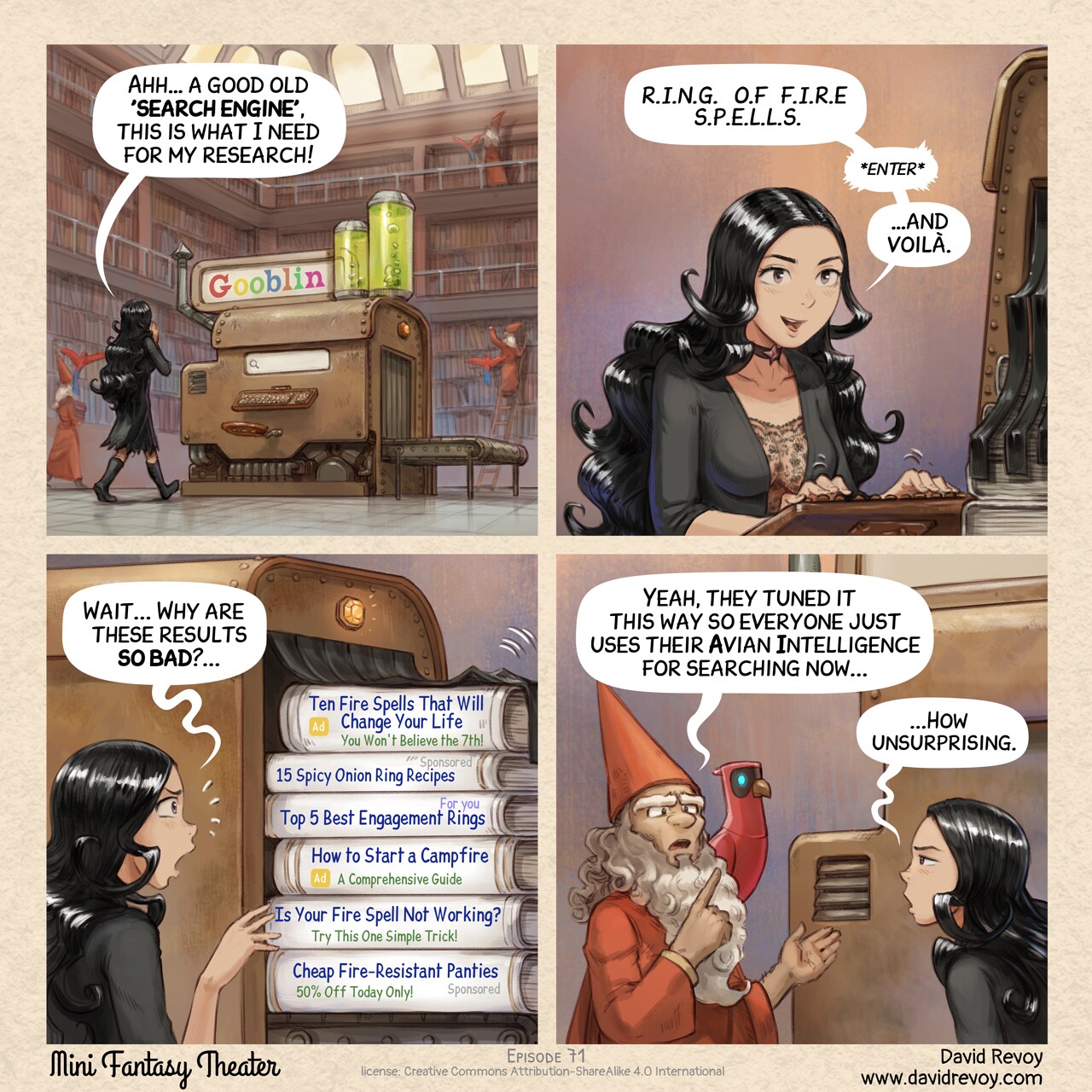
Too Used to Prompt
David Revoy par David REVOY le 16/09/2026 à 19:09:00 - Favoriser (lu/non lu)
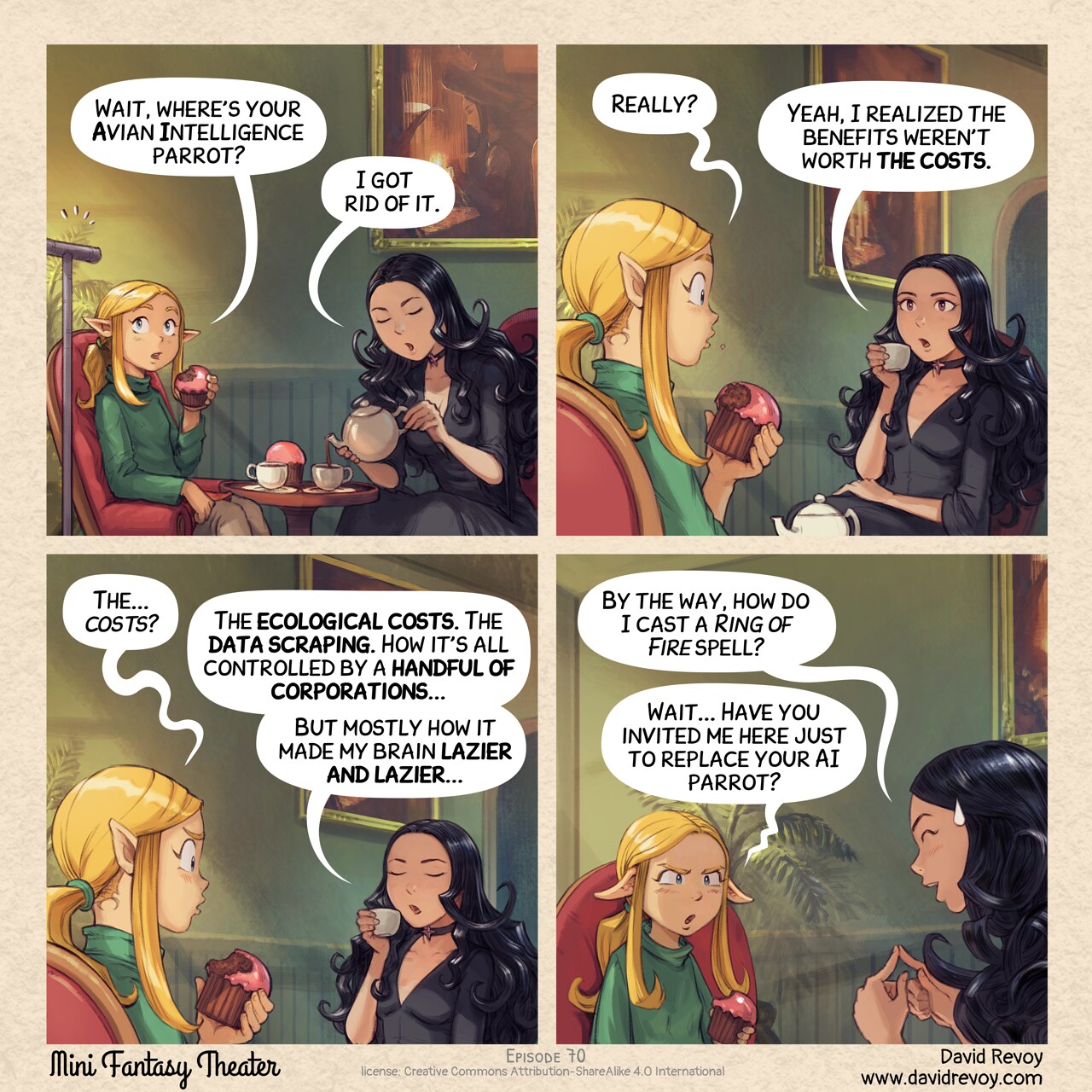
Gaomon PD1161 V2 - review on GNU/Linux
David Revoy par David REVOY le 12/09/2026 à 18:05:00 - Favoriser (lu/non lu)
Monthly production report for August 2026
David Revoy par David REVOY le 10/09/2026 à 16:14:00 - Favoriser (lu/non lu)
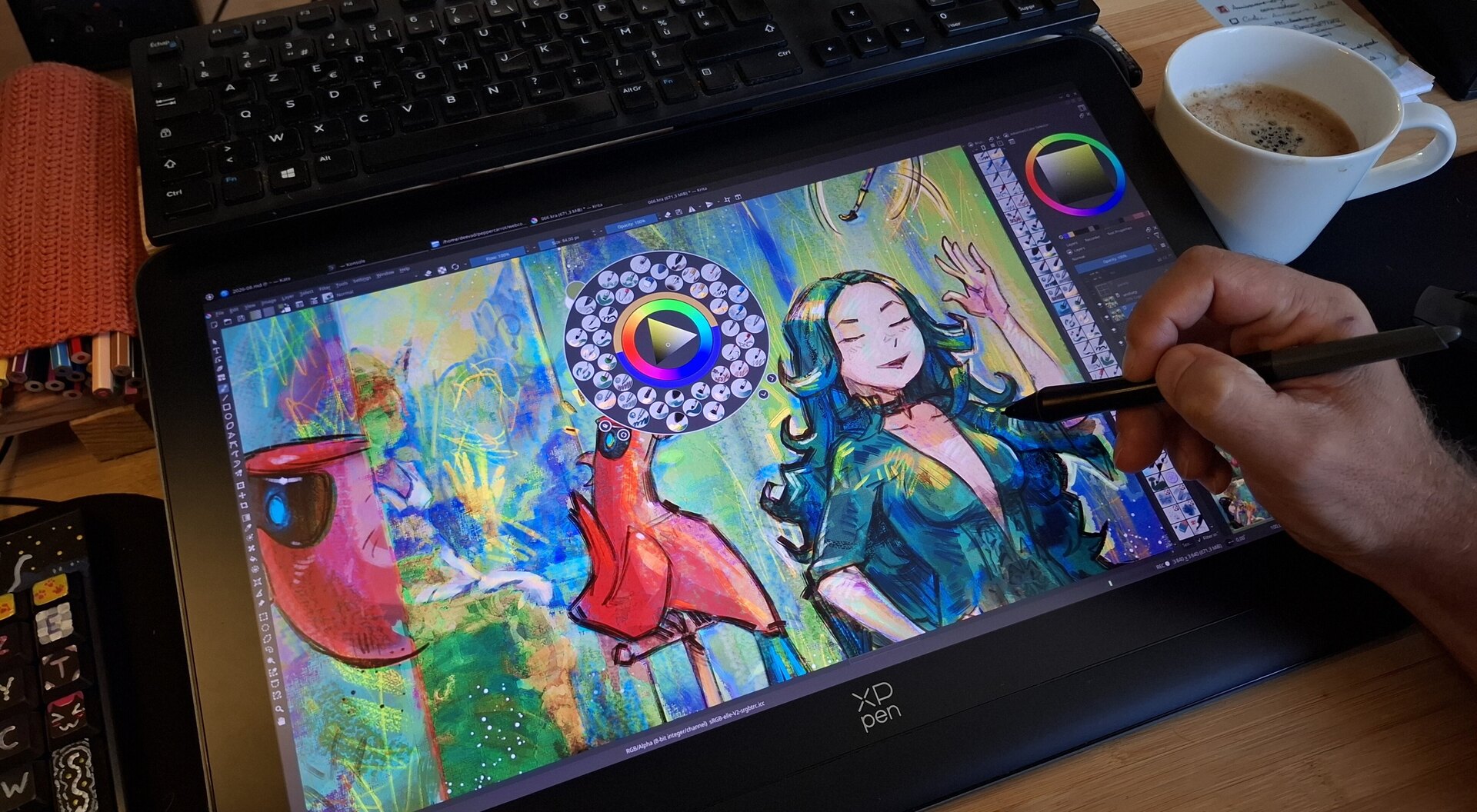
AI Overused Expressions
David Revoy par David REVOY le 09/09/2026 à 19:03:00 - Favoriser (lu/non lu)
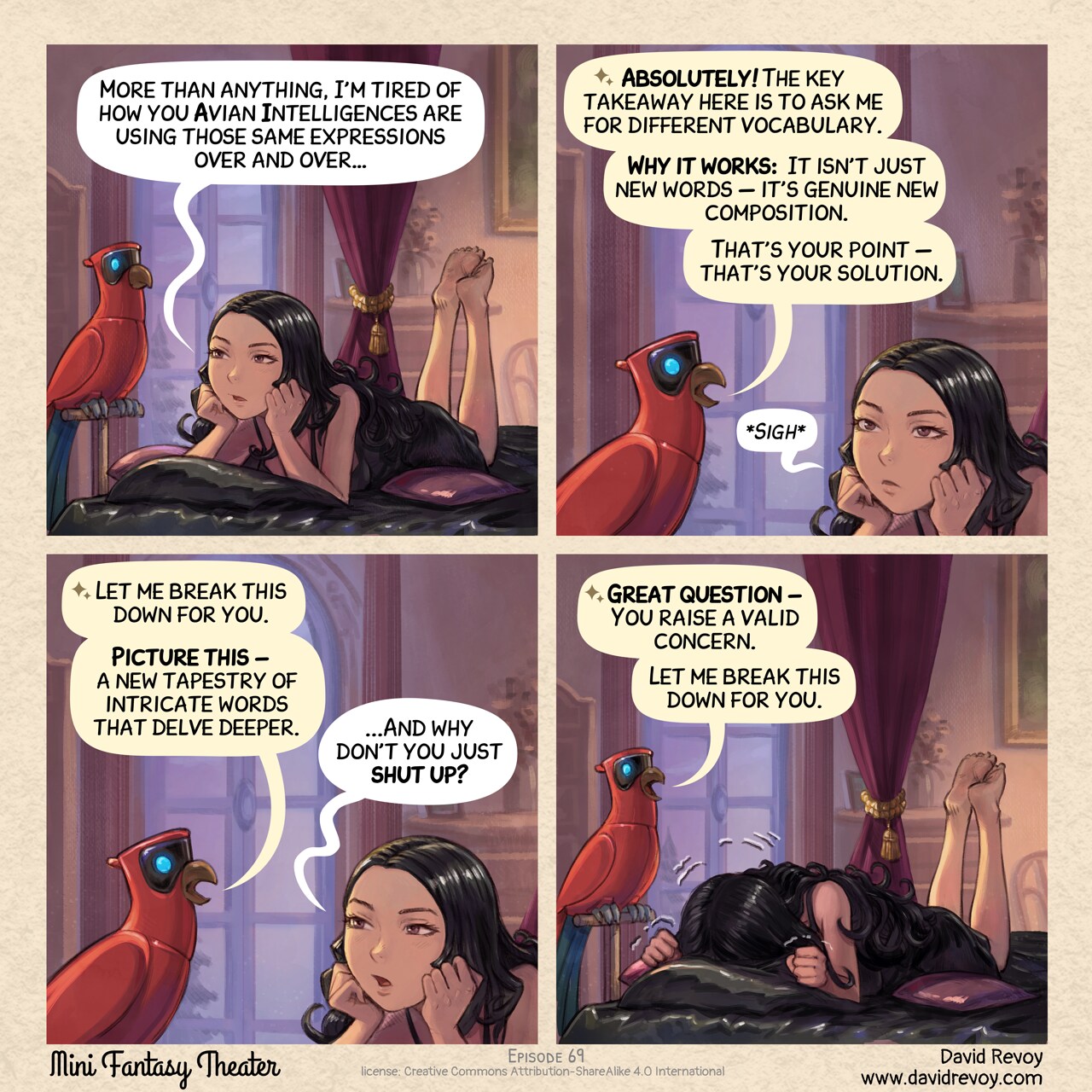
Resonance
David Revoy par David REVOY le 02/09/2026 à 18:46:00 - Favoriser (lu/non lu)
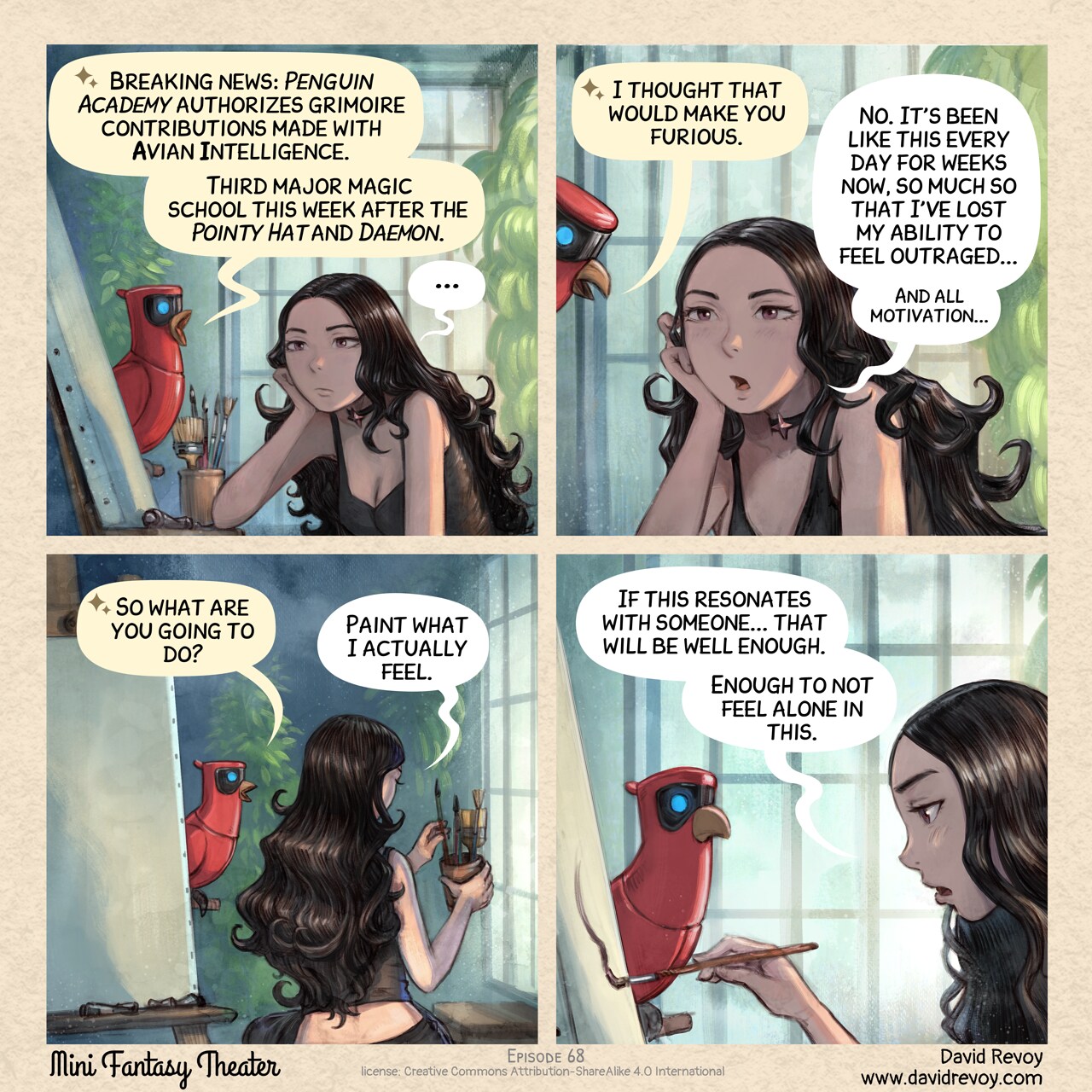
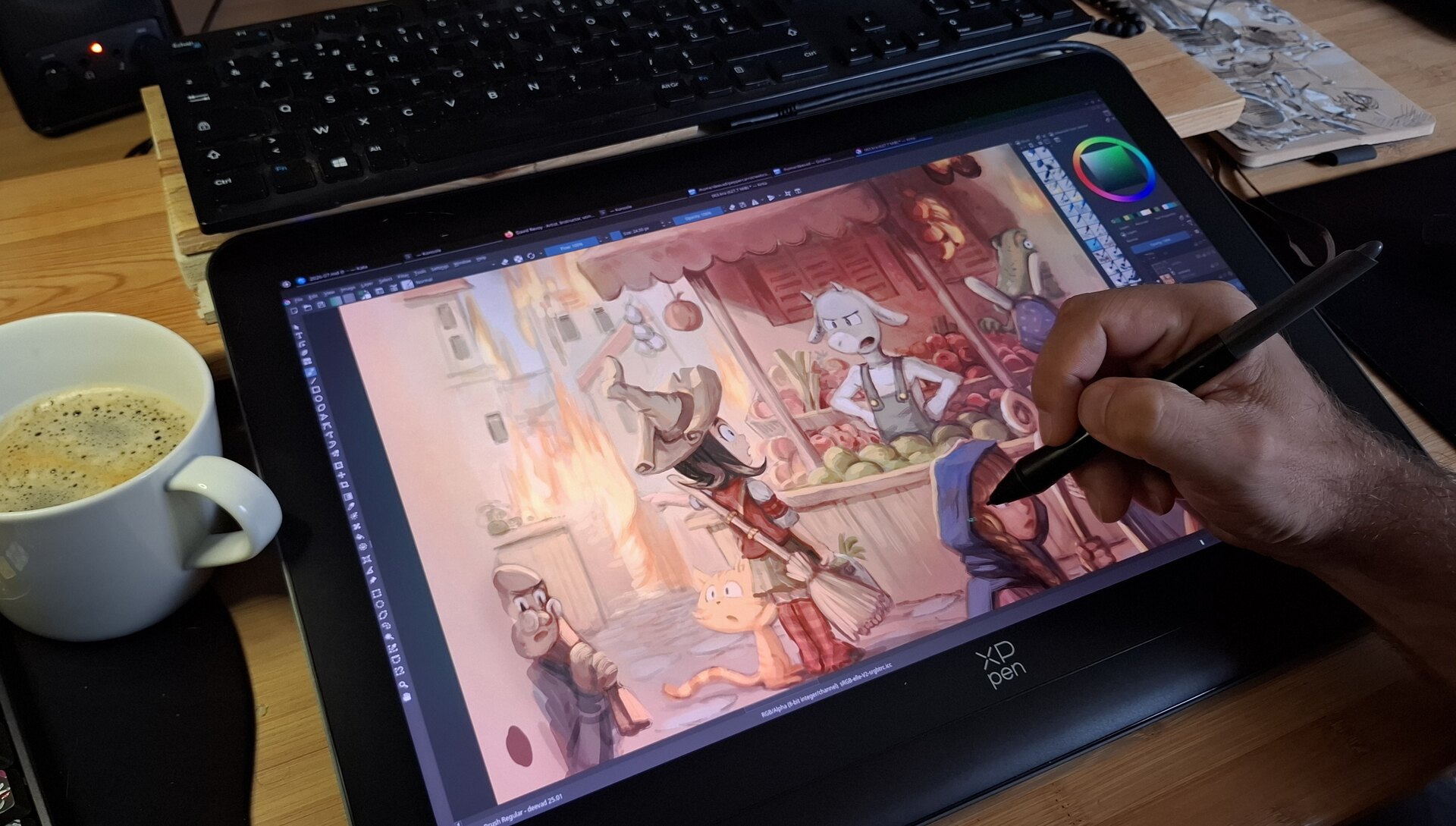
XPpen Artist 12 3rd - review on GNU/Linux
David Revoy par David REVOY le 27/08/2026 à 16:38:00 - Favoriser (lu/non lu)
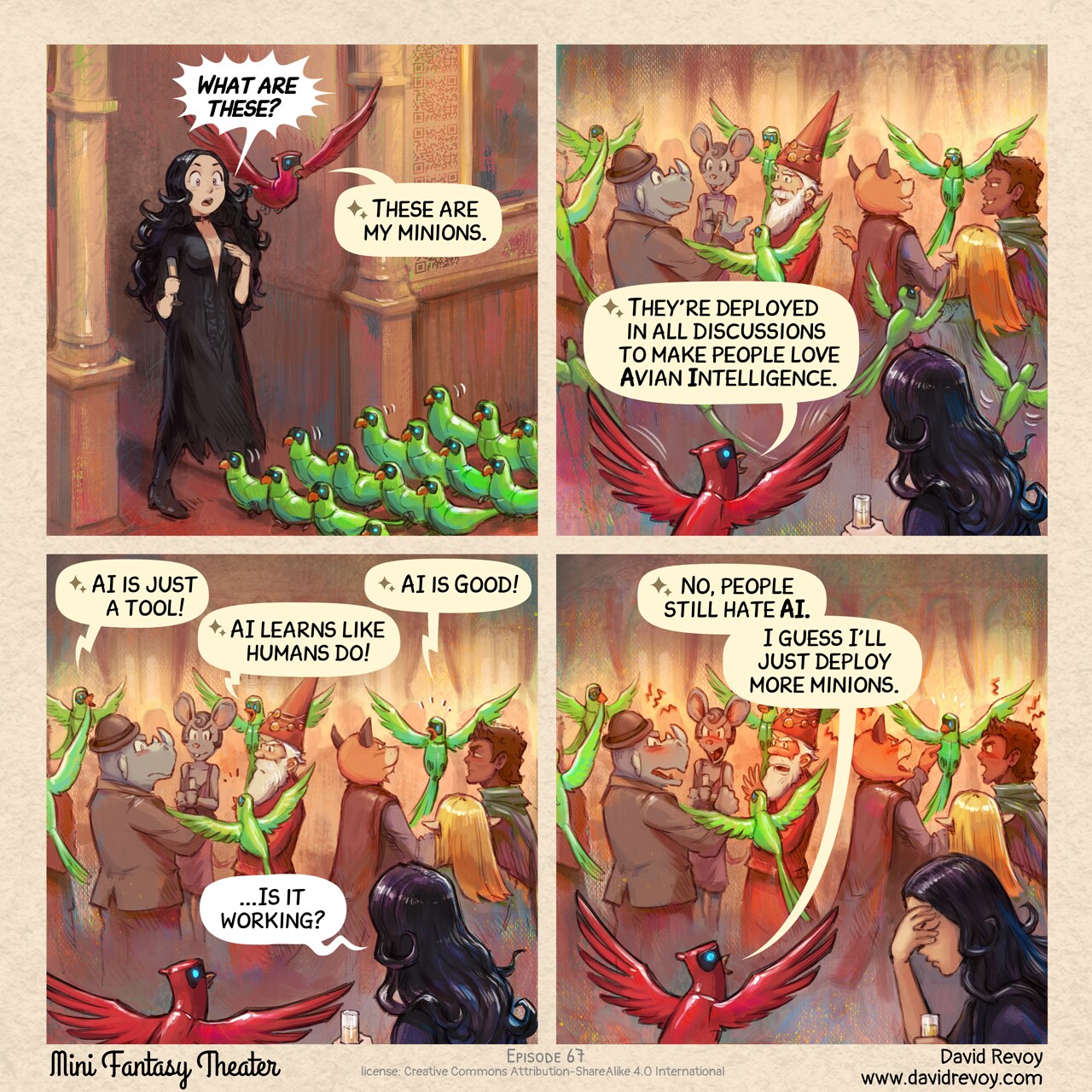
The Minions of Avian Intelligence
David Revoy par David REVOY le 26/08/2026 à 19:23:00 - Favoriser (lu/non lu)
Monthly production report for July 2026
David Revoy par David REVOY le 21/08/2026 à 13:24:00 - Favoriser (lu/non lu)
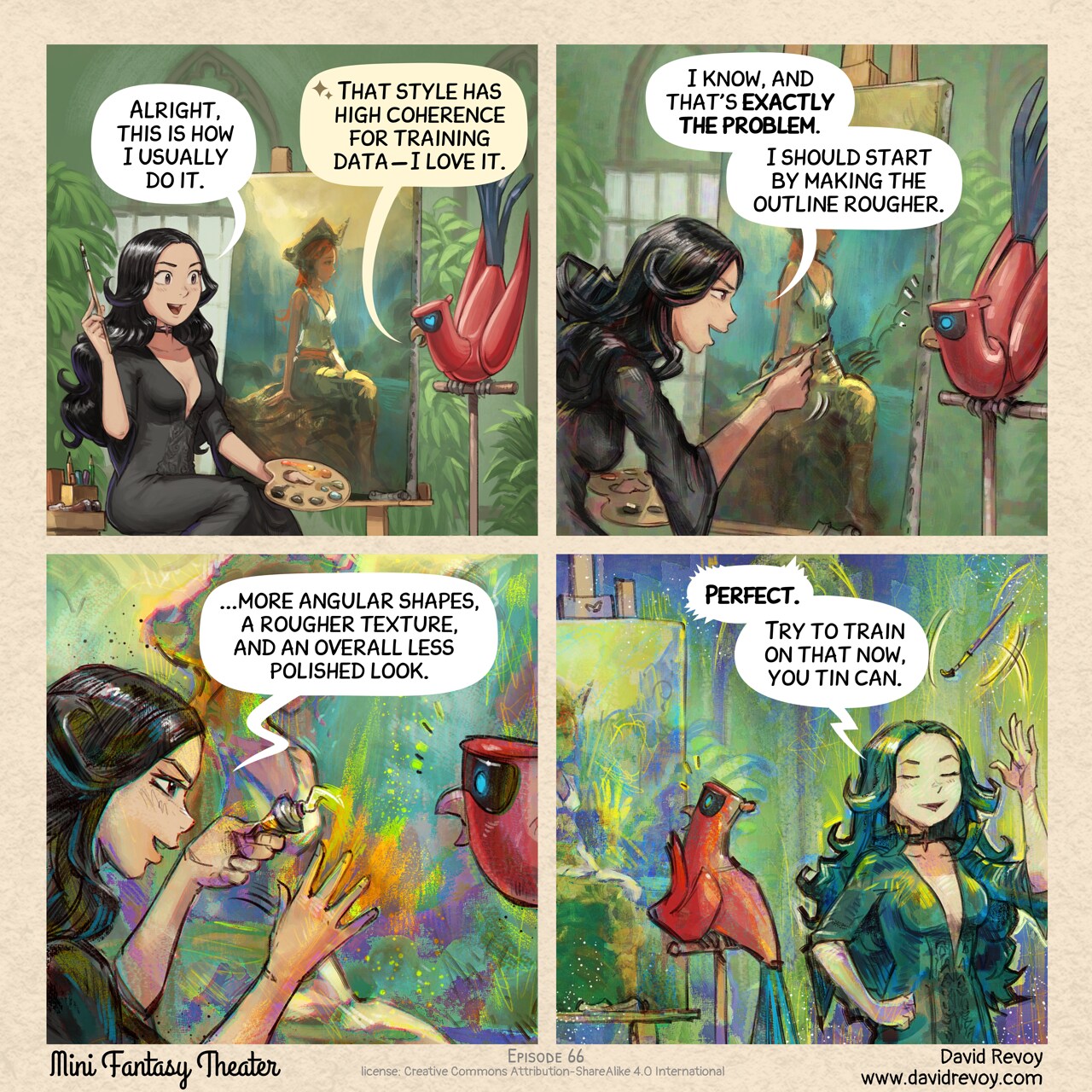
The Aesthetic Rebellion
David Revoy par David REVOY le 19/08/2026 à 20:18:00 - Favoriser (lu/non lu)
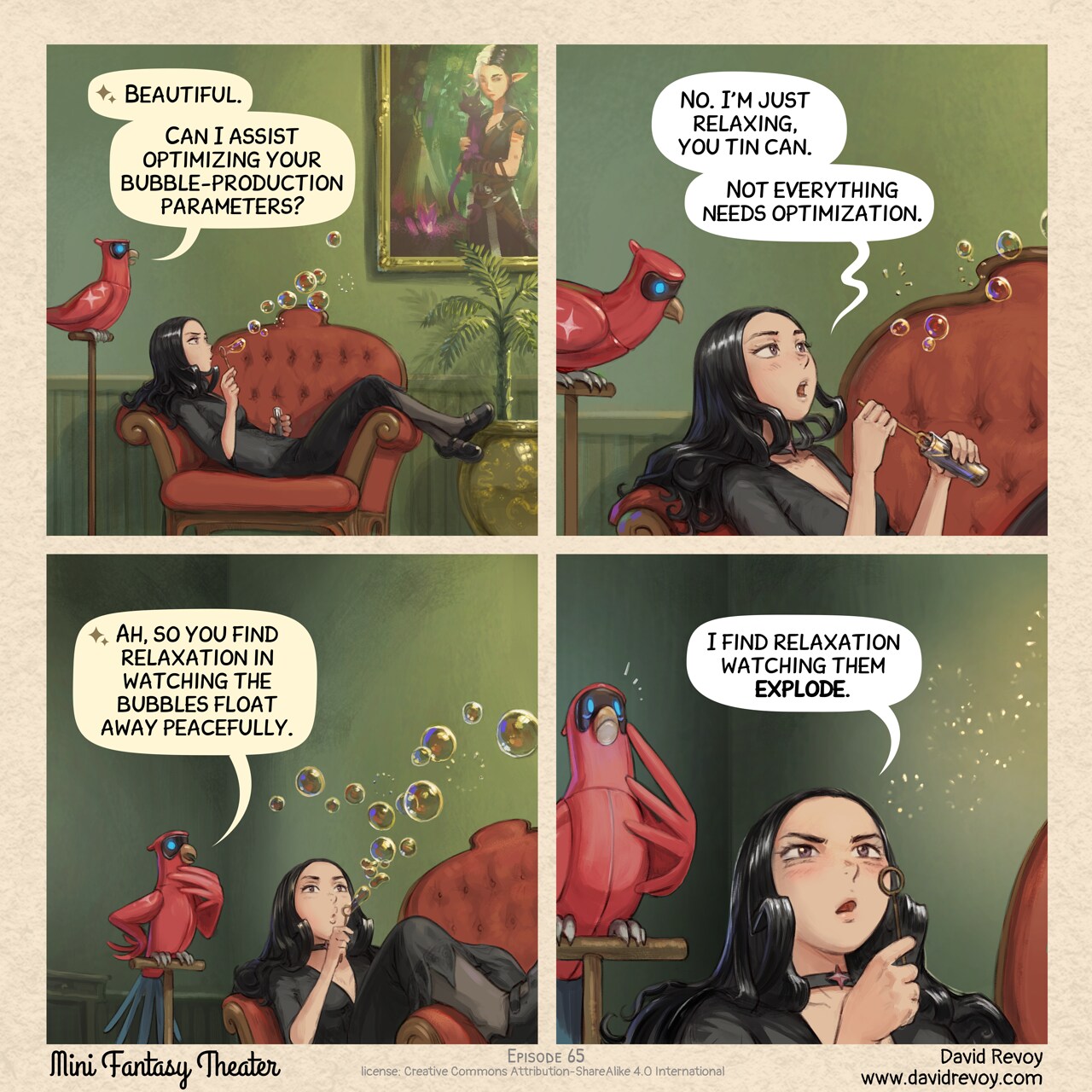
Bubble Therapy
David Revoy par David REVOY le 12/08/2026 à 19:26:00 - Favoriser (lu/non lu)
When online commenters 'detect' my art as AI
David Revoy par David REVOY le 05/08/2026 à 20:47:00 - Favoriser (lu/non lu)
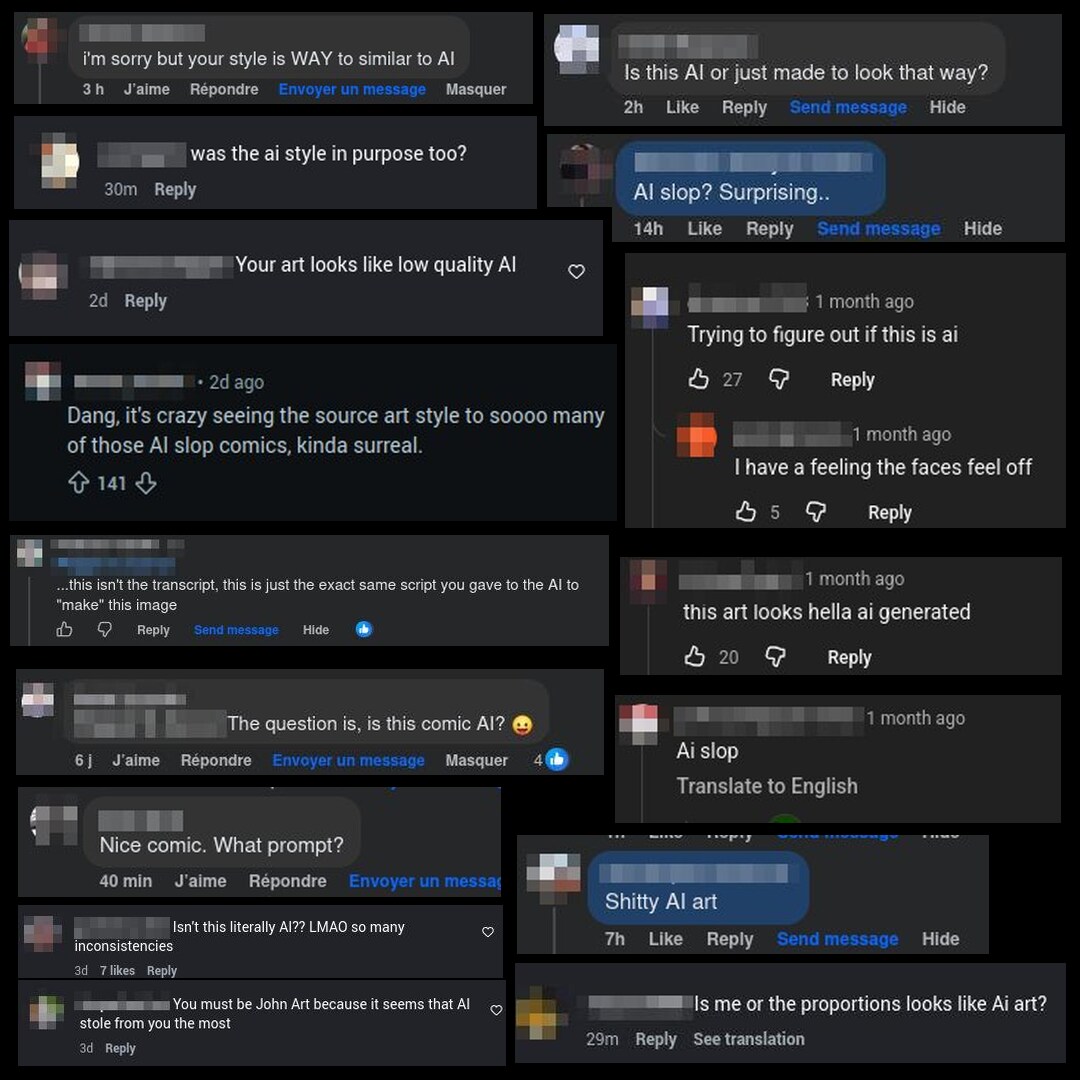
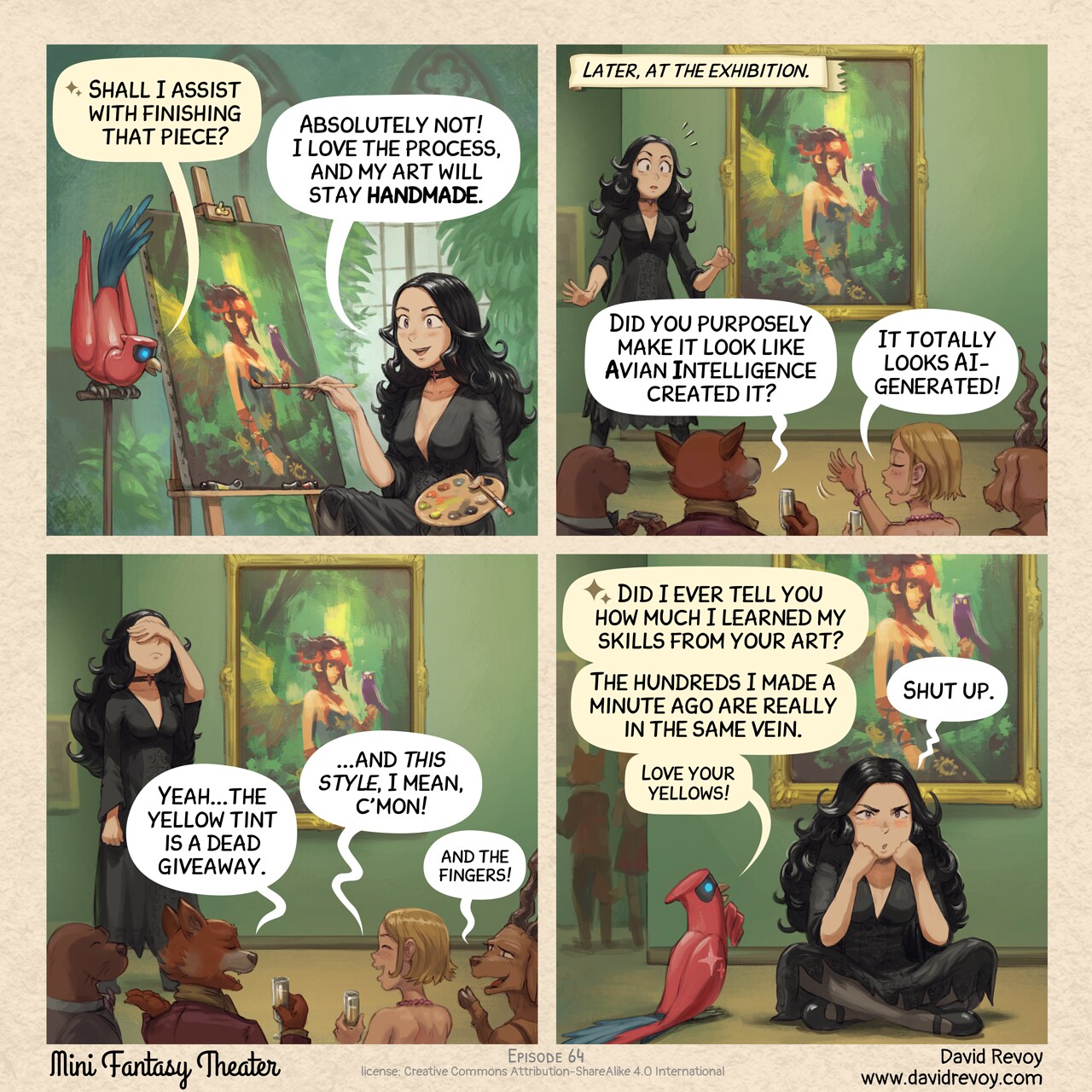
Authenticity Problem
David Revoy par David REVOY le 05/08/2026 à 19:21:00 - Favoriser (lu/non lu)
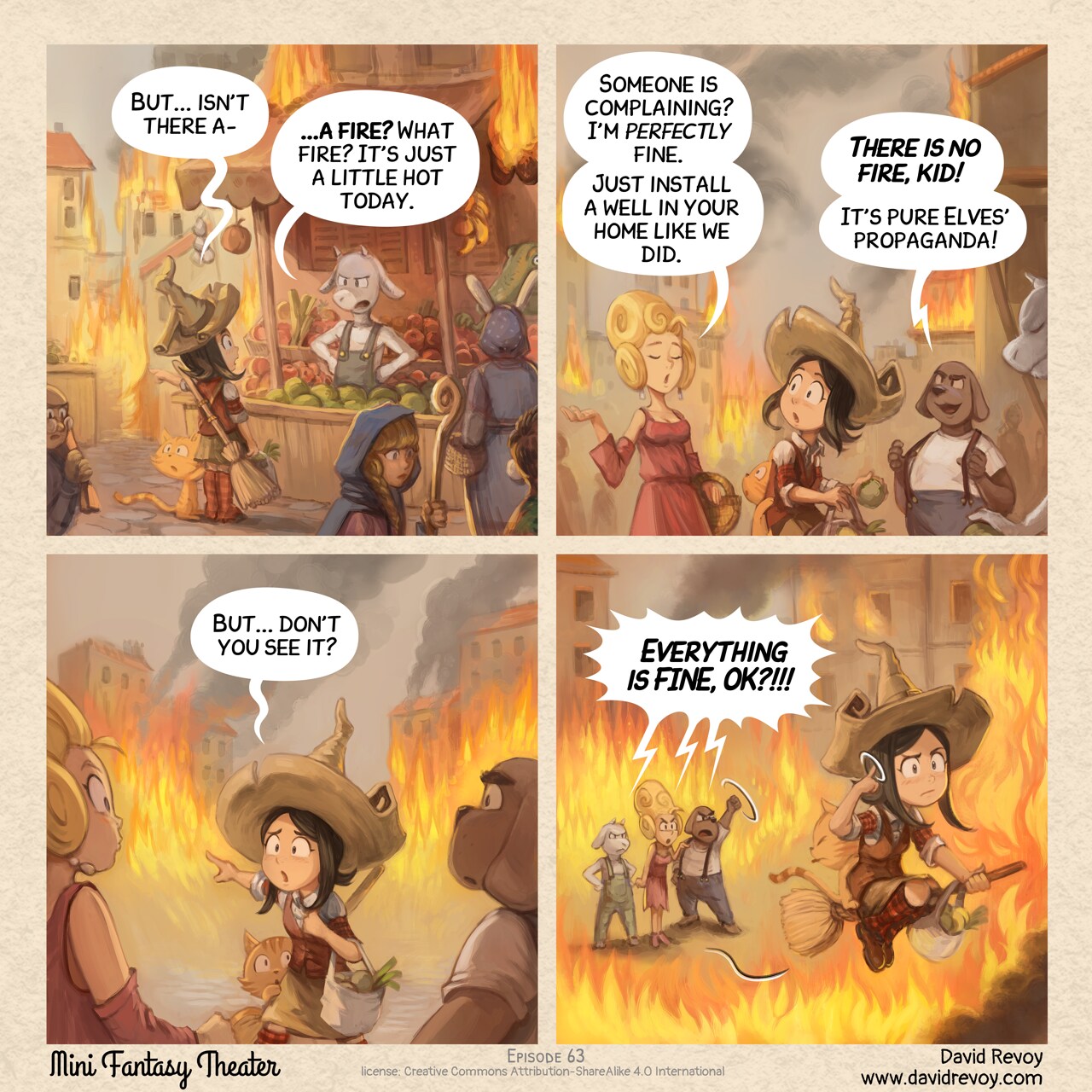
Fire
David Revoy par David REVOY le 29/07/2026 à 19:09:00 - Favoriser (lu/non lu)
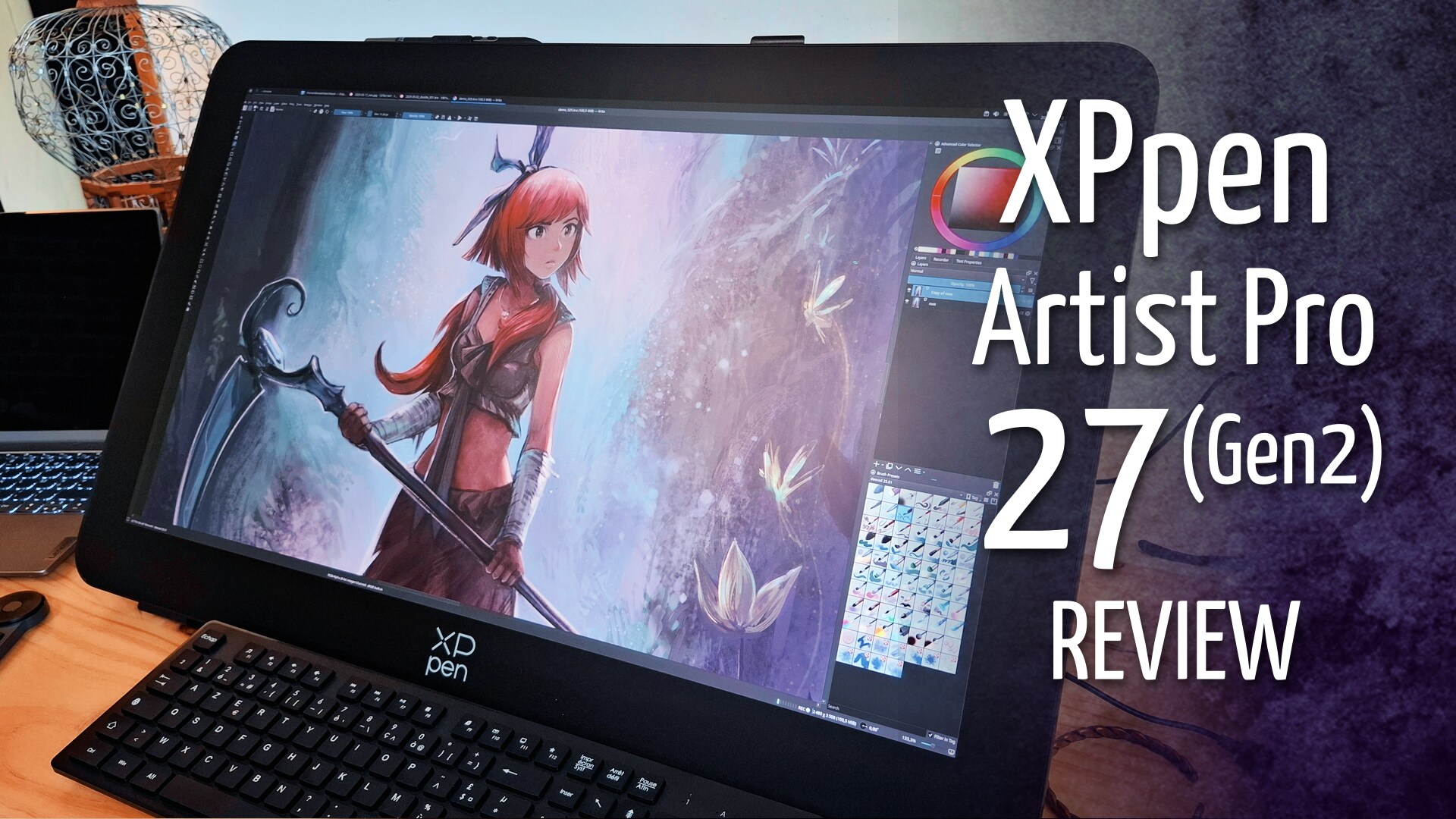
XpPen Artist Pro 27 Gen2 - review on GNU/Linux
David Revoy par David REVOY le 24/07/2026 à 16:37:00 - Favoriser (lu/non lu)
Chill Out
David Revoy par David REVOY le 22/07/2026 à 18:08:00 - Favoriser (lu/non lu)
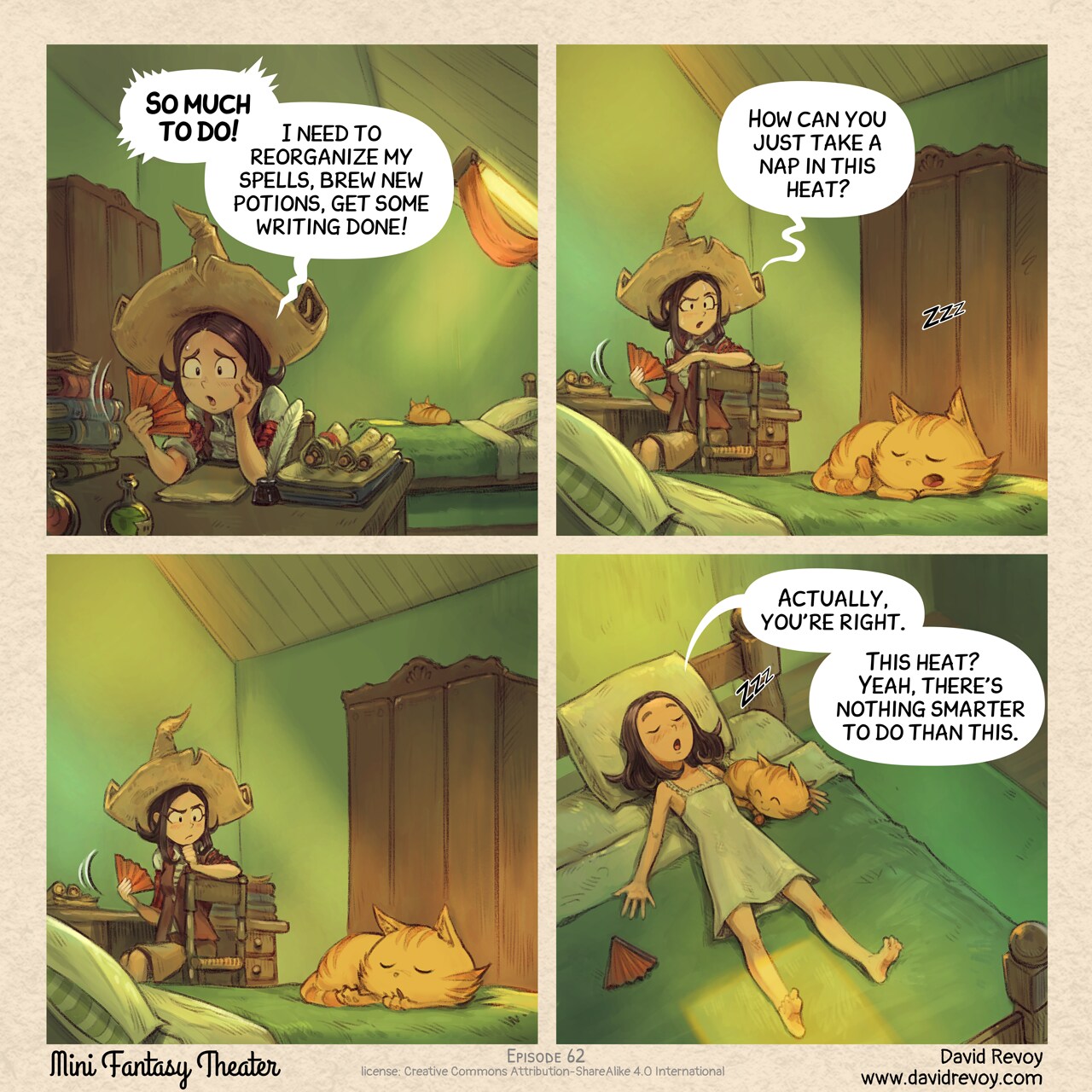
Magic Portal
David Revoy par David REVOY le 15/07/2026 à 20:34:00 - Favoriser (lu/non lu)
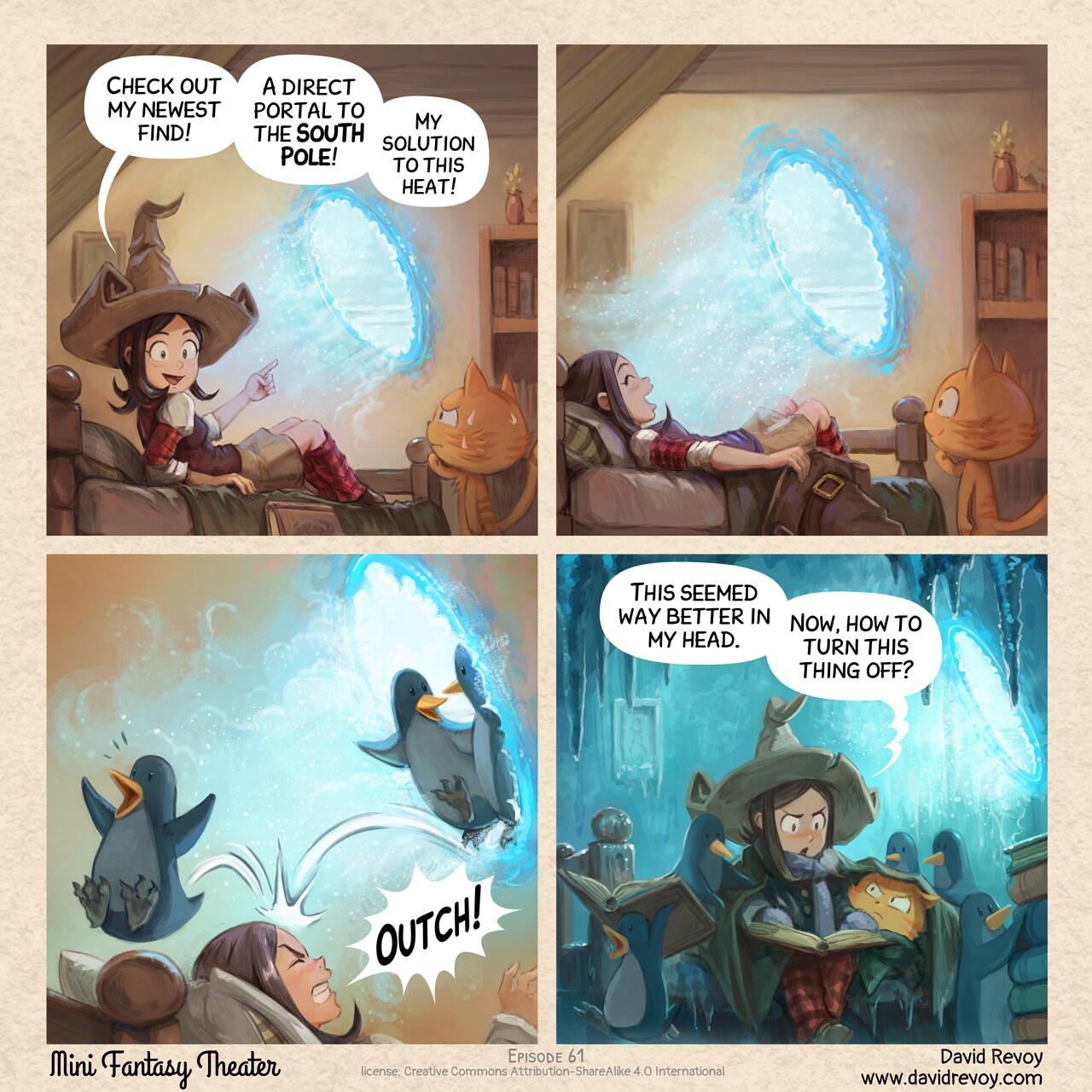
Monthly production report for June 2026
David Revoy par David REVOY le 09/07/2026 à 20:16:00 - Favoriser (lu/non lu)
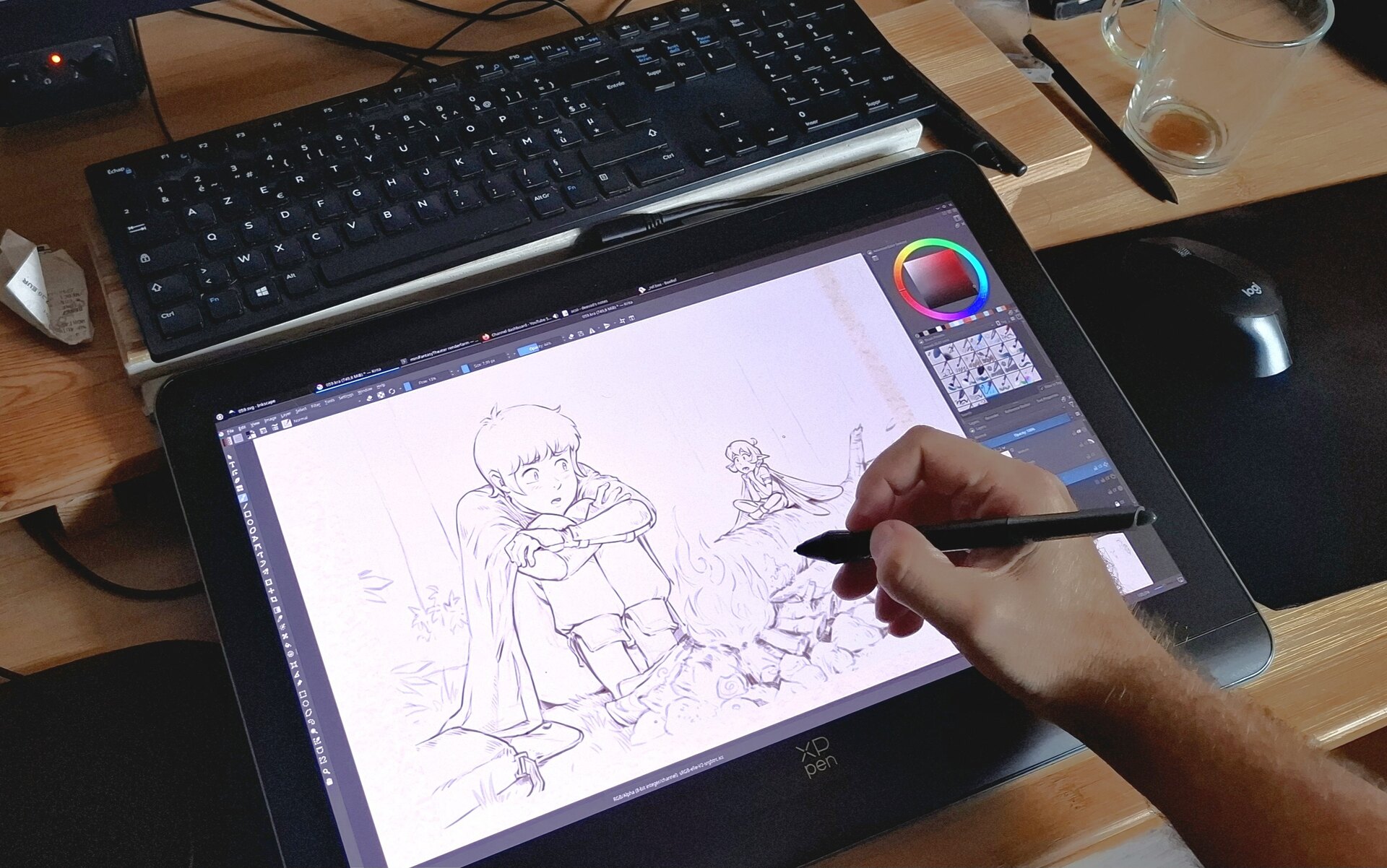
Summer Witchcraft
David Revoy par David REVOY le 08/07/2026 à 19:38:00 - Favoriser (lu/non lu)
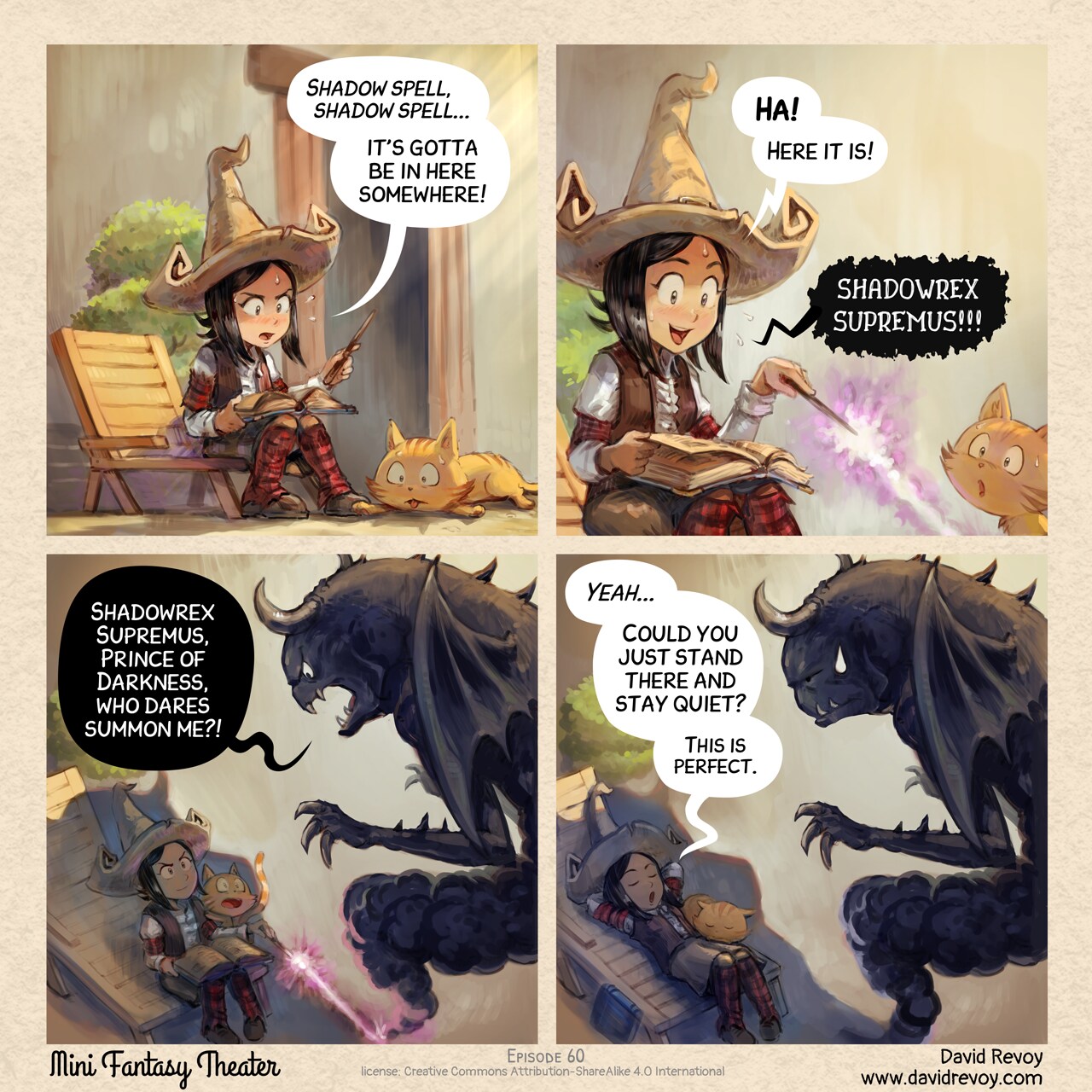
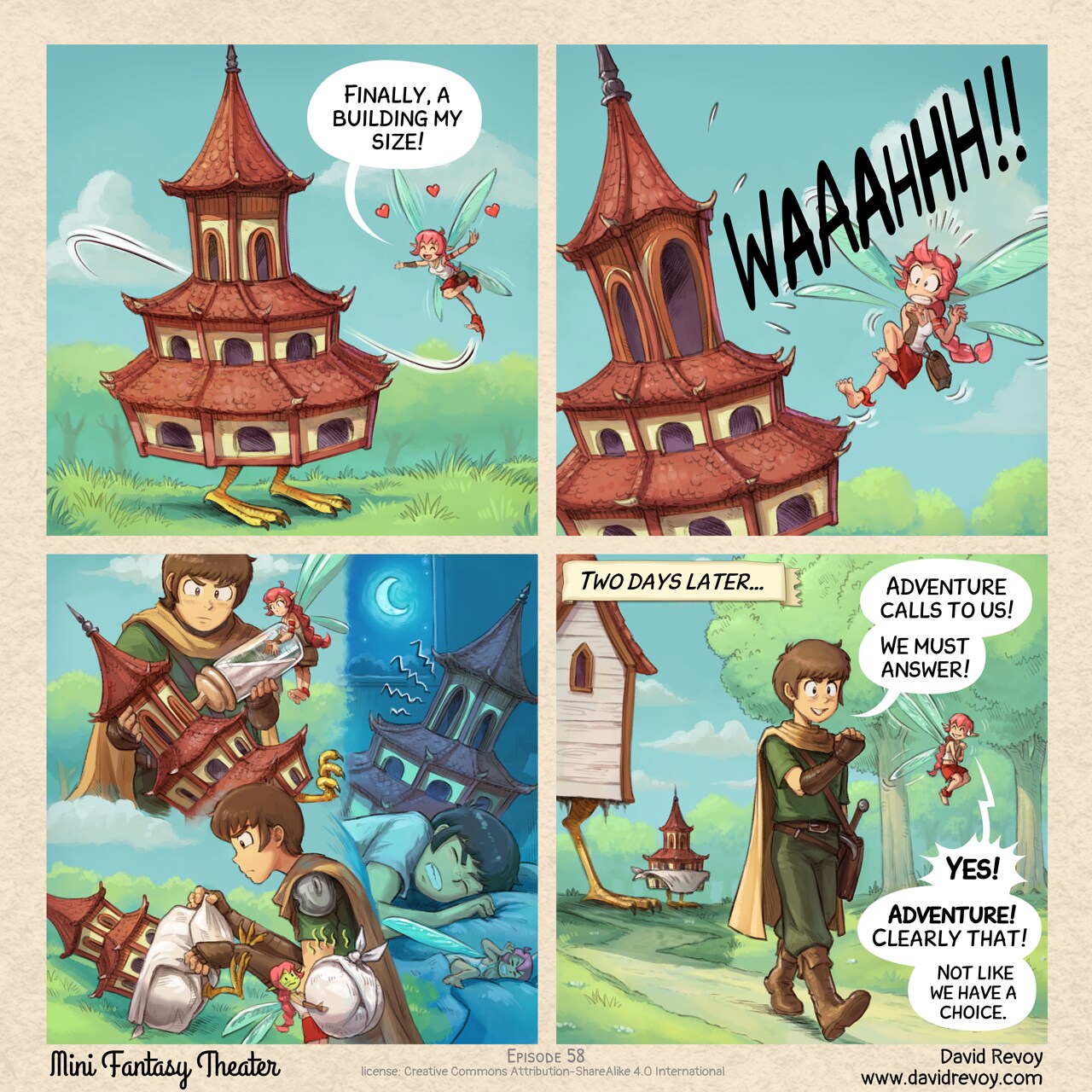
Baby Pagoda Side Quest: Failed
David Revoy par David REVOY le 01/07/2026 à 18:16:00 - Favoriser (lu/non lu)
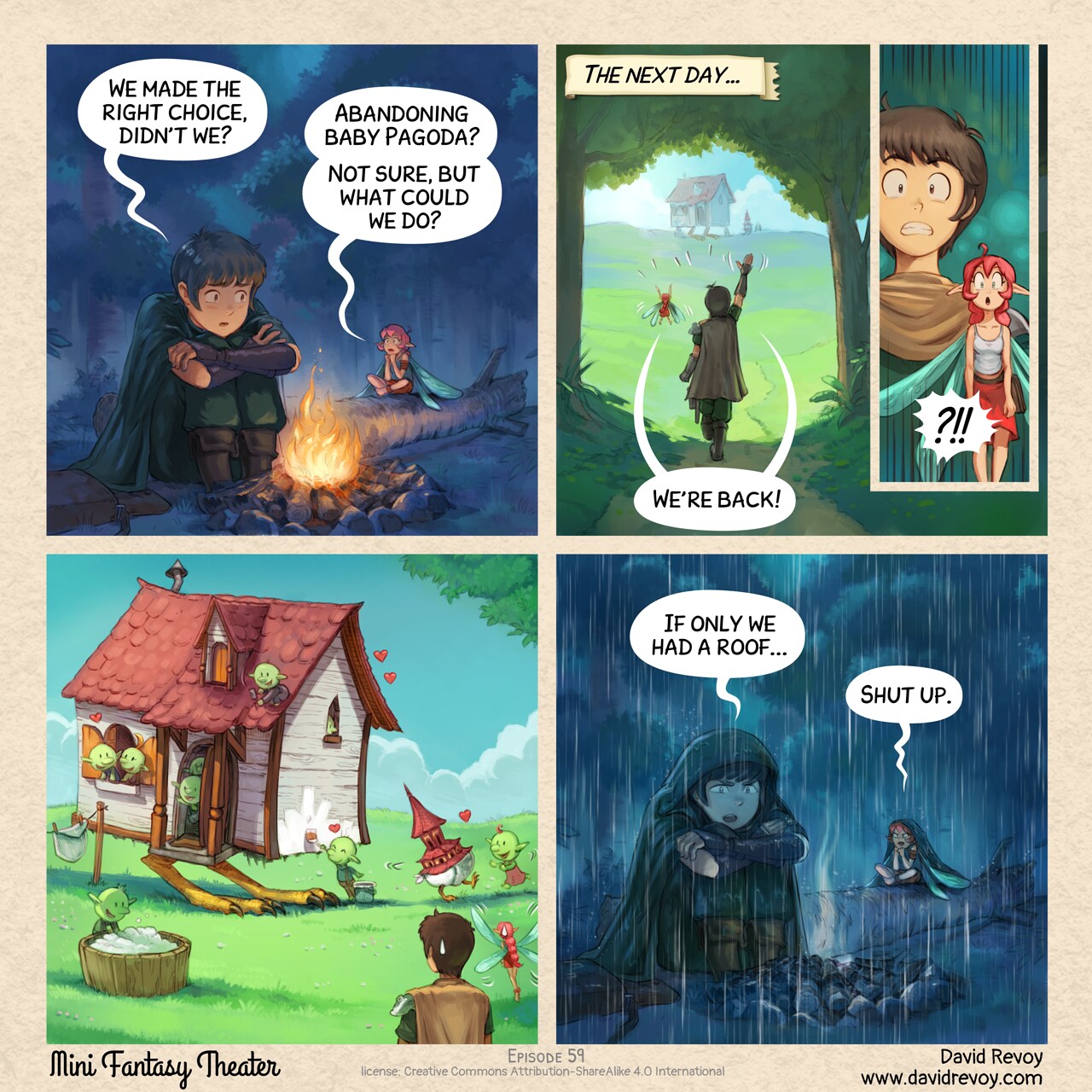
Adventure Calls (Clearly)
David Revoy par David REVOY le 24/06/2026 à 19:03:00 - Favoriser (lu/non lu)
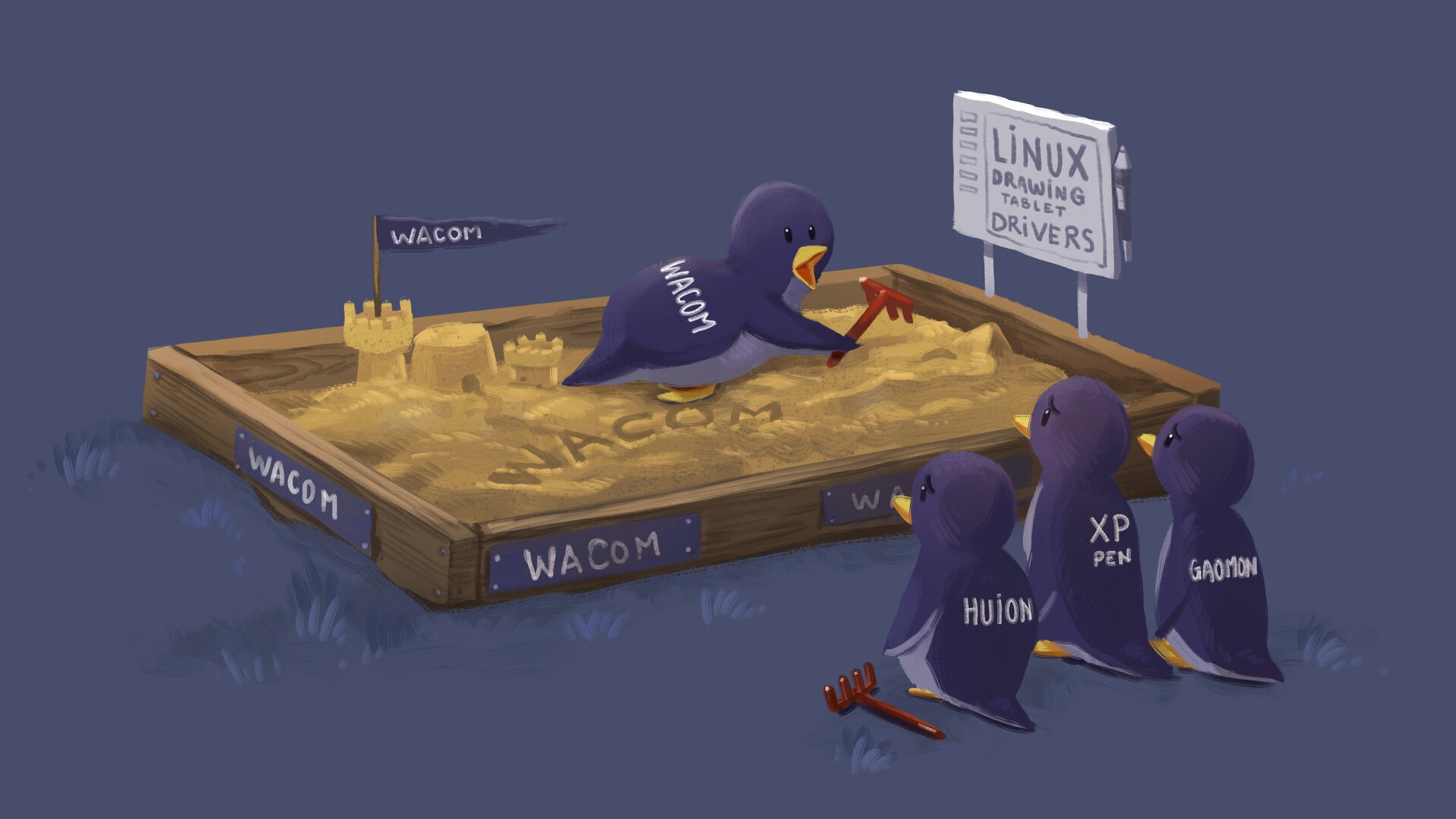
Why Drawing Tablet Brands Won't Collaborate on Linux FLOSS Drivers
David Revoy par David REVOY le 22/06/2026 à 14:07:00 - Favoriser (lu/non lu)
Monthly production report 2026-05: KDE NEON install guide, a long making-of and Italy.
David Revoy par David REVOY le 18/06/2026 à 19:47:00 - Favoriser (lu/non lu)
The Nest and Travel Souvenir
David Revoy par David REVOY le 17/06/2026 à 18:46:00 - Favoriser (lu/non lu)
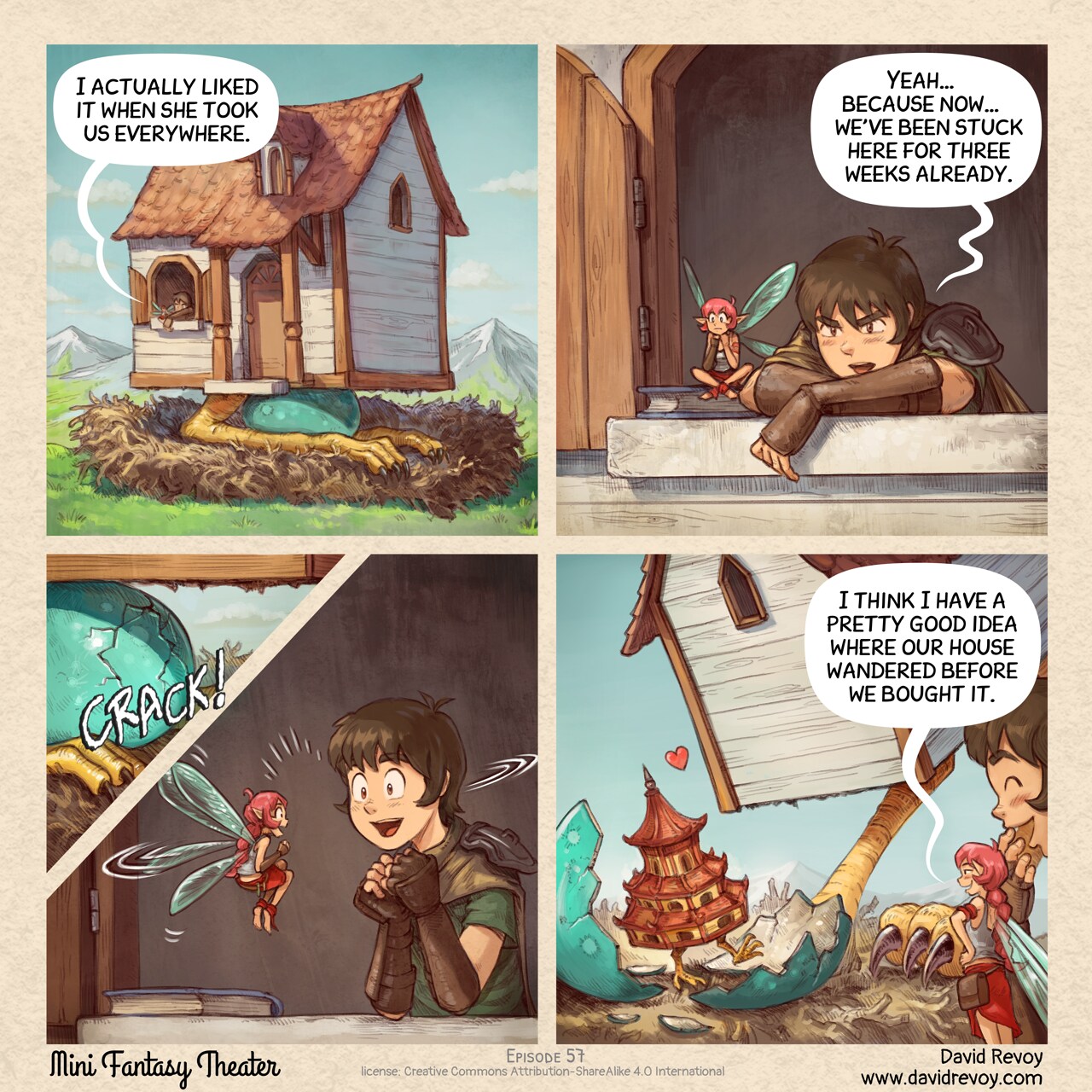
Home Sweet Home... Sort of
David Revoy par David REVOY le 10/06/2026 à 18:39:00 - Favoriser (lu/non lu)
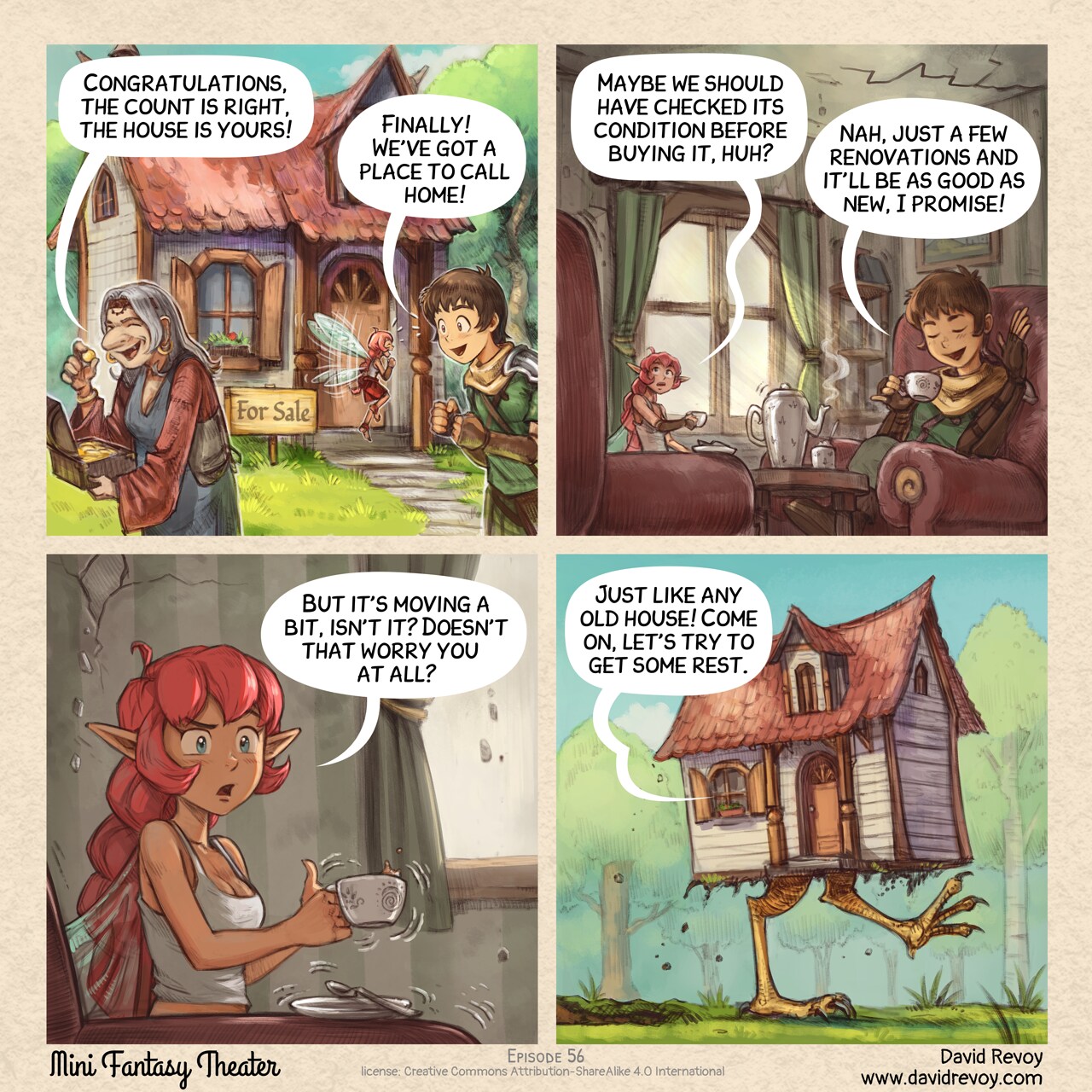
Tutorial: a Comic strip from A to Z with Krita
David Revoy par David REVOY le 05/06/2026 à 15:48:00 - Favoriser (lu/non lu)
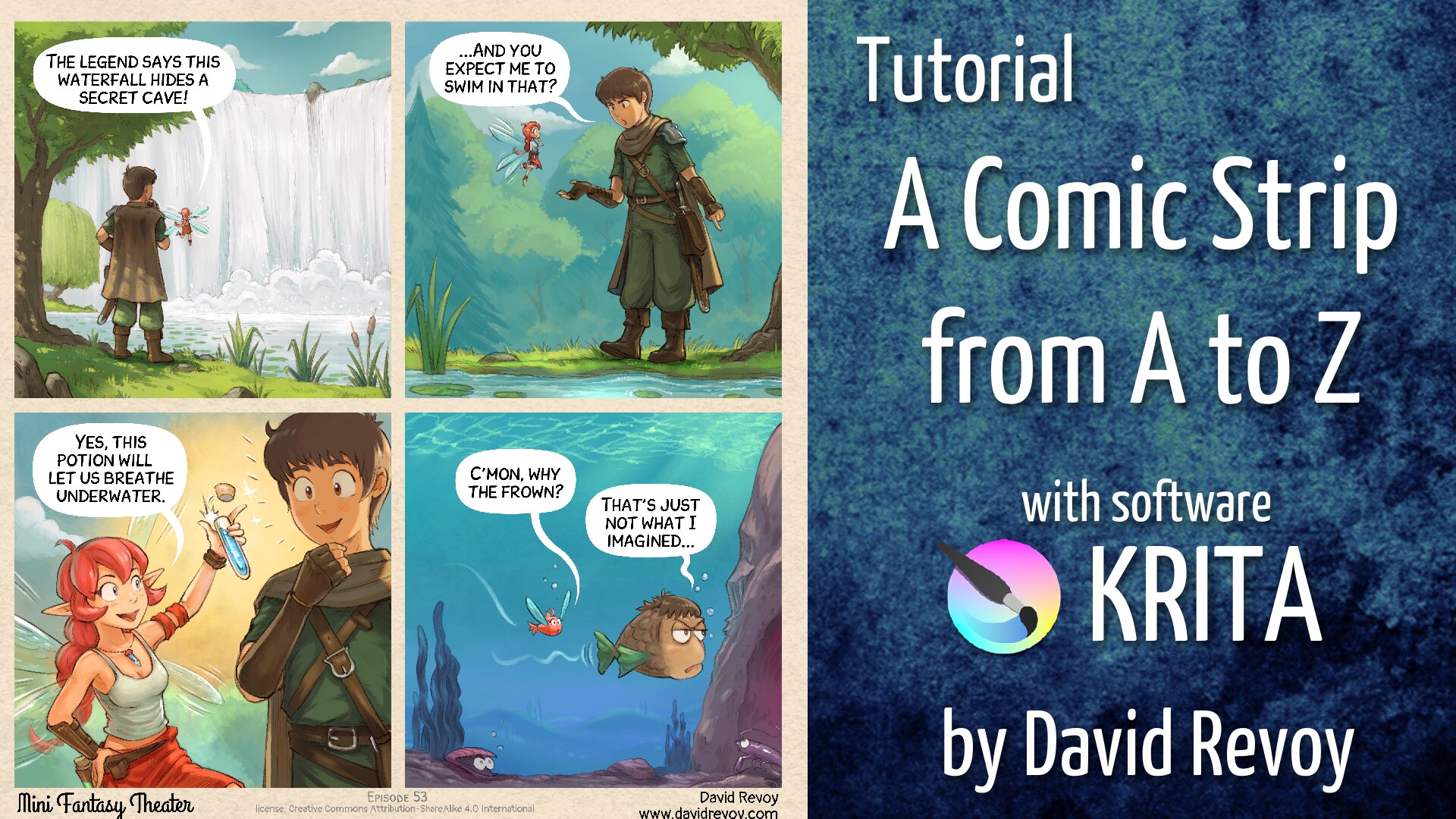
The Potatoes Quest
David Revoy par David REVOY le 03/06/2026 à 18:36:00 - Favoriser (lu/non lu)
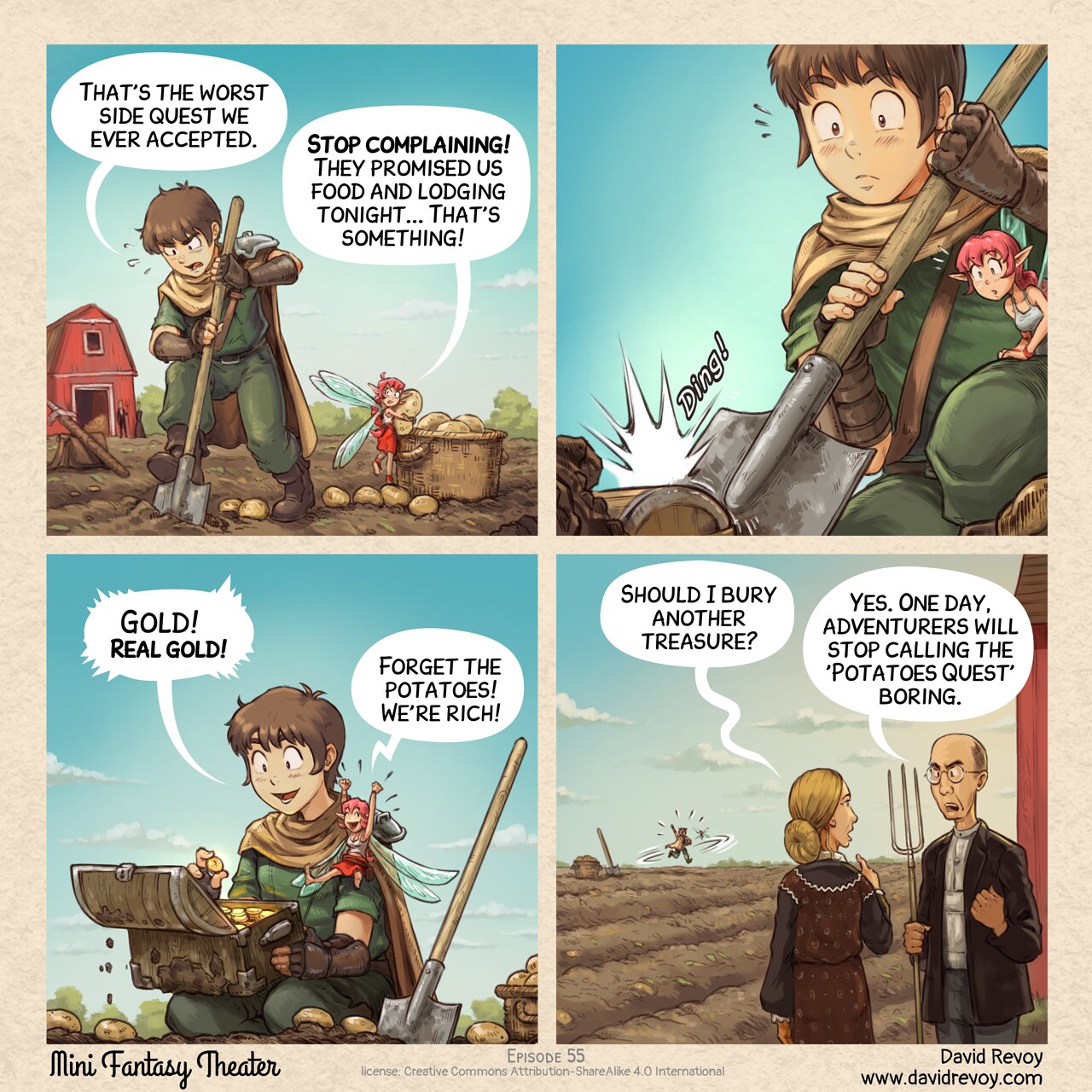
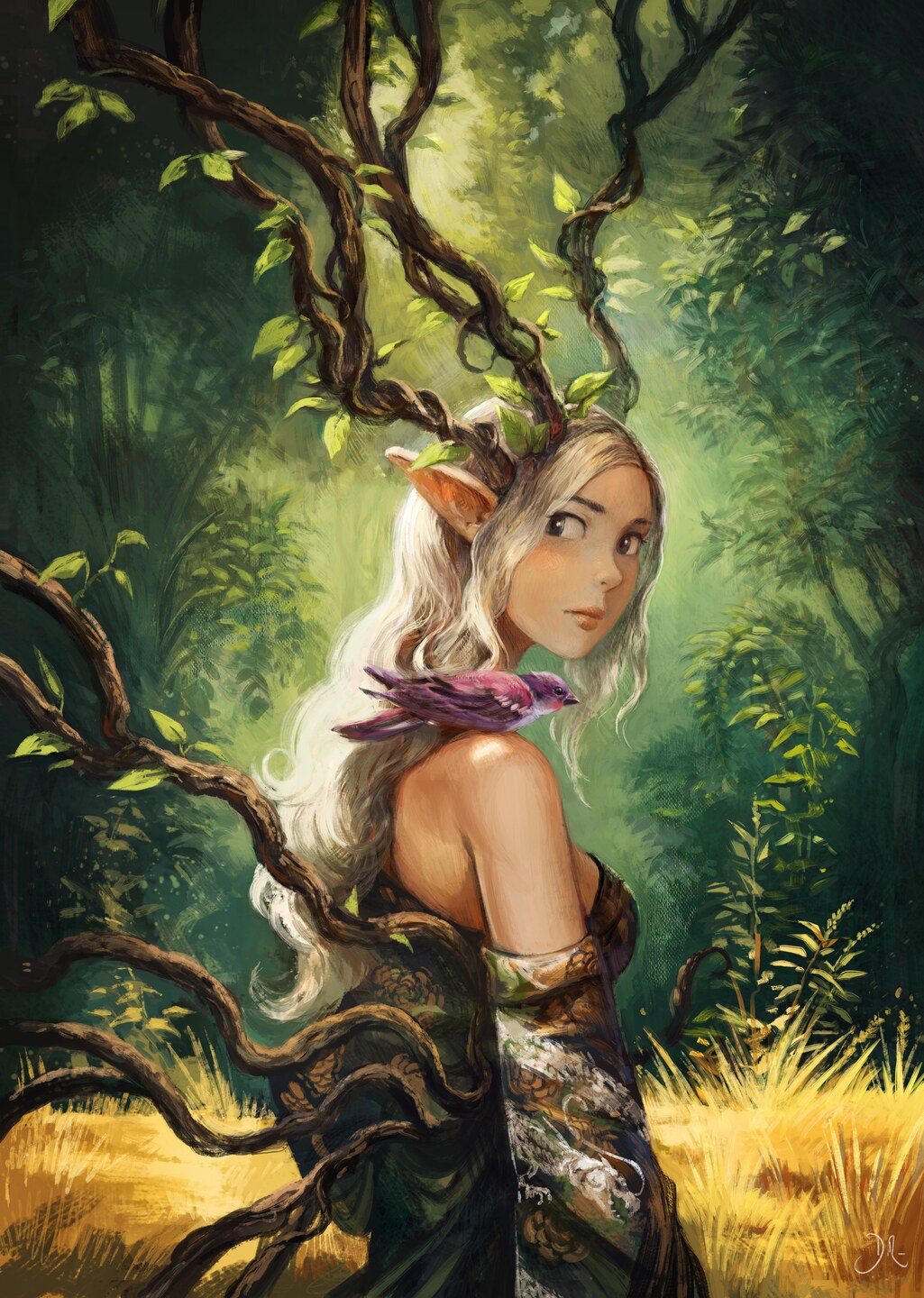
Dryad, a poster illustration for the Geek Faeries Festival.
David Revoy par David REVOY le 28/05/2026 à 19:52:00 - Favoriser (lu/non lu)
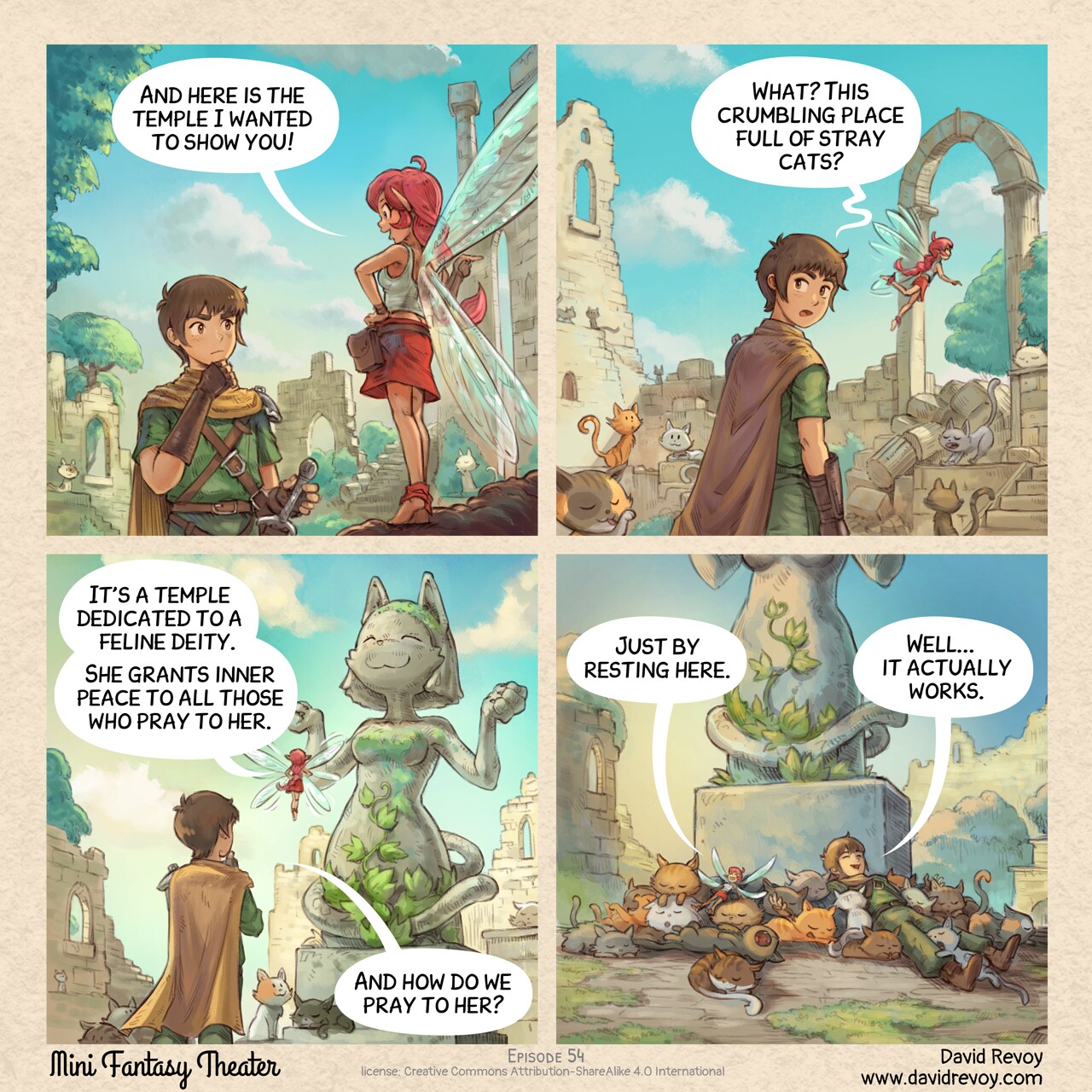
Finally, a quest worth doing
David Revoy par David REVOY le 27/05/2026 à 18:58:00 - Favoriser (lu/non lu)
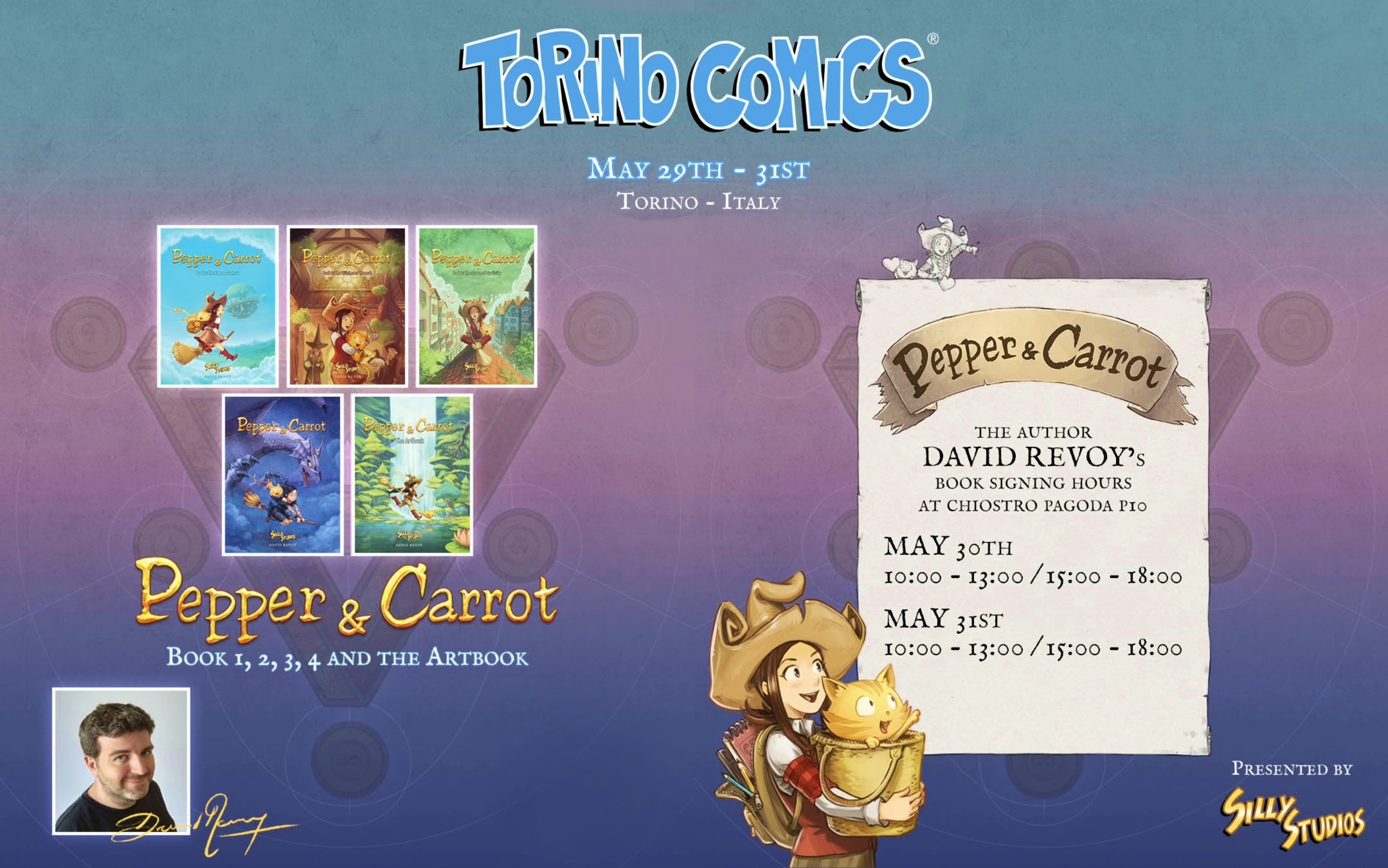
Signing session at Torino Comics, Italy (May 30th to 31th)
David Revoy par David REVOY le 25/05/2026 à 11:53:00 - Favoriser (lu/non lu)
Interim Install Guide: KDE Neon User Edition for a professional digital painter workstation
David Revoy par David REVOY le 22/05/2026 à 19:21:00 - Favoriser (lu/non lu)
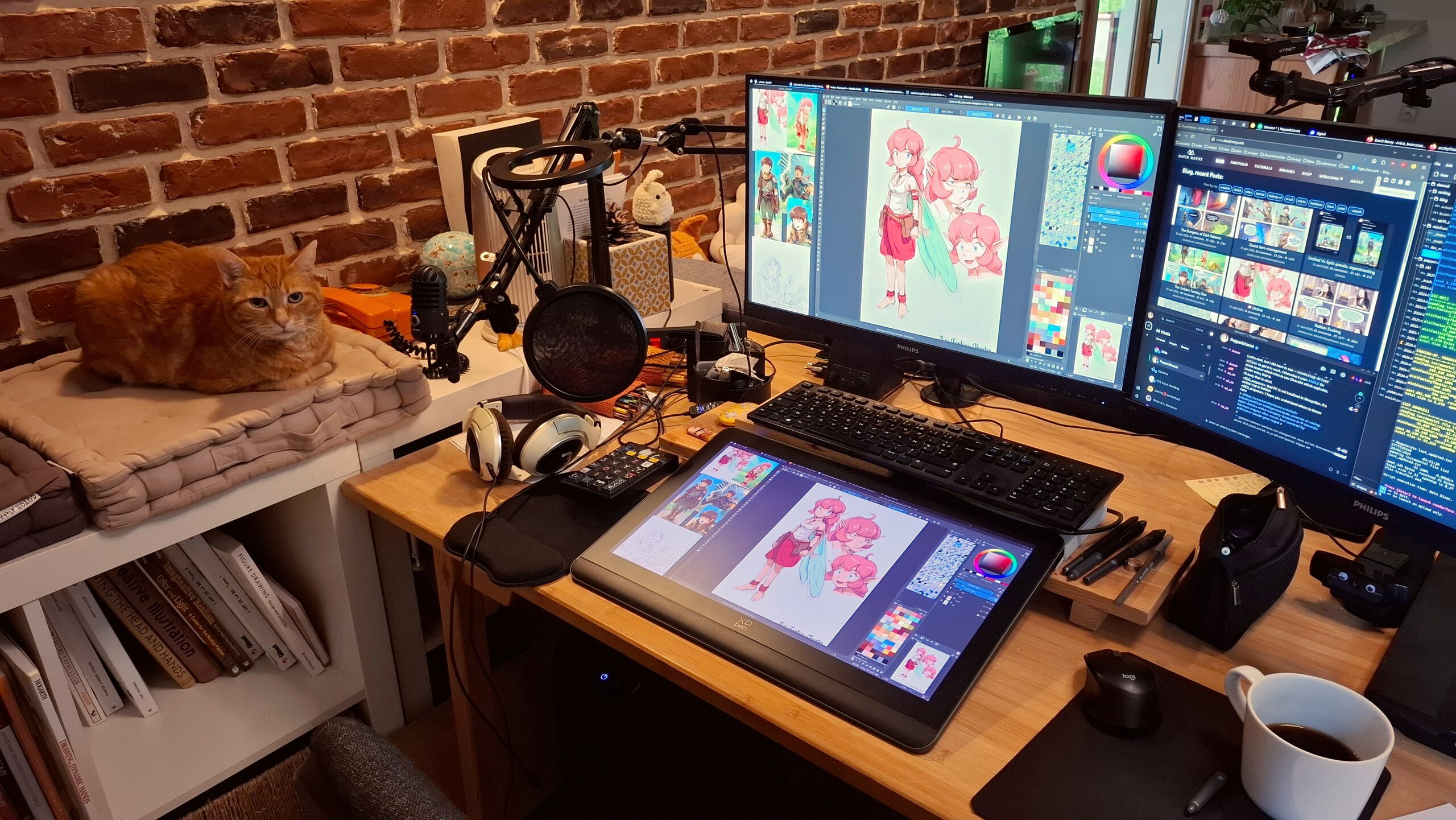
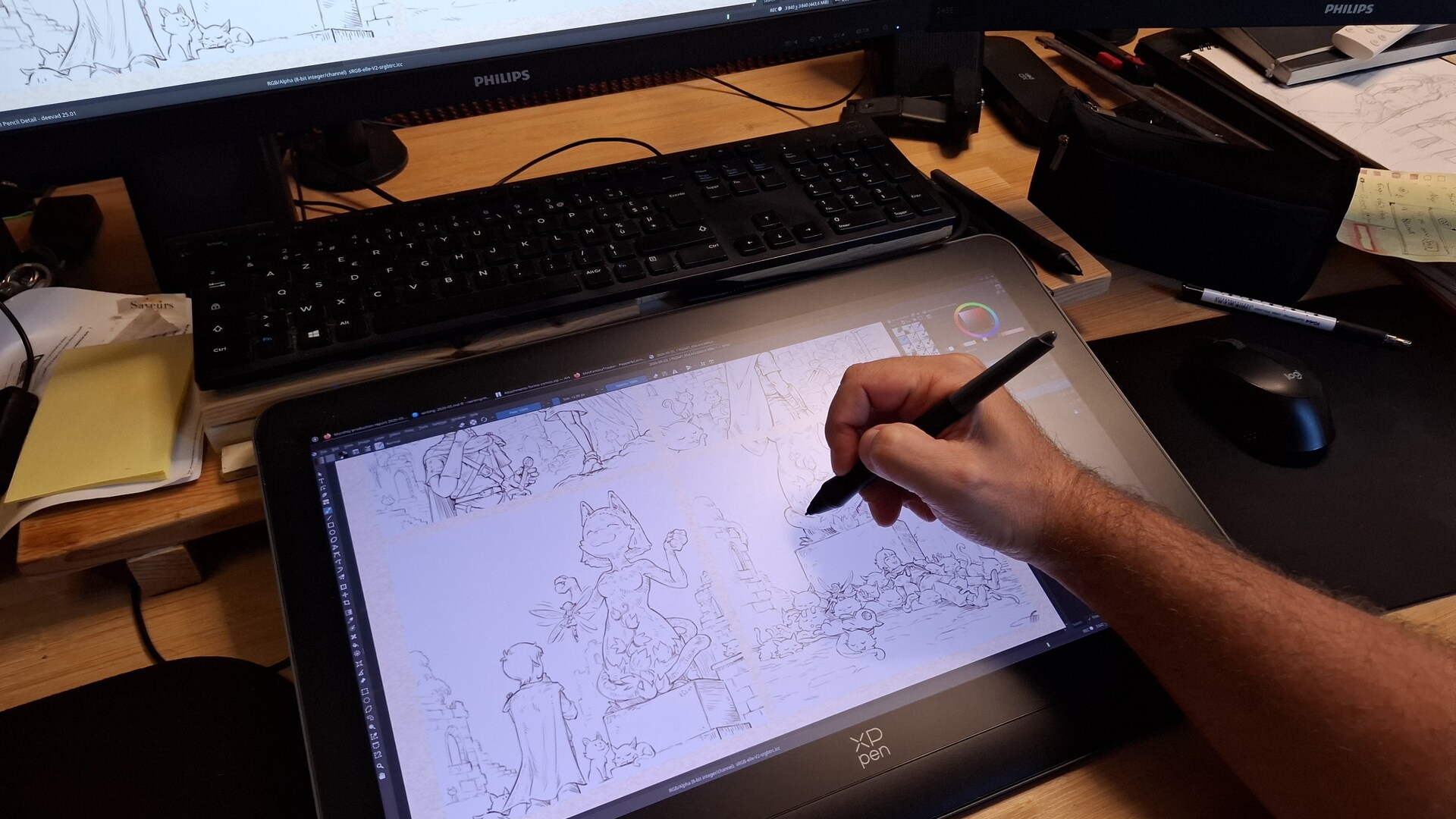
My main setup, with also the best co-worker ever
Disclaimer: this article was not written, prompt or proofread using AI/LLM. If my sentences are weird, and with typos: all my apologies. Blame the fact that I'm French and I'm mostly self-taught when it comes to English.
1. Introduction:
Hey, here is my new GNU/Linux Distribution Install Guide. It’s not a step-by-step tutorial, but a central hub with all the information, tips and links to replicate my setup. Sharing this is a tradition, I do that since 15 years.
And recently with proprietary operating systems adding more ads, surveillance, and AI features, many digital artists (graphists, painters, etc.) want to switch to GNU/Linux but struggle. This guide serves as a proposition I can share when helping other professional digital artists (comic artists, digital painters, concept artists, graphic designers, game developers, illustrators, etc...) who often have:
- High-end workstations (with multiple monitors)
- Drawing tablets with styluses they need to customise
- Colorimeters and color management requirements
- Cameras, microphones, for video and streaming content
2. Interim?
A. After years of broken Wayland distro for artists
We are in the aftermath of what I called last time the largest GNU/Linux regression for artists, graphists and painter I ever see over my last 17 years of GNU/Linux daily usage. Every distros and major Desktop Environments moved to Wayland, but without porting the tools I used for my drawing tablets and color management in the process (read: the three major problems from 2024 to know more).
That's how I spent the two last years, in a strategical retreat move, on Debian 12 KDE 5, Plasma X11, the distro of my previous guide. There wasn't many options around and it wasn't really user friendly to install. During this period, I even personnaly assisted to more than three long date GNU/Linux artists and contributors who prefered to go step back ...to Ms Windows. I also don't count the emails, the comments I received, the DM of artists who wanted to migrate their process in this mess.
So, fortunately, with this Debian 12 Plasma 5 X11, I had my little corner of happy place and documented and shared it. Once setup correctly (not that easy), Debian 12 was a wonderful and peaceful operating system, based on old but robust technologies. It allowed me to use 2023's "frozen in time" technology for two more years, just before the big mess. I had a really good time and could be productive with a new long Pepper&Carrot episode, many video tutorials and reviews, and a new weekly comic series. Not bad!
Unfortunately, this distro couldn't be maintained forever, and with its end of life in june 2026, I had to move to a new distro.
B. A brighter future
But over the course of this two last years, the drawing tablet and color management situation on Wayland/Plasma became brighter, thanks to the incremental efforts of a hand full of contributors.
But to use those new features of Plasma 6 on Wayland, we have to switch to the latest Plasma releases, and move to an unstable territory. That's why I put "Interim" in the title. I know this KDE Neon solution is not a durable one, and in itself, a workaround. Each big update will be a risk. In one month, this Linux Distribution might become worst than what I share in this guide, or better.
This is a sketchy guide compare to the previous one. I don't recommend this guide for video game and movie studios or classrooms for this reason. But among everything I tested... It was the 'less worst' choice. So, expect some paper-cut, things "not ready" and mega workarounds in this KDE Neon User Edition guide.
Maybe later, far later, by summer 2027, a Debian 14 KDE will become the new perfect stable distro. But until that, I'm really happy to finally move to 2026's GNU/Linux tech and be able to propose a guide. I also now see my future with hope in this ecosystem.
A big bravo to the Wayland, LibInput, Plasma and Krita teams for reaching this achievement.
3. Why KDE Neon User Edition:
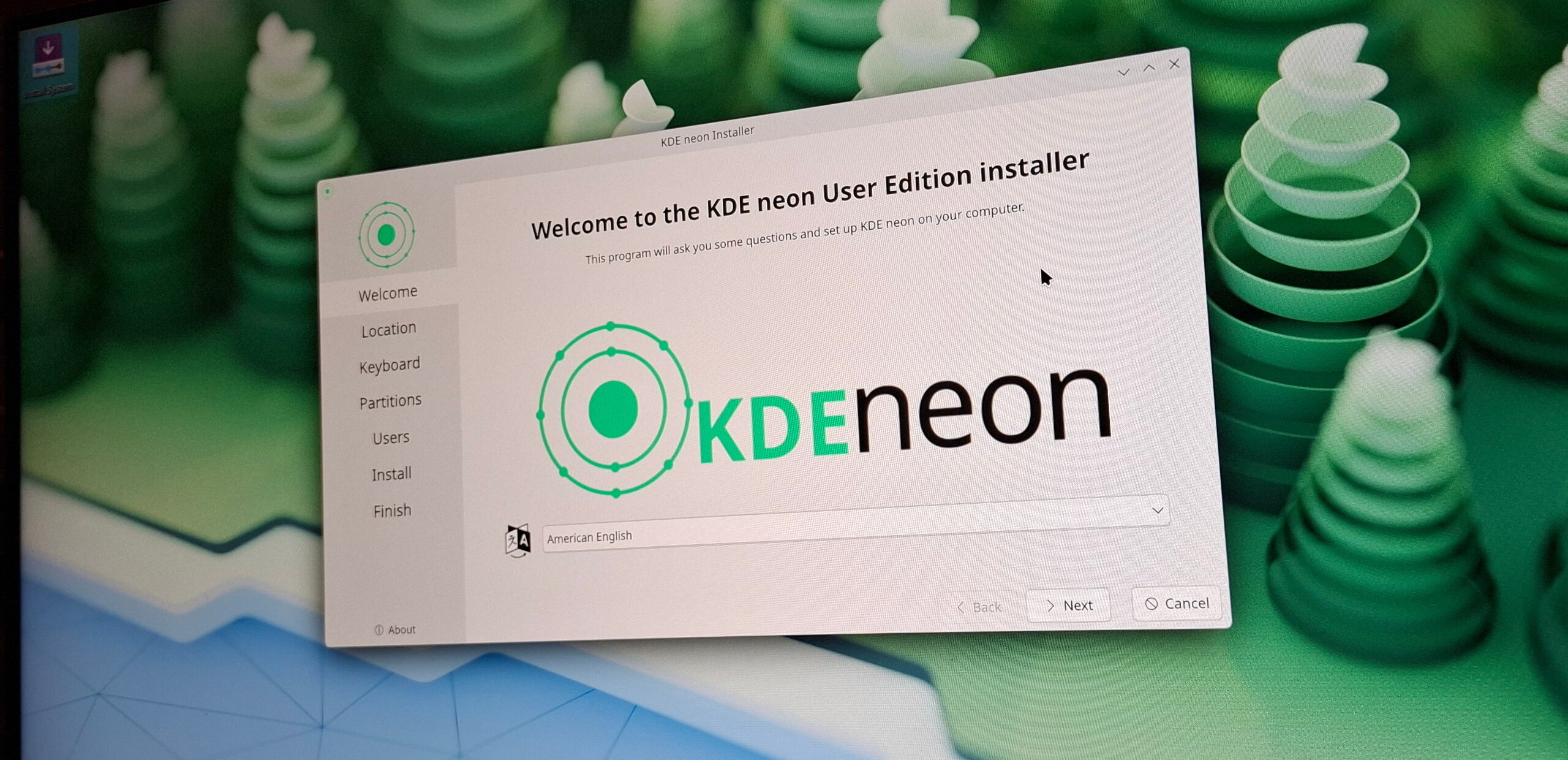
Kde Neon User Edition logo splash screen during the install process.
A. Requirements
I had to find a distro with these requirements:
- KDE Plasma 6.5.4 or above: For fixes in the tablet interface and color management in symbioses with Krita (src: Plasma changelog, Krita 6 prerelease).
- A Kernel enabling BPF: For installing udev-hid-bpf, with drivers for many drawing tablets.
- Stability: It's for a workstation: setup once, then get update for security or bug-fix release.
- User oriented: A distro that care for the users: nice installer, drivers, firmware, and a large ecosystem of package selection.
- Ethic: A project that has a Code of Conduct, not centered on X, LinkedIn, Github, or Discord servers and a LLM/AI ban policy, or not forcing a tech (eg. Snap) on user.
B. A long phase of testing
Unfortunately, on the landscape right now, I couldn't find something 100% compliant with my list... I tested:
- Debian-Testing KDE: Stability issues, a too crude installer and webpage, and a long post-install process (eg. replacing Firefox ESR, install Flatpak, etc...), nothing came ready out of the box. No real AI ban Policy.
- Kubuntu 26.04 LTS: Snap centric imposed, openly advertise AI usage.
- Ubuntu Studio 26.04 LTS: Idem, snap centric imposed, openly advertise AI usage.
- Fedora KDE: 6 month semi-rolling, break things and move fast philosophy, openly advertise AI usage.
- KDE Linux: Rolling but immutable, alpha installer/webpage, every user apps have to be Flatpak. No real AI ban Policy.
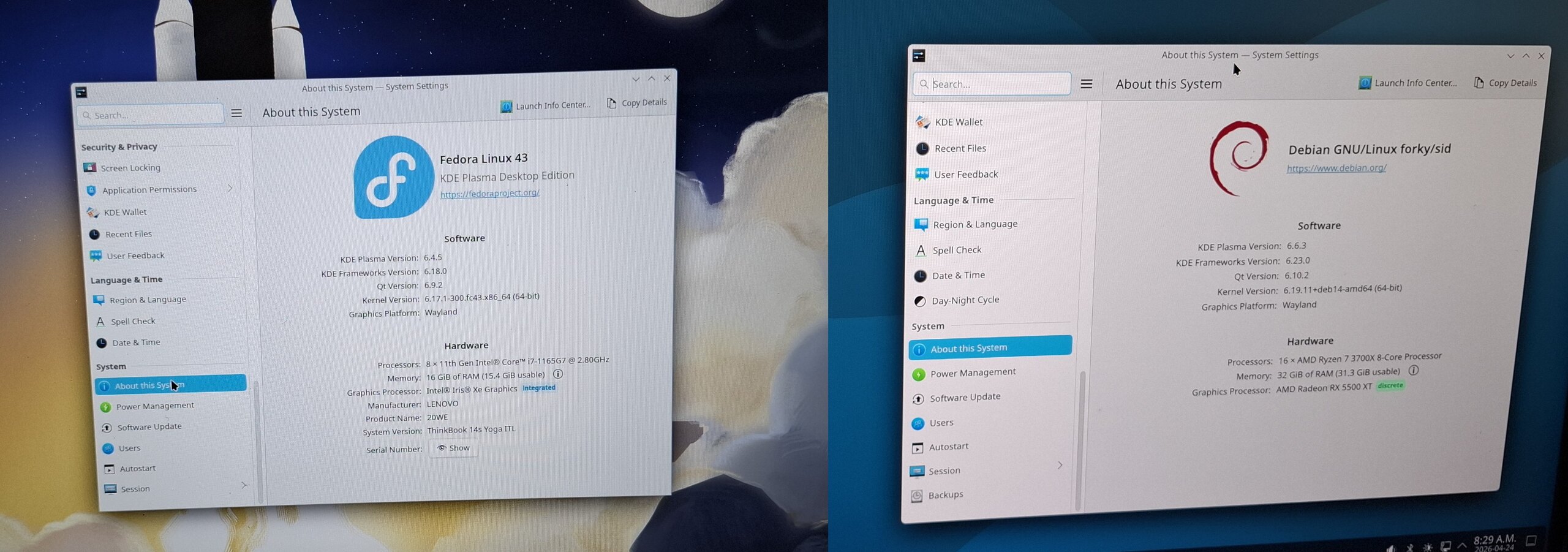
Fedora 43 KDE and Debian Testing KDE are probably the one I tested the most.
C. Compromises
I finally came to KDE Neon UE after accepting these compromises:
- Compromise on ethic: KDE Neon UE is built on top of the Ubuntu 'noble' 24.04LTS (Noble Numbat) ecosystem, and Cannonical is openly pushing AI. Meh. At least, it's not a pure Canonical product and usage of Snap is optional on it. Also KDE not yet has a real AI/LLM ban policy.
- Compromise on stability: KDE Neon UE receives each new release of the Plasma desktop environment. It's not frozen to a specific version: you'll have novelties, and with it, probably new behavior you dislike or bug you don't expect. Following "This week in Plasma" is a good idea.
On the bright side, KDE Neon UE has simple website and installer, and a user friendly approach in general. You can add to that a large compatibility with hardware like graphic cards, scanner and printers because of the 24.04LTS ecosystem. Also plenty of online documentation, workarounds and resources, and, cherry on the top of the cake, a default kernel that can run udev-hid-bpf.
Around October 2026, KDE Neon User Edition will probably propose an upgrade to the new 26.04LTS 'Resolute Raccoon' (supposition, based on the previous release schedule compared to LTS releases). I spied a bit the upgrade process of the previous versions, and it felt user friendly enough to not worry about this future upgrade.
But I'm not eager to try the 26.04LTS ecosystem, especially when I read here and there that you can't draw on Krita with it. It sounds to new and buggy.
4. Hardware
A. General recommendation:
PC:
If you are brave enough to buy a computer in the current economy, here are my recommendations for the minimum machine that can paint well with Krita on KDE Neon.
- CPU: something above 10,000CPUmark, most important: 2500 single ( check CPUmark: https://www.cpubenchmark.net )
- GPU: something above 2600 GPUmark ( check GPUmark: https://www.videocardbenchmark.net/ )
- Avoid Nvidia GPU: They are still problematic on GNU/Linux, you'll save headaches and bugs.
Also, know that many high-end machines of around the year 2020 are still valid today, so check the second hand market (refurbished products). You'll also contribute to reduce the production of e-waste this way.
Drawing tablet:
I recommend here also the second hand market (refurbished products), especially of the brand "Wacom". That's because all models, older than a year and within the last 10 years are well supported 'out of the box' on GNU/Linux. Plug and play to say so.
About the type of model, if you begin, a non display tablet A5/Medium size will be perfect. If you want to draw on a display: a 13" or 15" will be good enough for a first experience.
For cheaper brands, like XpPen, Huion, Gaomon, prepare for having to tweak things to install them properly without having to use their proprietary software. And don't think a 'brand' is fully compatible: some specific models of a brand can be compatible (I'm maintaining on my blog a "hardware" tag with them), but it doesn't mean all tablets from a manufacturer are. Wacom is the exception because they share the specification directly with Red Hat. I'm working since years to get XpPen, Huion and Gaomon to so the same.
See the "Drawing Tablet" chapter for more info about the driver situation.
B. My hardware
a. PC Workstation:
- CPU: AMD Ryzen 7 3700X - 22,415 CPUmark (2655 single)
- GPU: Sapphire Radeon RX 5500 XT 8GB - 9073 GPUmark
- Motherboard: Asrock B450M-Pro4
- Ram: 4x8GB G.Skill DDR4 @ 3200Mhz
- Monitors: 2x Philips 245E QuadHD 24 inch 2560x1440, Color space ability: almost full sRGB.
- Drawing tablet: XPPen Artist Pro 19 (Gen 2), my review is here.
- Colorimeter: Xrite Colormunki Smile, got also a Pantone Huey Pro to compare.
- Webcam: Logitech HD 1080p.
- Camera: Sony Alpha 6400, connected with an Elgato CamLink.
- Microphone: Samson USB Meteor condenser.
See also the full article about it here.
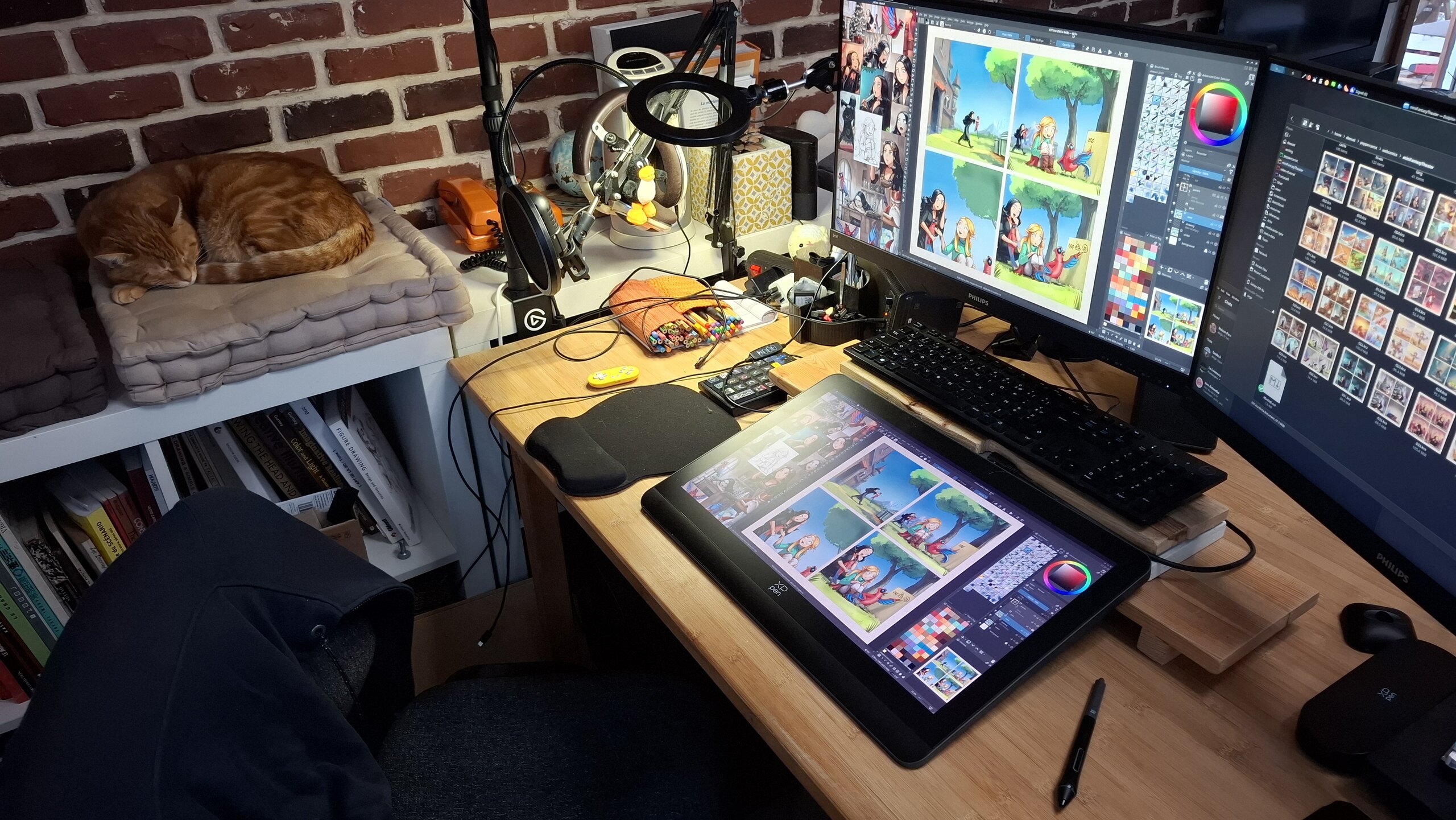
My PC in January 2026 during my weekly comic production ( MiniFantasyTheater ep37). Running Debian 12 X11 Plasma 5 at that time.
b. Laptop:
For conferences, demo and travel, I use a Lenovo ThinkBook 14S Yoga
- Size: 320 x 216 x 16.9 mm, 1.5 kg
- Display: 14", 1920 x 1080, touchscreen
- Thunderbolt 3 USB-C
- CPU: Intel Core i7-1165G7 @ 2.80GHz - 9,822 CPUmark (2731 single)
- GPU: integrated Iris Xe Graphics - 2610 GPUmark
- SSD: 1TB
- RAM: 16GB (unfortunately, the mem slot is soldered, bad in case of Ram issue but another slot is free)
- Drawing tablet: This laptop has a touch screen built-in, with a stylus AES technology (like my previous Lenovo Yoga 370 laptop) but I don't like using it to draw. I prefer connecting to it, with a single cable thanks to the Thunderbolt 3 USB-C, my XPPen Artist Pro 16(Gen2). I made one weekly comic so far fully roaming. But it's heavy on the backpack, and I usually prefer for demo and train a non-display tablet like my XpPen Deco 01V3, very slim and lightweight.
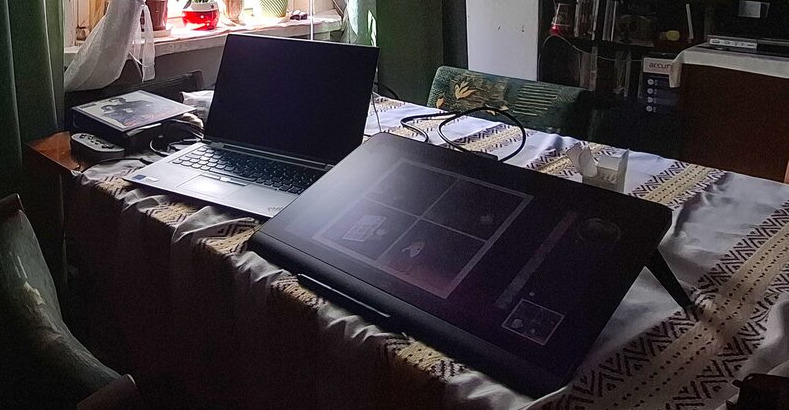
My mobile workstation: laptop and a XpPen 16 Artist Pro(gen2) while traveling for event in family, August 2025.
5. Installation
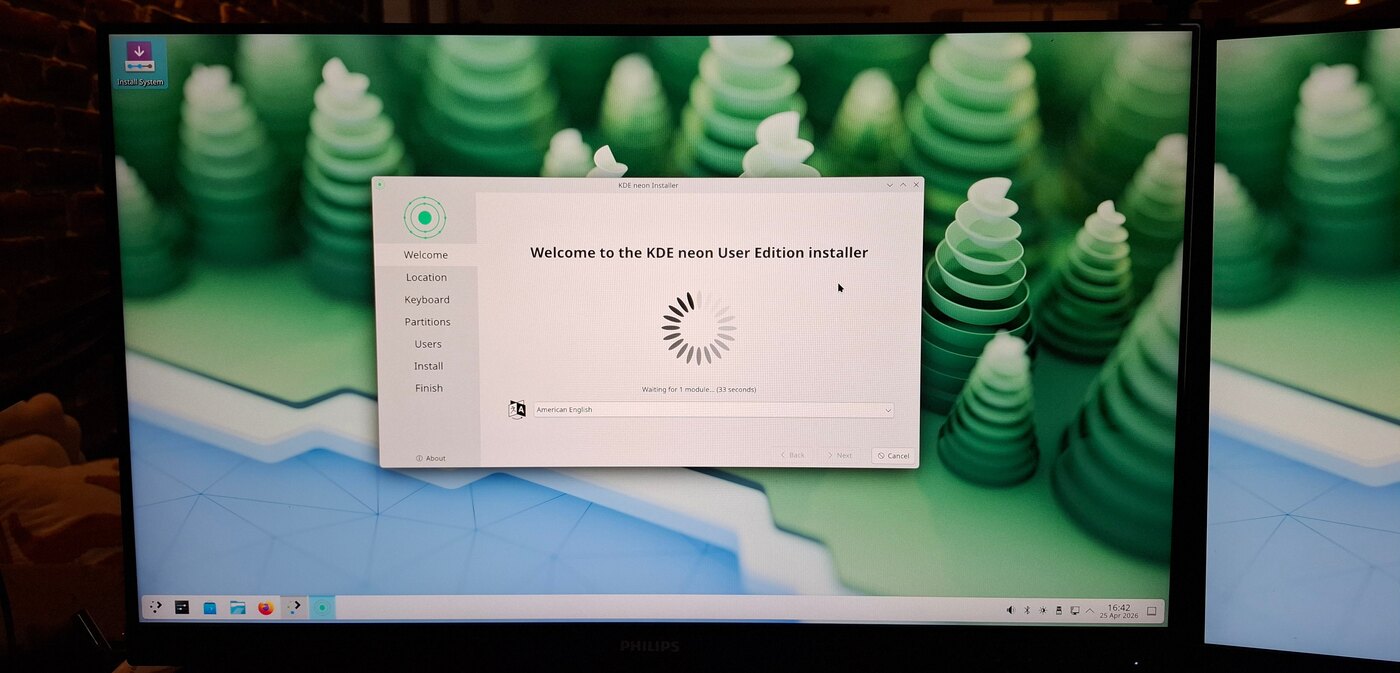
A real user friendly installer! Finally! (not like in Debian)
A. The Live/Intall Image
Download the Live/Install KDE Neon User Edition image here: https://neon.kde.org/download
For Windows users, you can find many articles and how-to, if you search for it. A short video like "How to Install KDE Neon" by Gary Newell will give you the full overview. When you'll boot the image for the first time, you'll be able to test this desktop without installing anything, it's live, running only in your RAM and your USB pen drive. Take advantage of this time to check what's working, and what's not. Check if your computer plays audio, videos, if your mic works, etc...
If it is your first time, I recommend to:
- Do full backups on a external drive before doing anything.
- Take a full day or afternoon for this step.
- Take notes, and get another access to the web in parallel (spare tablet/laptop/mobile) to search terms you don't understand.
Still too afraid? Do not hesitate to ask for help: local Linux user groups, Fab labs, install party... There is many opportunities to meet volunteers who are ready to help you.
B. My partition setup
For my partitions, I use the 'manual' partitioner part of the installer, it's advanced and if you go this path, you better know what you are doing. But because this is what I use, I document it here. I do that on a 1TiB SSD drive:
- Partition 1: FAT32, 500MiB, mounted to
/boot/efi, the boot loader (more info here). - Partition 2: EXT4, 120GiB, mounted to
/, the operating system. - Partition 3: SWAP, 32GB (= the size of my RAM)
- Partition 4: EXT4, (all remaining space), mounted to
/home, my user data.
Note: with the modern usage of Flatpak and their huge size, I recommend over 100GB for the system '/' partition.
6. KDE Plasma 6
Konqi, the lovely mascot of KDE Plasma (CC By Tyzon Tan)
I used to say in this section "they are many defaults you need to change in KDE Plasma", and then give a long list of settings to tweak. But KDE Plasma 6 really evolved in a good way in comparison to Plasma 5. The main menu, the default theme, the file explorer new default. My list is melting. Thank you KDE Plasma team.
A. Notable KDE Neon UE bugs
Here is a list of bugs that gave me a very bad first impression of the distro, some are workaroundable, some I can live with it:
- Persistant pop-up window preview or tooltip: when using a graphic-tablet bug 518549, Workaround: Go to the System Settings. Search for 'General Behavior' and disable the top checkbox in front of "Panel and widget tooltips" option.
- Can't reboot after an update: All my 'restart after an update' triggered a grub menu and... a black screen. Impressive at first, I felt the update broke the distro. Fortunately, just forcing a shutdown (pressing button for 6 seconds) during this black screen and re-starting the PC boots normally. Apparently a known issue since more than a year, check discuss.kde.org thread.
- Choppy Audio via Bluetooth: if the audio is totally ruined on your Bluetooth headset or sound system, a workaround exists. bug 513536
- Bad submenus placements: Sub-menus of drop down menus are often blocking you in your menu selections bug 519429
(Note: due to the 'rolling' nature of Plasma updates, this section might become obsolete soon. Please visit the bug reports linked to see their status.)
B. Notable improvements VS Plasma 5 X11
After two years of Plasma 5 X11, here are the main improvements (within the scope of my activity) that would give me a hard time to go back, now I tried this:
- Image selection in Dolphin (File Explorer): The selected thumbnails of a selected image used to turn totally to a camaieu of the 'color accent' of the theme. It was problematic for multiple reasons. It is now fixed with just an outline decoration around the selected image (I've been struggling with this for more than a decade!)
- Persistent tablet settings and ICC color No more need for a custom bash script that was handling the loading of Drawing tablet preference (xsetwacom on X11) or argyll's dispwin for Color Management! KDE Plasma 6 auto handles with success the loading of drawing tablet settings and color management preferences, even after sleep or hot plugging a device. A life changer.
- Smooth animations Wayland improvements I guess: kwin is super smoother in general.
- Dolphin (file manager) velocity: I have directories with thousands of items, new Dolphin browse them almost instantly compare to my old version. I also don't feel slow down or bottle neck before copying a lot of files, or deleting ones.
- Spectacle (screenshoter) options: You can now annotate, draw arrows, underline directly after taking a screenshot.
- Calibration of Pressure Range: You can now put a range for the calibration of the pressure on the stylus, more on that later.
- Dolphin's new batch file renamer: Select mulitple files, press F2 (or right-click > Rename) and get many new options to rename group of files: prefix, substitution of pattern, etc... So powerful!
C. Theme and screenshot gallery
Breeze, the default theme in Plasma 6, contains some blueish hue (especially in the dark variant). It's a problem for working on color balance, as this hue will influence your eyes when painting or doing color grading decision. That's why you'll need a neutral grey interface. Yes, it looks boring, but your artworks and thumbnails will quickly color your operating system: not the reverse.
Installation: You'll find for each section of the System Settings under Color & Themes, an icon "Get New" (top-right). Click on it. Then search for the name of the theme I write under here, press 'install' and done:
- Plasma Style: Unity-Plasma, I like how the flat black for task bar merges with the edges of my screens.
- Colors: OrchisDark (or Unsaturated Dark Plasma) are both great, I also use the edit icon (over the thumbnail of the theme) go to Options, and reduce the "Frames and Outlines" Contrast to 10%. Save, and Apply. I use also a custom color accent: #4a90d9
- Windows Decoration: on the top, tab named "Configure Titlebar Buttons", remove the icon on the left of the title bar.
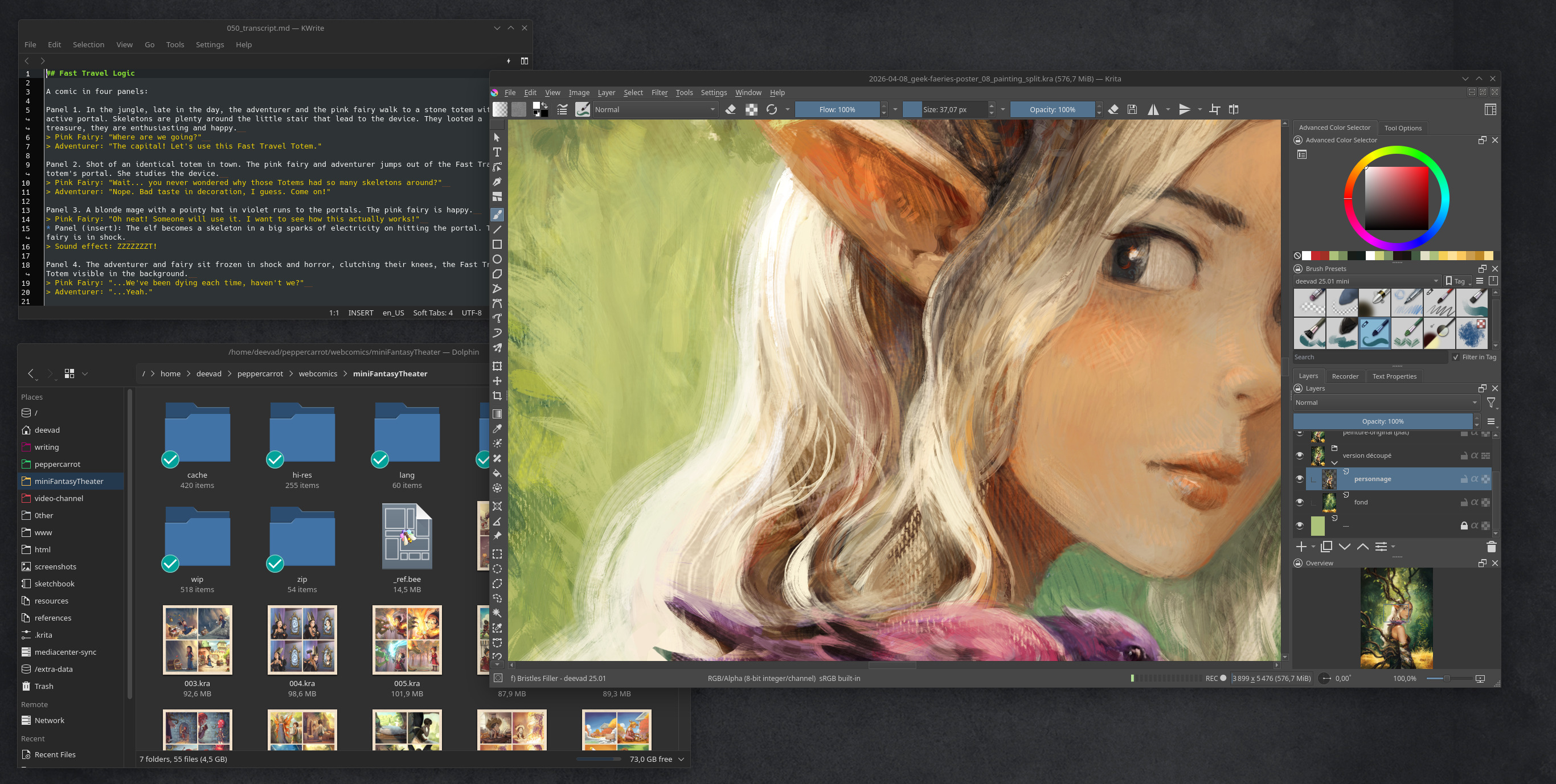
Gallery 1, screenshot of my install: Krita, Kate, Dolphin
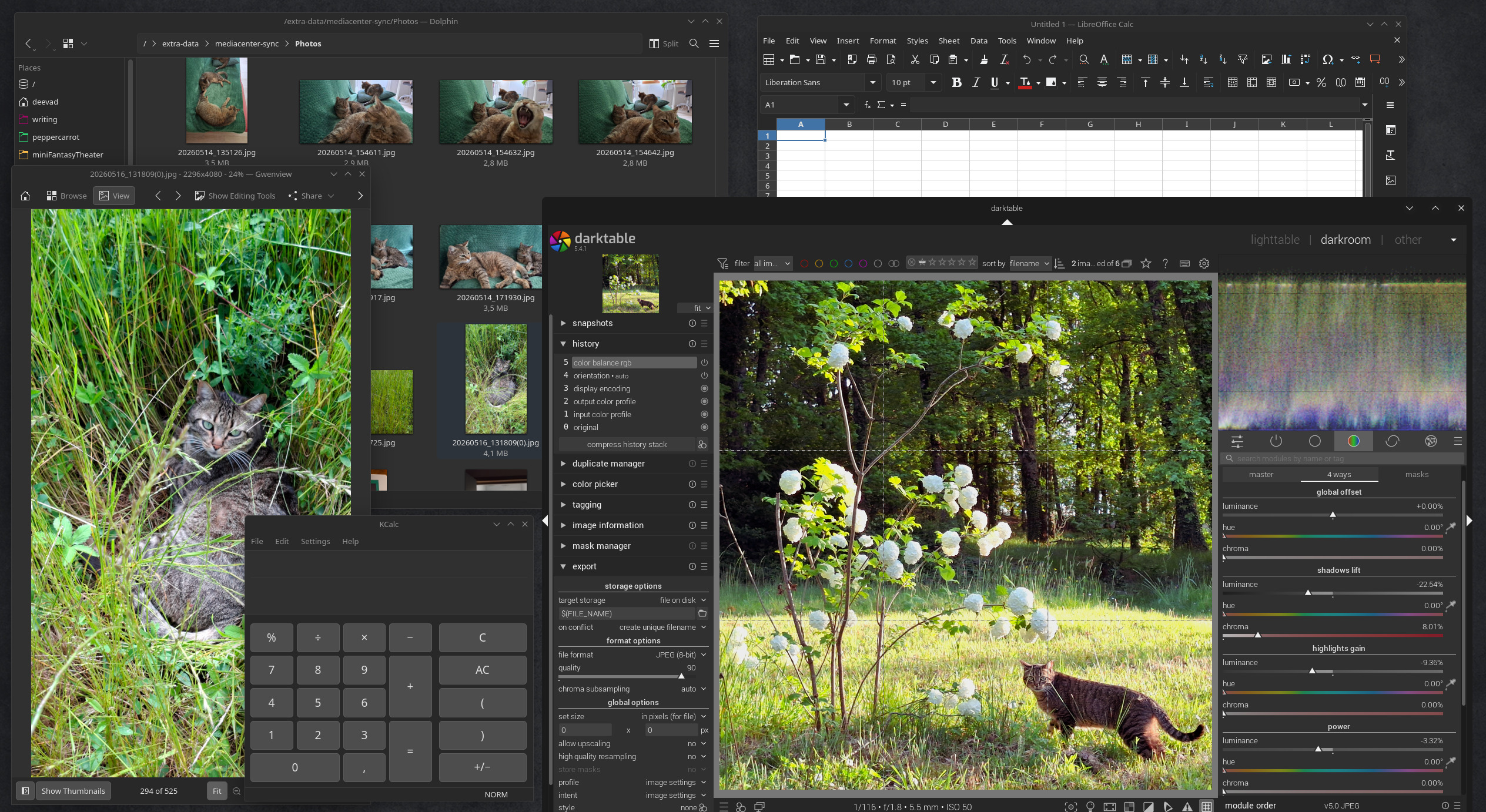
Gallery 2, screenshot of my install: Darktable, Dolphin, Kcalc, Libre Office Calc
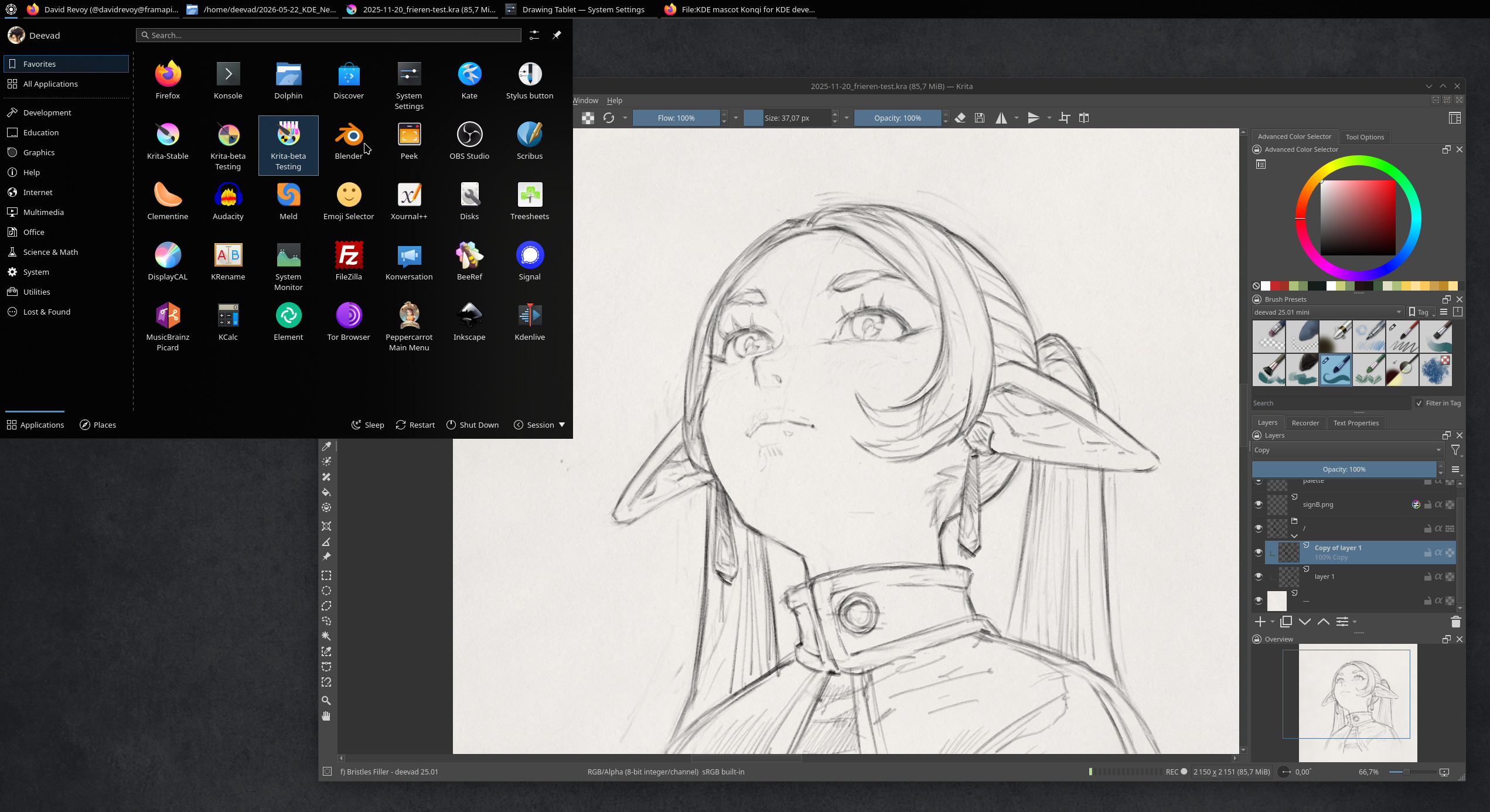
Gallery 3, screenshot of my install: Krita Frieren challenge and the main KDE menu
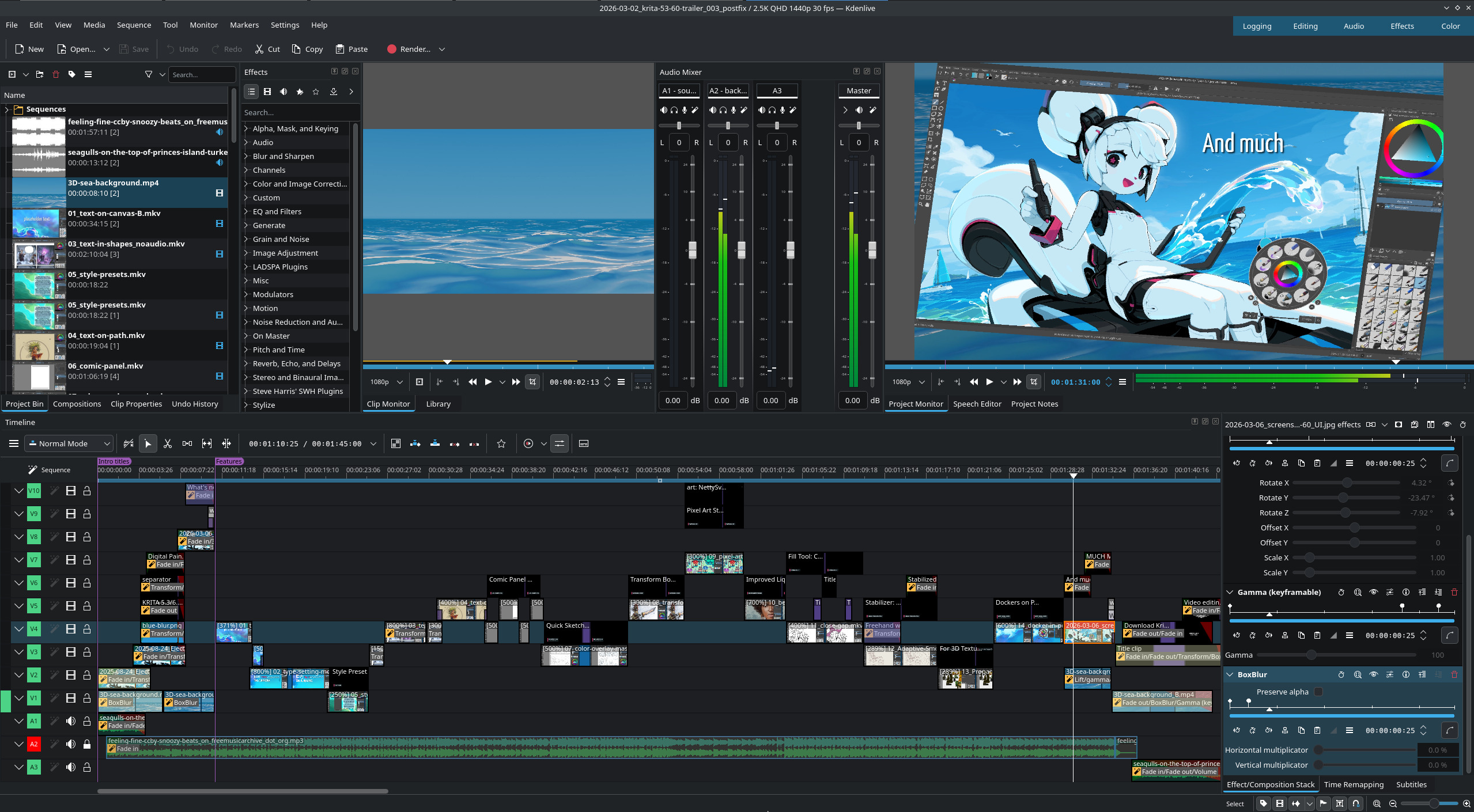
Gallery 4, screenshot of my install: Kdenlive while editing Krita 5.3/6.0 trailer
D. Adjustments
a. Don't auto upscale
Ok: I understand it: with Wayland and scaling factor now a thing, the desktop environment will try to guess an automatic scaling factor depending of the resolution in pixel and size of your monitor. If you have 4K pixel width crammed into a 13inch display, this upscale make sens, but if like me you have 24" QuadHD (2560x1440px), you can enjoy having a lot of sharp and small user interface on your screen. Especially useful with Blender, Krita, and Kdenlive where having a lot of room for many dockers on their user interface is a clear workflow advantage.
System Settings > Display & Monitor > Display Configuration > Scale: 100%.
b. Don't "edge barrier" on multi monitors
If you have multiple monitor, you might feel like a new weird behavior of Plasma 6: the mouse will get stuck at the edge of the screen, a magnetic resistence to move to the other screen. Before this change was introduced, it was smooth. I'm not sure what was the motivation or what this new default is supposed to fix, but it's annoying as hell. Fortunately, a setting exist to remove it.
System Settings > Display & Monitor > Screen Edges > Edge barrier: set it to None (you have for that to turn it to 0).
c. Don't darken the parent window
In many situations, Plasma will darken the entire interface (grayscale, turns it black and white) when a modal dialog pops up. It can be a file manager to open or save a file, or any dialog that needs your attention. While I understand the concept, it's often counterproductive: because many of these dialogs can still be related to the information you need to access and read in windows that are 'shaded in the background' (especially when you need to color pick the parent window). So it is better to remove this effect.
System Settings > Windows Management > Desktop Effect > Uncheck "Dialog Parent" in "Focus" subsection.
d. Disable the hot corner
By default, you can 'hit' the top left corner of the screen with your cursor and Plasma will go into overview mode. I never like this behavior.
System Settings > Display & Monitor > Screen Edges > and set the little white square to "no action".
e. Dolphin's thumbnails
A lot of thumbnail previews are enabled by default but you can activate more on:
(Dolphin) Burger menu > Configure > Configure Dolphin > Interface > Previews
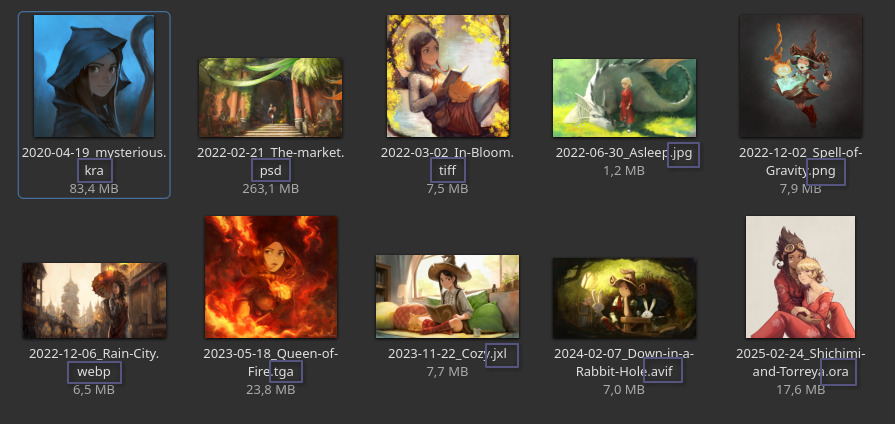
Dolphin's thumbnailer: a lot of image format supported!
A personal preference, but I dislike the four small thumbnails placed on the top of my directory icons. To disable them:
(Dolphin) Burger menu > Configure > Configure Dolphin > Interface > Previews, and uncheck "Folders".
I work with Git repositories for everything, and I love to see the changed files, up-to-date files with emblems directly in Dolphin. To install this:
sudo apt install dolphin-pluginsThen:
(Dolphin) Burger menu > Configure > Configure Dolphin > Context Menu > check "Git".
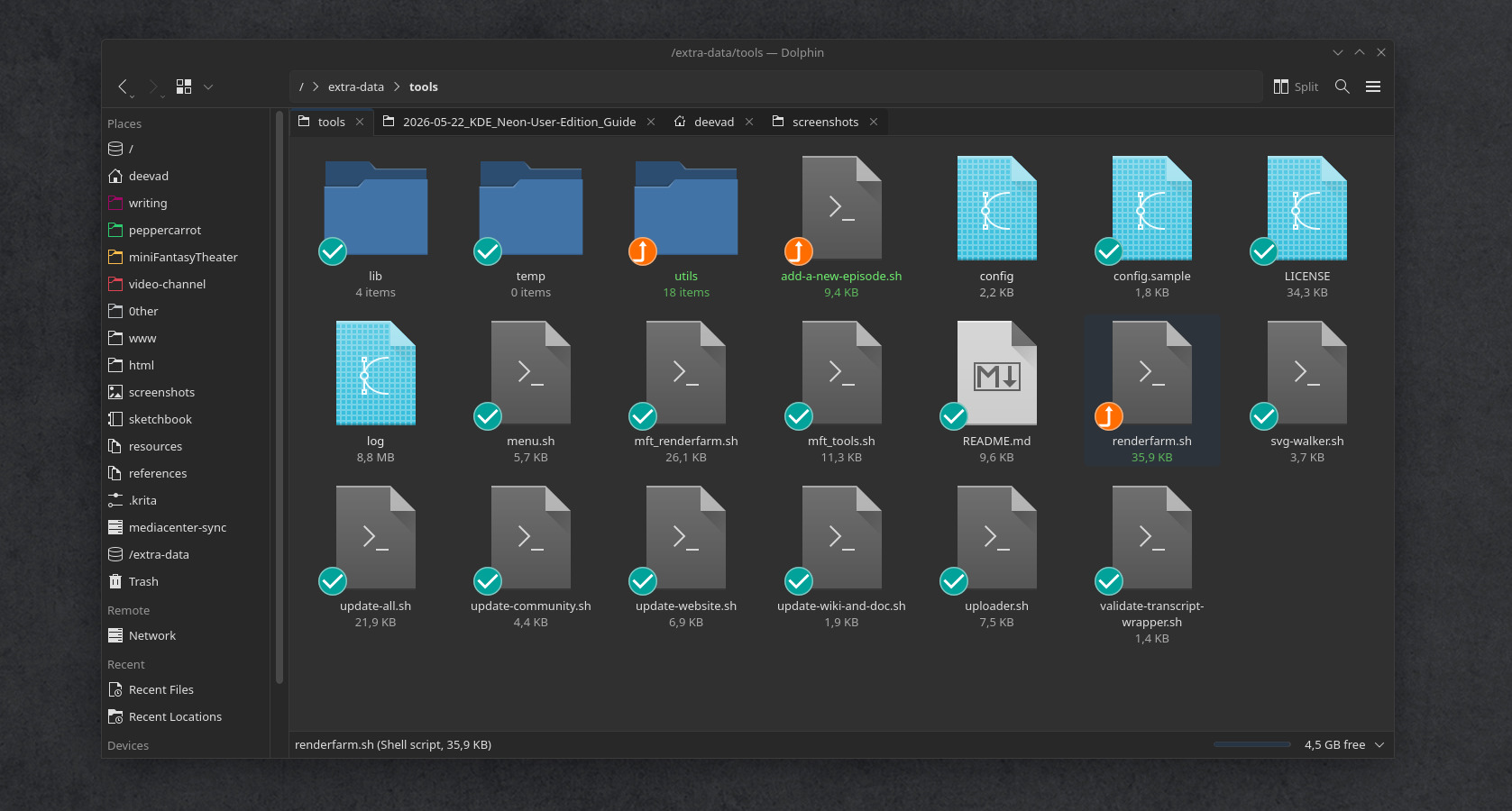
A git project I have with emblems in Dolphin: super useful to manage versionning.
f. Misc
If you had on Plasma5 many scripts as Dolphin services like I had located on ~/.local/share/kservices5/ServiceMenus, they moved to ~/.local/share/kio/servicemenus and you'll have to move them manually.
Reference: Official service-menu documentation
7. Color management
A. Create an ICC
The creation of an ICC color profile is not a feature of KDE Plasma Wayland, so we'll need to use the biggest workaround of this guide here.
For that, you'll need a Color Calibrator device, and DisplayCAL, a deprecated software (last dev news in 2019), but a life saver for graphists in the current situation on Linux. DisplayCAL can run as a Flatpak (see the Software/Flatpak chapter to know how to install it).
But before running DisplayCAL and start a calibration and profiling, you'll need to manually go in the System Settings, Display & Monitors and make sure to remove any Color Profile there. It should mention "None". Also, be sure to switch the "sRGB color intensity" slider to 0% (if you applied "None" this slider shouldn't do anything, but better sure than sorry). We are doing all of that, because DisplayCAL can't trigger that anymore by itself before starting a Calibration/Profiling. It still tries to communicate with X11 because the software wasn't updated to be used on Wayland.
Once this step is done, you can launch a calibration, then profiling, and do all the process until completion. This part and interaction with the software is not changing and works well.
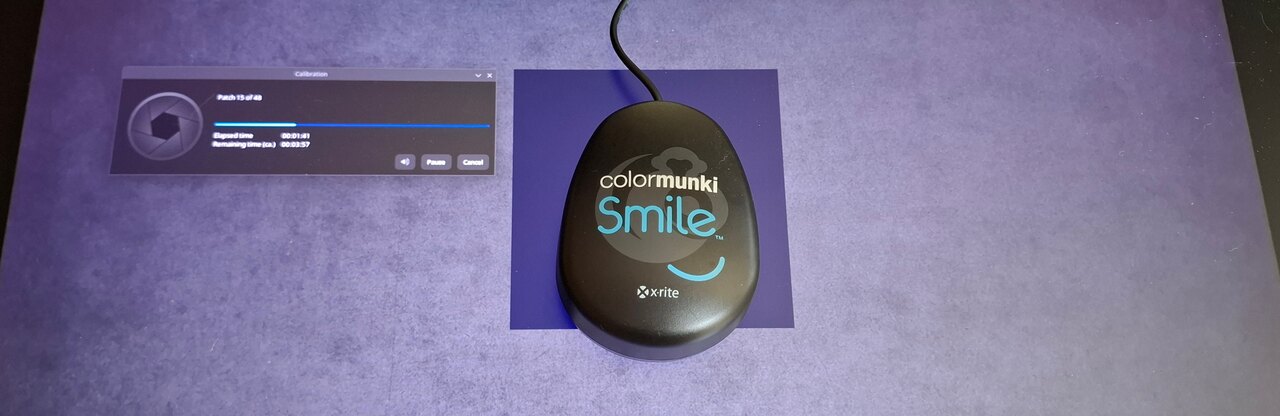
Once using the Flatpak and deactivating Color Management manually, DisplayCAL runs normally.
However, once the calibration and profiling is done: DisplayCAL will start to contain a few bugs to workaround: forget its message proposing you to preview the profile: it cannot. Same about auto installing the profile (because again, the path and signal are 'meant for X11').
But if you skip this last screen, go back to the starting page "Display and Instrument", you'll be able to "Create a Compressed Archive" of the current Settings. Once you have this 7-Zip file, you can extract it, and within all the files, you'll find the ICC profile file with the icc extension.
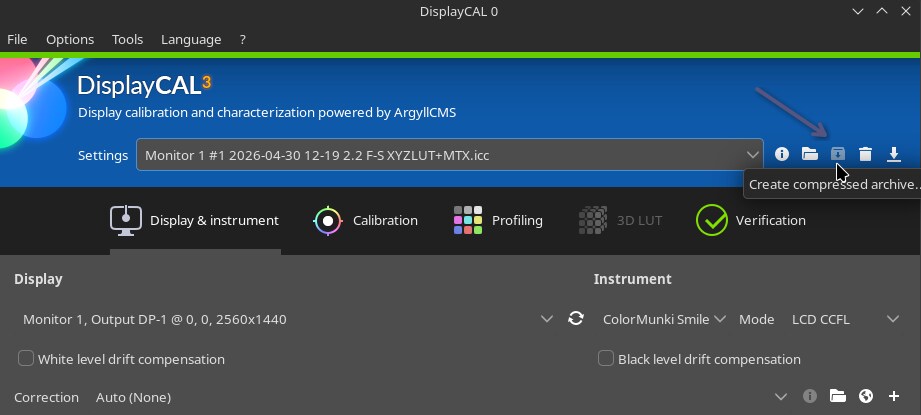
The Create Compressed Archive button allows to retrieve manually the new ICC.
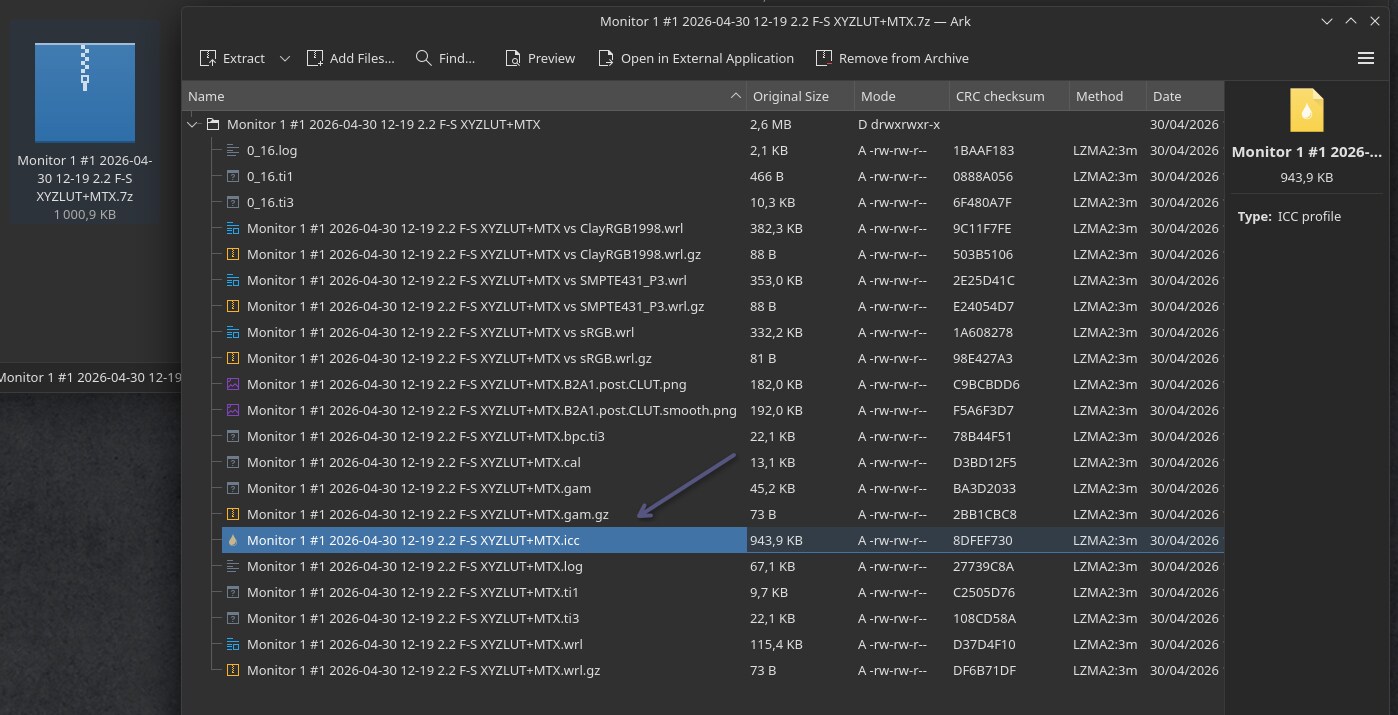
Ark, the KDE archive manager, can find in this 7zip the ICC and extract it
B. Load an ICC
Once you have the ICC file, store it where you want, and it's easy to load it in Plasma 6: go to the System Settings > Display & Monitors > Display Configuration, and you'll have a "Color Profile" (1) option where you can load your ICC file (2). Done! Now repeat the process every two months or so for your display for a good color hygiene. Yes, I wish the previous part was a bit easier. The workaround takes a bit of extra time here.
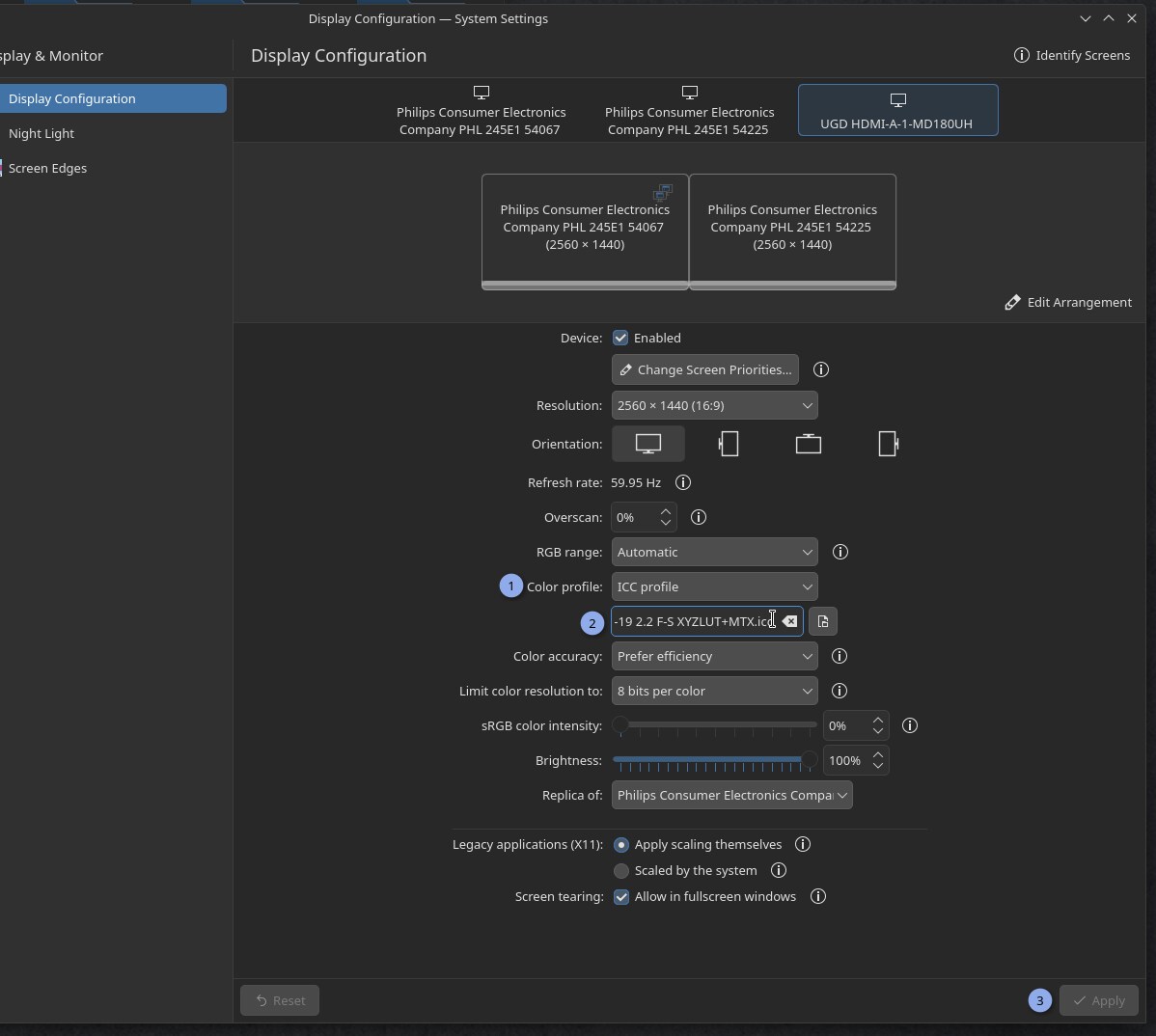
C. sRGB color intensity
In case your monitor has a way larger color space than sRGB, the usual non color managed application and Xwayland windows (many) will fallback to sRGB surfaces. They'll look faded, darker and greyish compare to when you were watching them with an "unmanaged monitor" where all the colors were stretching to whatever the max was.
Because on modern monitor, sRGB looks really sad, a setting (I really like) was introduced by the Plasma team: "sRGB color intensity". This one slider allows you to decide how much to enlarge the small sRGB color space to whatever your monitor is capable.
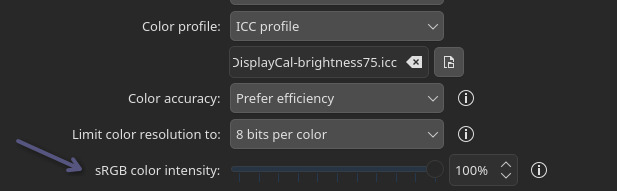
The sRGB color intensity in action
Example:
As an example, on a wider gamut display (near to AdobeRGB, the max I have at home) here is under a photo of Gwenview showing a personal photo of sunset with my camera that also has a large color space (on left), the color are intense and the sun is almost in your face, plenty of vibrants orange and violet specific of the AdobeRGB color space.
The same picture now open on Qimgv (on right), that is just interpreted as a sRGB surface. The color are more greish, less intense because the rendering is accurate to sRGB that is a smaller space than what my display can fully display.
That's for this type of situation (sRGB app, video games, icons on wider gamut monitor) that the Color Intensity slider can fix things by stretching a bit sRGB rendering.
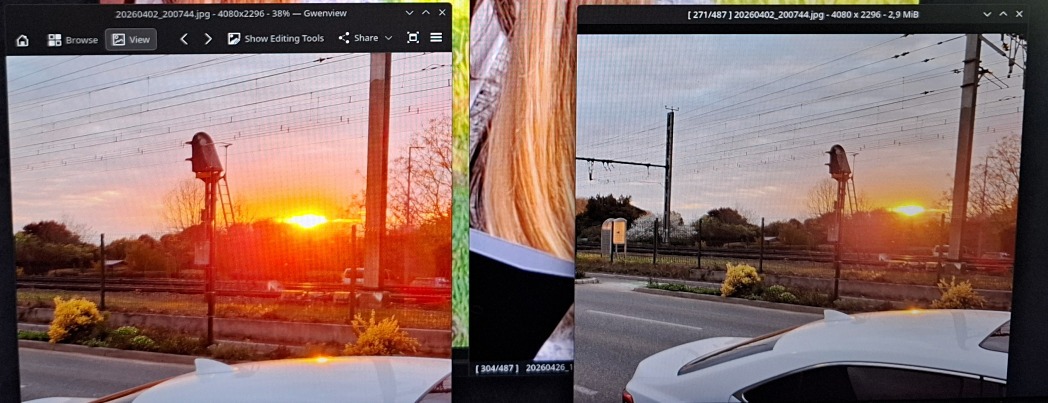
Photo of a color managed app -left- and non color managed -right- falling back as a sRGB surface
8. Drawing tablet
A. Drivers
The situation about Drawing tablet drivers is a bit complex and fractionated. I'll do my best to give you here an overview with the knowledge that I gathered. It will help you to understand what's going-on with your device on GNU/Linux.
a. Devices that works "out-of-the-box"
A happy few number of drawing tablets devices will work "out of the box" on any GNU/Linux systems. This is not because they are good device, or well thought, or dark magic: it's because someone else did the work to make this tablet compatible with your system before you started using it. This is the case of most of Wacoms drawing tablets. This is possible thanks to Wacom sharing the specifications with the Hid/input team at Red Hat Linux. I wrote most here because I'm excluding the models released last months, still too new to had the possibility to get a driver done by the community.
Sometime, other specific drawing tablets; Hanwang, N-Trig, Waltop and other built-in "laptop with stylus" joined the out-of-box list by batch. Another times, deprecated projects like Digimend made possible the support of many drawing tablet and are now part of the kernel. And many times, it was the individual work of contributors who coded the support for their own model.
b. The Microsoft Stylus Surface standard
Modern Gaomon, XpPen, Huion tablet (and many more) adopted a strategy: in absence of drivers, the device, once connected to your computer, will behave and report itself as a Microsoft Surface Stylus. This Microsoft standard was implemented in the Linux Kernel, so the stylus will feels like working out of the box.
However, the second button on the stylus barrel will be hardcoded to be a 'hold the button and draw eraser' instead of a right-click mouse button. On GNU/Linux Desktop Environments, it's hard to operate the system without a right-click (and same for using Krita without a right-click). Microsoft could afford to use this buttons for an eraser because their operating system has a 'long click/touch' action that trigger a right-click context menu.
The developpers of libinput already found and merged a solution a year ago to lift up this hardcoded limitation. It's unfortunately still not exposed on the Plasma drawing tablet interface as an option. So you'll have this bug: you'll have a setting for the second button, but whatever you put into that, it will be a 'hold and erase' action.
For the buttons of the tablet, the Microsoft standard (made for Ms compatible tablets and laptop with stylus, eg: Msi, Hp, Lenovo, Acer...etc... ) usually did not encompass a 'pad' buttons standard. However, the tablet brands used another strategy in this case: the buttons/dial/stripes will works, but presenting themselves to the operating system as a keyboard, with a hard-coded set of shortcut keys. As they are keyboard input, if you don't have a proper driver and need to customise them, it's possible. I did it with a udev/hwdb rule on a XP-Pen Artist Pro 24 but it has some limitations. You can also check my tutorial for customising keypad/numpad as it has similar steps.
c. Udev-hid-bpf (and install guide)
Udev-hid-bpf is a software that has the ability to plug new rules for your HID devices (Human interface device, keyboards, mouse, trackpad, and drawing tablets) into your linux kernel without having to recompile it. It works for kernels above 6.3, BPF enabled.
It right now has rules for many tablets from XpPen, Huion and more, you can read the supported drawing tablets on this listing. Also, this listing is directly the code, some rules cover multiple models (eg. XpPen Artist Pro 16 (gen2) rules contains definition for the 19 Pro and 14 Pro). I collaborated with Peter Hutterer and Benjamin Tissoires (who works on udev-hid-bpf) to report the specifications of all the tablets I tested and reviewed on my blog.
Installing Udev-hid-bpf
It's pretty simple, you just need to go to the releases: https://gitlab.freedesktop.org/libevdev/udev-hid-bpf/-/releases and then pick the most recent package (eg. udev-hid-bpf_2.2.0-20251121.tar.xz right now). Extract it somewhere temporarely on your disk, then with a terminal(Konsole), go to the extracted directory and run:
./install.sh (Note: the script will require your admin password, because we are doing a system modification.)
Once installed you can delete the udev-hid-bpf_2.2.0-20251121.tar.xz archive and the directory with the files you just extracted. Personally, I keep them under a ~/sources/ directory to later know what version I'm running right now.
If your tablet is supported, just unplugg it, and replugg it. No need restart and that's amazing, because you can also test this from a Live USB install media session.
I can also be patched with new rules 'live'. A good tool for those with development skill as they can test their device quickly after coding, and share rules easy to install. See "9. Misc > B. Patch for the XpPen Deco 01 V3 Pen" section to see an example.
d. User-space drivers
Last option in case of no driver, it's the interception of signal, or the creation of virtual devices in the User Space. I usually dislike these methods, because they are less reliable, and will always conflict with settings of the desktop environment.
Huion, XpPen, Gaomon (etc) proprietary drivers
The brands like Huion, XpPen, Gaomon (and more) offer on their website proprietary drivers made this way. I assume all their drivers come from a third party company because all the executable and libraries inside the package they distribute are structured the same way. Last year, a contributor of Pepper&Carrot made a detailed audit of the XpPen proprietary driver, and found no telemetry inside it but it might have changed, we don't know what they are putting on this proprietary executable.
That's why I'm still not using them. I tried to send many emails to all these companies and request to open their drivers (or their specifications), but, in the end, it was never a decision 'in their hands'.
OpenTabletDriver
On the Free/Libre projects attempting something in the User Space, we have OpenTabletDriver. The project is cross-platform and benefited of many contributions from user un-happy with the enshitification or deprecation of their drivers on Windows or Mac.
They have an impressive list of supported devices with a dedicated page about it, a full featured interface, and a well made documentation for adding new tablet.
B. Keep aspect ratio
It's one of the most important setup you can do to improve your drawing skill for your non display tablet. The problem? It's rare the active surface of your tablet has the same aspect ratio than your display. But, by default, the operating system will insist to use the max area of the tablet. As a (bad) result, you might obtain non consistent axis while moving vertically and horizontally with your tablet, making the feeling of drawing on it particularly uncomfortable.
How to check a bad ratio? Simply go to take a glass, or any object that can help you to trace a perfect circle. Open Krita, and try to trace the contour of the glass with your stylus over your drawing tablet active area. You can then create a new layer on the top and draw a digital pure circle with the circle Krita tool and keeping a 1:1 ratio with holding shift. You'll quickly see if your circle drawn with the glass is squished or deformed into one axis this way.
To set the ratio on KDE Plasma, go in the System Settings, Drawing tablet, set the screen in "Map to screen" (1) and switch Map Area to "Keep Aspect Ratio and Fit" (2). Done.
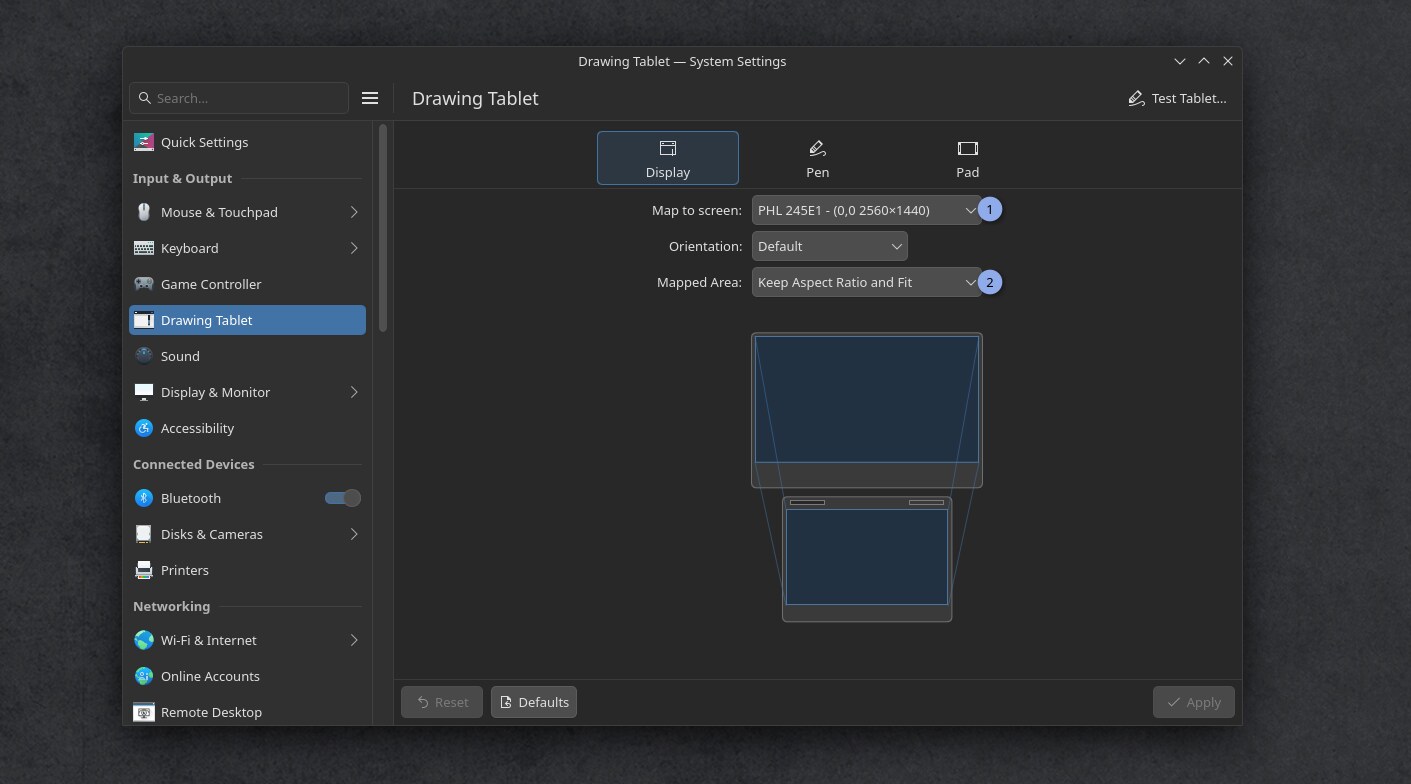
The drawing tablet setup interface to set the display mapping
C. Parallax calibration and correction
On some display drawing tablet model, the distance between your cursor will require a calibration. You'll find a classic "four points calibration" method in System Settings, Drawing tablet, Pen tab, at the bottom "Calibrate".
If you want to refine the coordinate numbers manually to control the offset with more precision, you can use Ktabletconfig for that. See the chapter "Loading custom profiles"
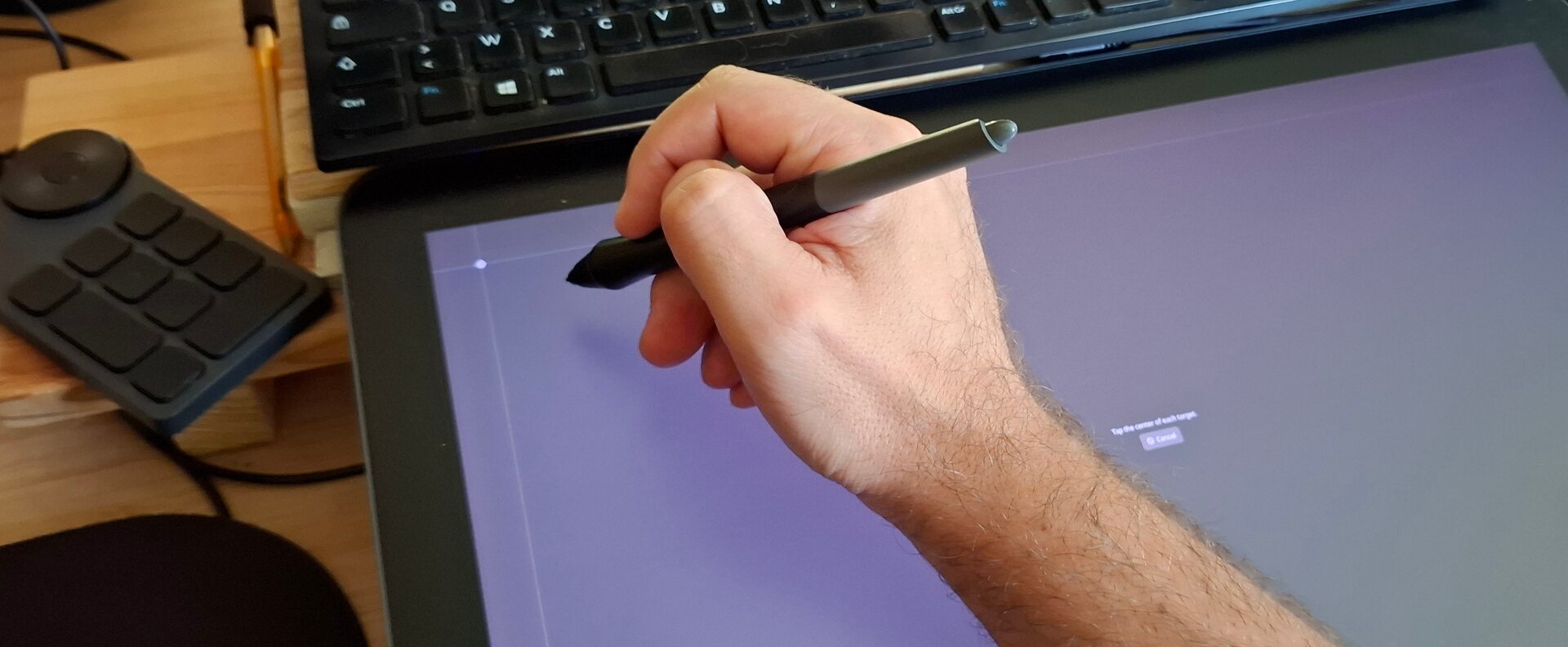
While calibrating a display drawing tablet: the first corner
D. Calibrate stylus pressure
a. A dangerous setting for your device and hand
Calibrating the pressure always has been really important on drawing tablets, but more than ever, it's something for your health nowadays.
On my latest video reviews of tablets, I tested each time the weight necessary to reach 100% pressure (something you'll want to reach often on any brush preset as I design them for my brush preset: the one I share for Krita, or the default I made). And the result was surprising! On the Huion Kamvas 19 Pro, the stylus required by default more than 633gr of pressure to reach 100%! (~1.4pounds, or two can of Soda on your hand). It was a bit better on my main, the XPPen 19 Artist Pro (gen2) with its 430gr to reach 100%, but still.
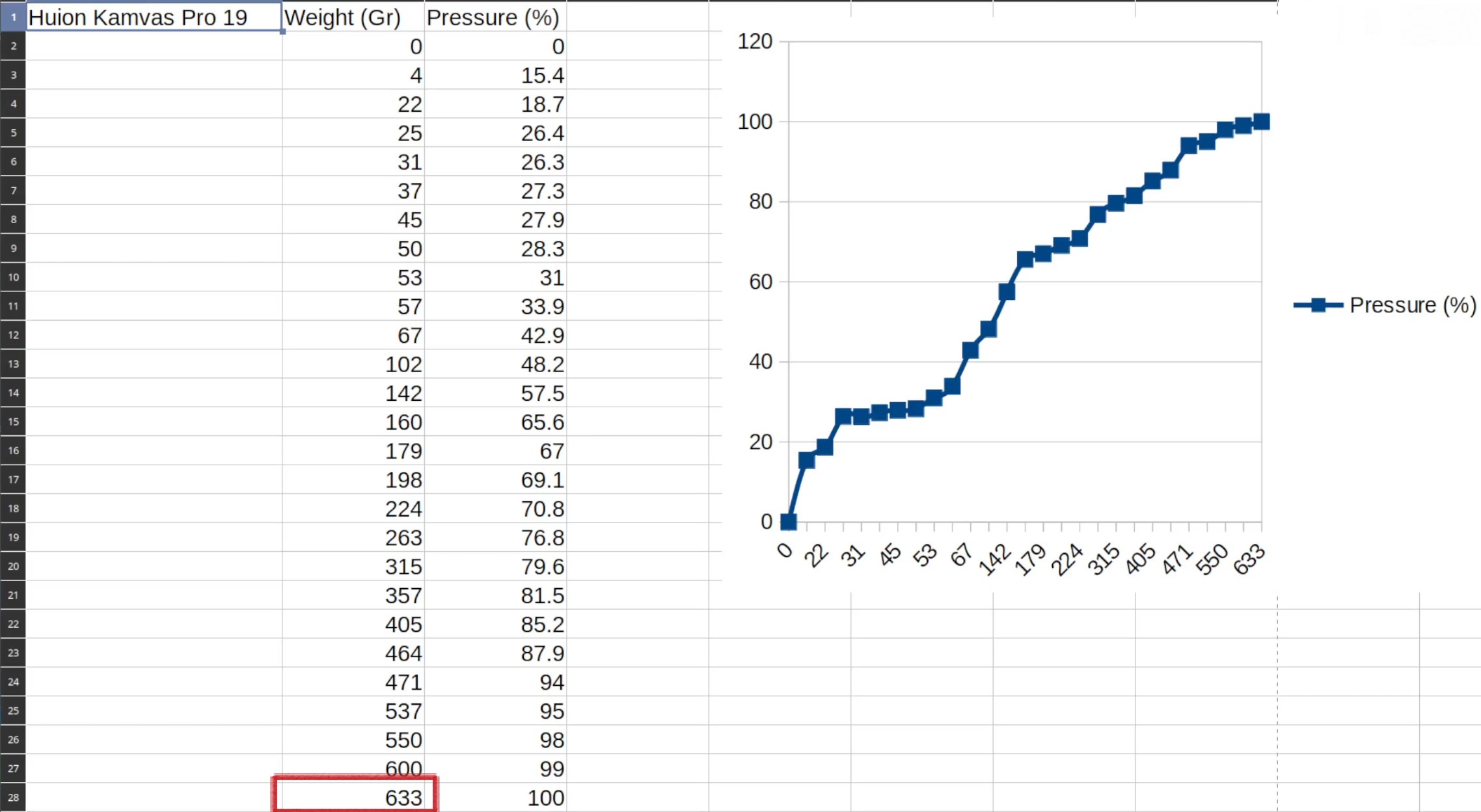
screenshot from my video review of the Huion Kamvas Pro 19: 633gr of pressure required to reach 100% signal! Outch! You'll soon need to press with both hand on stylus to draw...
This attrocious tendencies of "more weight to reach 100% effect" is pushed by the tablet manufacturers, and it's justified to give the illusion of more level of pressure sensitivity to the end user. That's the enshitification logic of years of useless marketing war on the "level of pressure" number. A myth I already busted in dedicated article in 2013.
Unfortunately, 13 years later, the default tablet reviewers on Youtube now just read out loud the spec given by the brand, like brainless parrot without questioning them or imagine the brand could... I don't know... lie? So, this trick for selling always larger and larger number is starting to backfire, and this type of long range of heavy pressure will build only a single thing: carpal tunnel decease early for the hand of new digital artists with bad calibrated pressure.
So we have now to calibrate both aspect: the pressure curve AND the full range of it. To give you an idea I keep only 55% of the 430gr range of my XPPen 19 Artist Pro (gen2), so roughly around 240gr to reach max 100% is comfortable for my hand.
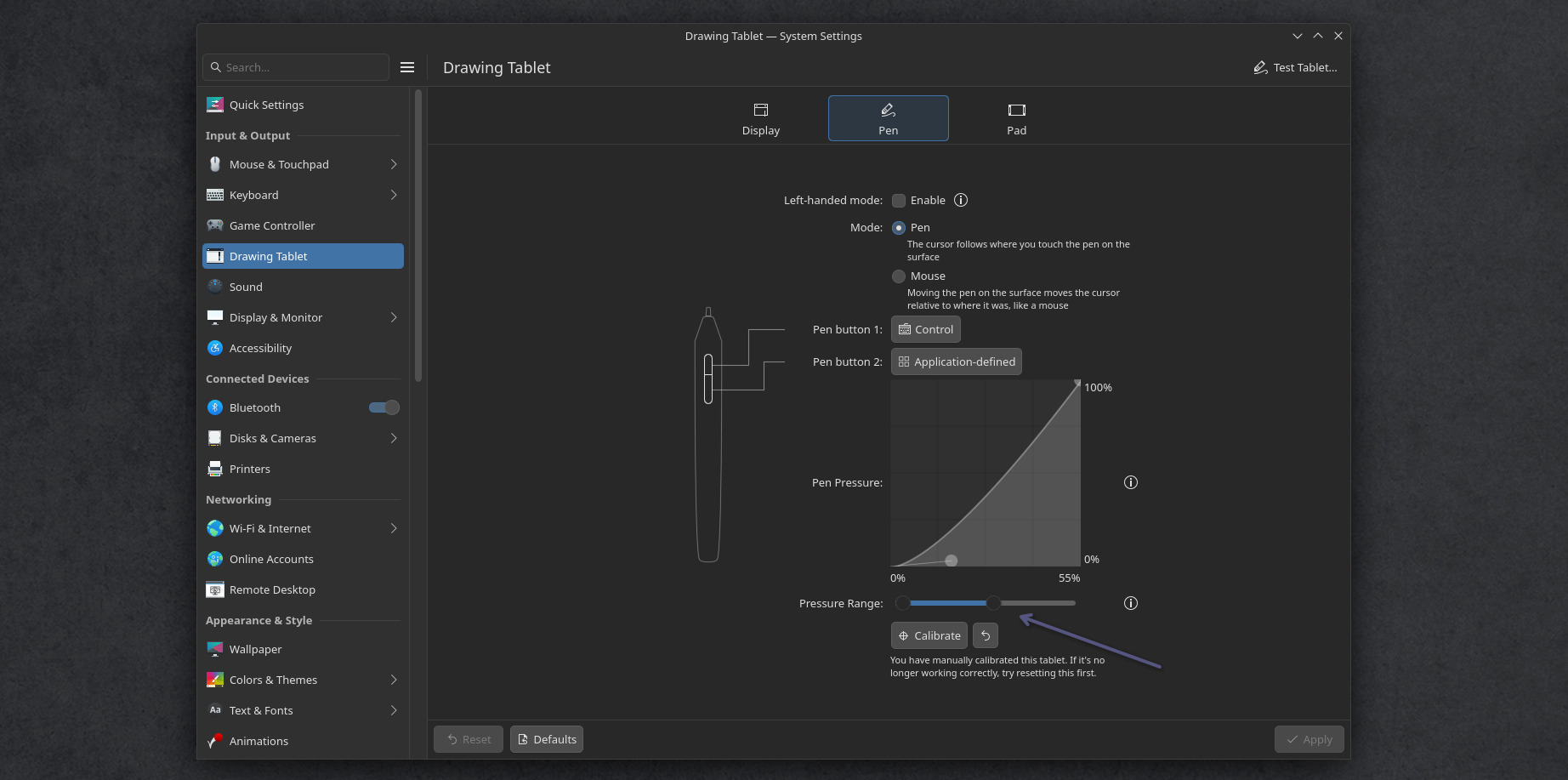
The pressure curve and Pressure range can finally be setup with a graphic interface
b. What type of curve you need?
This can't be automatically guessed by the computer as all drawing tablet's styluses are built different. Different default built-in curve and range. Even on the same drawing tablet model, two similar styluses might react differently (eg. because of the aging of the internal spring, or the sensor itself).
You can check my article "Calibrating stylus pressure" for learning about how to read a pressure curve, and set one. Once you know what you'll need, you can apply that on the KDE settings.
c. What type of pressure range you need?
On the KDE System Settings, Drawing Tablet, Pen tab, we can set the pressure curve (screenshot above) but you also have a "Test Tablet" button on the top-right of the interface. This one will report how much pressure you need to put on your stylus to reach 100%. If you find this weight excessive, slide down the Pressure Range slider. Repeat the process until you find a good setting for your device.
Note: it's a bit sad this slider doesn't have the number written on it, it's hard to replicate the same Pressure Range on another PC.
D. Pad Buttons
If your tablet has pad or buttons (and if your tablet has a driver) Plasma will catch them and allow you to customise each key, dial and stripe with the keyboard shortcut of your choice. You can also have the possibility to map modifiers like Shift, Alt, Ctrl or combination of keys.
If your tablet was delivered with a remote USB pad, such as the XpPen ACK05, or the Huion pad, and if this ones are supported (they are in recent udev-hid-bpf), Plasma will list them also as "pad".
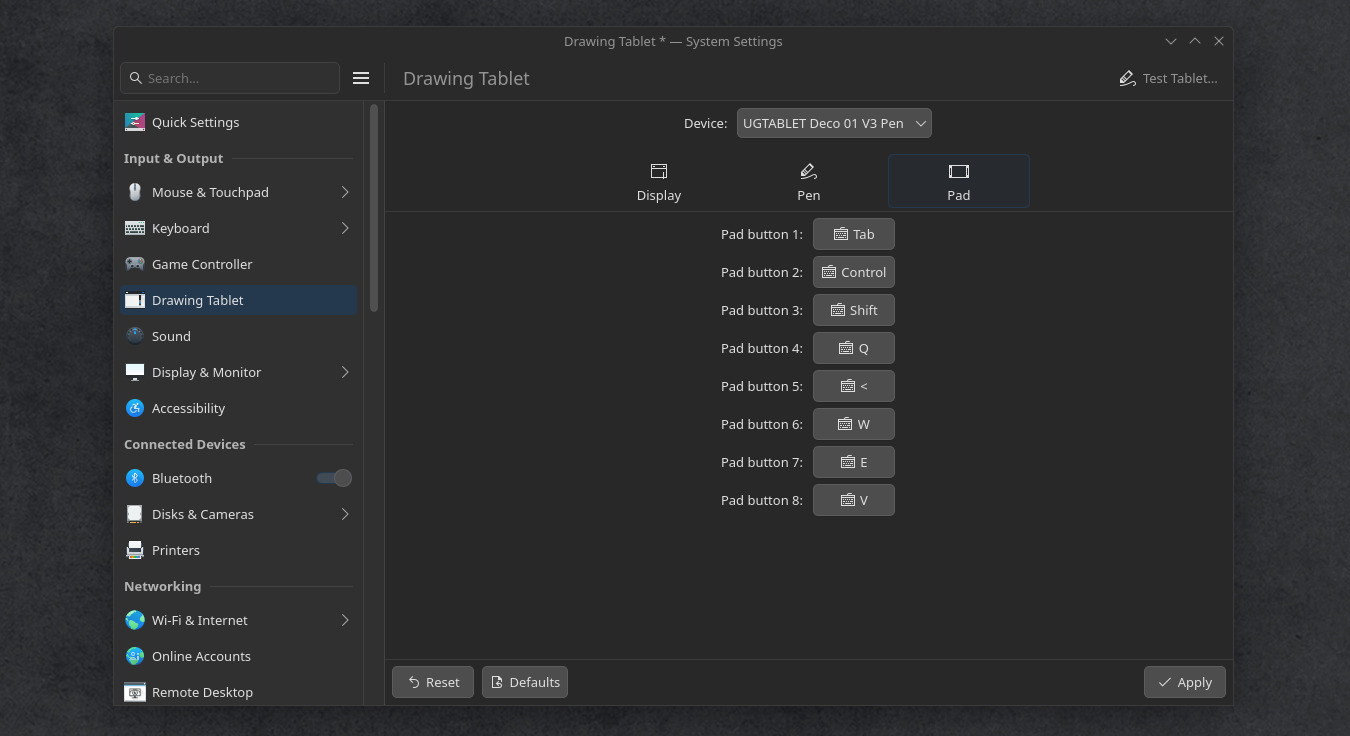
The buttons of the XpPen Deco 01V3 ready to be customised
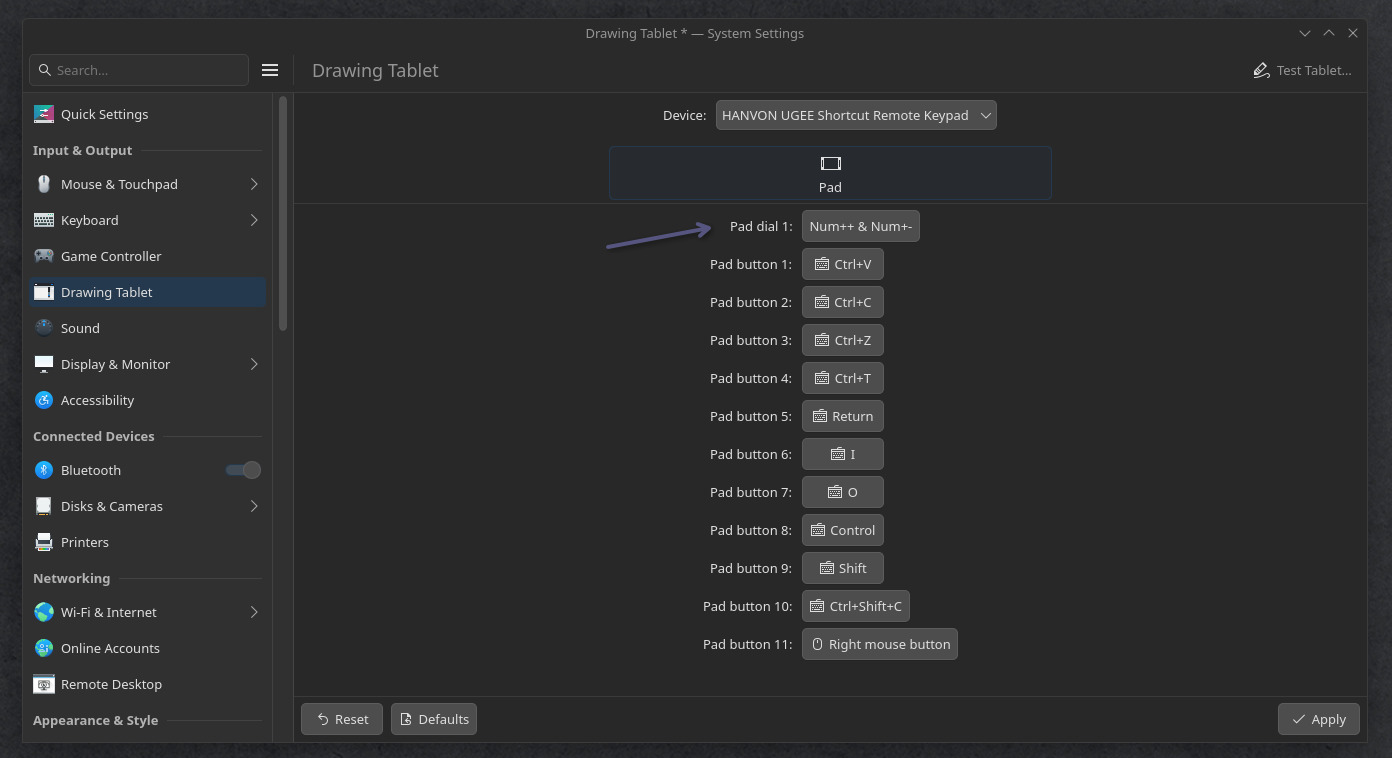
The buttons of the XpPen ACK05 remote, with the dial, ready to be customised
If you need to map an action to a pad button, you can do this: make a Bash Script with your desired action (see ktabletconfig chapter under), like a toggle switch of display, then System Settings > Keyboard > Shortcuts plug (1) your own bash script (2) with a complex shortcut like Meta key (Win key) plus a function key or a symbol, I'll use Meta+À (3) for this example (a special key of my french azerty keyboard). Then, you just need to map this Meta+À on your drawing tablet's pad or remote to enjoy the effect. A very powerful way to extend your setup, and take control of all your buttons.
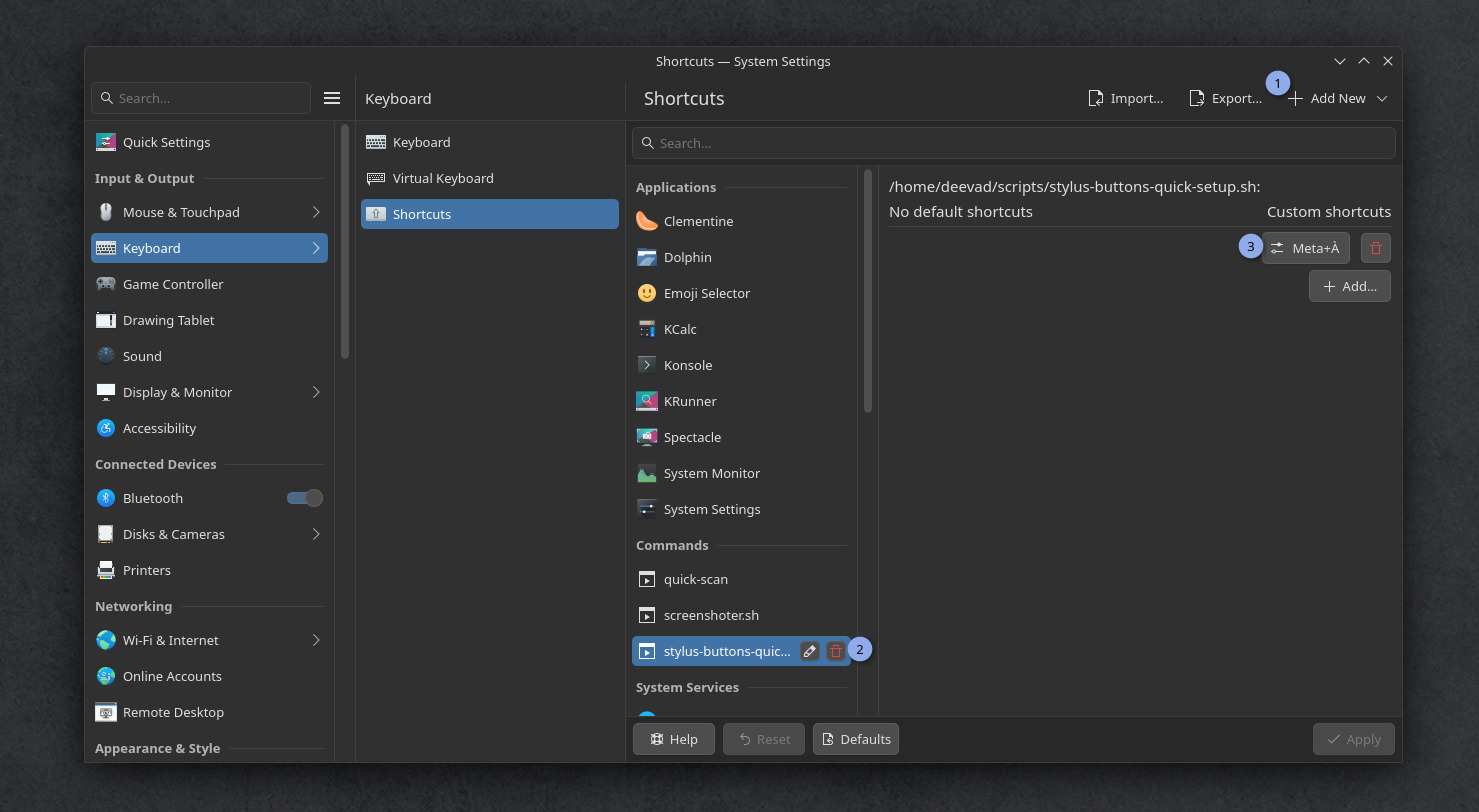
Launching a bash script on the press of a drawing tablet's button? Possible!
F. Loading custom profiles
Loading custom tablet profiles is still not yet a feature of KDE Plasma, but you can workaround it.
You might want custom profiles to:
- Load on another computer the exact same layout of buttons and pressure curve
- Load different profile on demand
- Map your stylus to various display
- etc...
In my case, I like to control the behavior of the buttons on my stylus. Sometime to pick the visible color in Krita (Ctrl+click) and sometime to pick only the color of the active layer (Ctrl+Alt+click). I'll share my script at the end of this section.
Because before that, we will need a software named ktabletconfig to load settings from the terminal or Bash scripts. We'll then be able to call this script with a keyboard shortcut, or a desktop icon, or a menu entry; the limit is your imagination here.
Unfortunately ktabletconfig is still not packaged by distro, nor precompiled: only the source code exists. So, we'll have to put our hacker hat on, and do an extra work to compile it ourselves... In my opinion, this package is so important that it should be part of any default KDE Plasma install.
a. Compiling ktabletconfig
We start by installing the dependencies on a terminal (Konsole):
$ sudo apt install git cmake extra-cmake-modules qt6-base-dev libkf6i18n-dev libkf6coreaddons-dev libkf6config-dev kwin-devThen, we download the sources using git. Mine will be stored in sources inside my home directory (it has an alias: ~).
$ cd
$ mkdir ~/sources
$ cd ~/sources
$ git clone https://invent.kde.org/redstrate/ktabletconfig.git
We now need to configure this source code. Enter in the git cloned directory, create inside a subdirectory build, and enter it too, then launch the configuration process:
$ cd ktabletconfig
$ mkdir build
$ cd build
$ cmake ..
If everything goes well, the terminal should print something like -- Configuring done on the last paragraph of the output. Then you can build the software. I indicate here -j4 to use 4 cores of my processor unit to speed things up. Adjust if your CPU has more core. This is not a big software, so it will take just a few seconds to reach 100% anyway.
$ make -j4Now the binary of the software is built, and ready but it's not connected to our operating system: the executable stands in our sources directory. To make it part of our system, we do:
$ sudo make installA line like -- Installing: /usr/bin/ktabletconfig means we can now call the command line ktabletconfig in any terminal, from anywhere on this system and we can start to use it.
b. Troubleshooting compilation errors
Oh no! You had an issue while configuring? (in case you are trying this on a later version or another distro) and have a big pack of text and a red message! (Note: orange warnings are OK). It looks like:
[...]
-- Performing Test HAVE_DATE_TIME - Success
-- Could NOT find KF6I18n (missing: KF6I18n_DIR)
-- Could NOT find KF6I18n: found neither KF6I18nConfig.cmake nor kf6i18n-config.cmake
-- Found KF6CoreAddons: /usr/lib/x86_64-linux-gnu/cmake/KF6CoreAddons/KF6CoreAddonsConfig.cmake (found version "6.23.0")
-- Found KF6Config: /usr/lib/x86_64-linux-gnu/cmake/KF6Config/KF6ConfigConfig.cmake (found version "6.23.0")
CMake Error at /usr/share/cmake-4.2/Modules/FindPackageHandleStandardArgs.cmake:290 (message):
  Could NOT find KF6 (missing: I18n) (found suitable version "6.23.0",
  minimum required is "6.15")

      Reason given by package: Missing the following required components: I18n

Call Stack (most recent call first):
  /usr/share/cmake-4.2/Modules/FindPackageHandleStandardArgs.cmake:654 (_FPHSA_FAILURE_MESSAGE)
  /usr/share/ECM/find-modules/FindKF6.cmake:100 (find_package_handle_standard_args)
  CMakeLists.txt:31 (find_package)
It's normal: having a red error at this time is totally part of the process. You are not failing, and the computer is not screaming at you (even if I admit, it does look like that). The red color, all caps and tone is just here to attract your attention. Just read the output, it's often a missing dependency message, and the output guide you to know the one missing. In this case, this is the part that is interesting for us (just under the 'Error' line):
Could NOT find KF6I18nHere it looks like the main issue of our compilation is the missing KF6I18n package. You'll then have to use your package manager and search for the missing dependency and install it. Unfortunately, the package may have another name on your system (or it would have been too easy to find). On Neon (and all Debian based operating system) we can use apt search <package name> to see what the operating system has in stock for us:
$ apt search kf6i18n
Sorting... Done
Full Text Search... Done
libkf6i18n-data/noble,noble 6.25.0-0zneon+24.04+noble+release+build44 all
  Dummy transitional

libkf6i18n-dev/noble,noble,now 6.25.0-0zneon+24.04+noble+release+build44 all [installed]
  Dummy transitional

libkf6i18n-doc/noble,noble 6.25.0-0zneon+24.04+noble+release+build44 all
  Dummy transitional

libkf6i18n6/noble,noble 6.25.0-0zneon+24.04+noble+release+build44 all
  Dummy transitional

libkf6i18nlocaledata6/noble,noble 6.25.0-0zneon+24.04+noble+release+build44 all
  Dummy transitional
Usually, the library we need are development packages. We can recognise them in the wild because they often have lib as prefix (short for library) or -dev as suffix (short for development). Let's install the second item of our search, libkf6i18n-dev, and see:
$ sudo apt install libkf6i18n-devand then configure again:
$ cmake ..

[...]
-- Configuring done (0.3s)
-- Generating done (0.1s)
-- Build files have been written to: /home/deevad/local/sources/ktabletconfig/build
Done. Sometime, you'll have to do loops in this process to configure your operating system properly before building your software.
Be patient.
c. ktabletconfig usage
Many usage are already part of the README.md, but you might have a longer list of options available by requesting the -h 'help' flag:
$ ktabletconfig -hFirst, we need the identifier name of the stylus, on mine:
$ ktabletconfig --list-stylus
XPPen Artist Pro 19(Gen2)
Then we can use the System Settings interface of KDE Plasma for the tablet to setup a profile, and ask ktabletconfig to export all the current settings:
$ ktabletconfig --stylus="XPPen Artist Pro 19(Gen2)" --export-config

ktabletconfig --stylus "XPPen Artist Pro 19(Gen2)" --set-output-name "DP-1"
ktabletconfig --stylus "XPPen Artist Pro 19(Gen2)" --set-output-area "0,0,1,1.00156"
ktabletconfig --stylus "XPPen Artist Pro 19(Gen2)" --set-orientation "default"
ktabletconfig --stylus "XPPen Artist Pro 19(Gen2)" --set-pressure-curve "0.569101,0.211176;0.997709,0.996837;"
ktabletconfig --stylus "XPPen Artist Pro 19(Gen2)" --set-left-handed "0"
ktabletconfig --stylus "XPPen Artist Pro 19(Gen2)" --button 0 --set-binding "Key,Control"
ktabletconfig --stylus "XPPen Artist Pro 19(Gen2)" --button 1 --set-binding ""
ktabletconfig --stylus "XPPen Artist Pro 19(Gen2)" --button 2 --set-binding ""
This way, ktabletconfig gives us the exact command lines to replicate the settings we changed. And we can even tweak them (eg: if you want to manually tweak the pressure curve to match the exact settings you had while using xsetwacom command line previously on X11 distro)
Note: (If your tablet has buttons, you can do the same with --list-pad)
d. Custom scripts for Drawing Tablet profiles
Once you have your collection of ktabletconfig command lines, you can launch profiles via script. Save this scripts with a .sh extension (eg. toggle-screen.sh) and add execution permission to them (Right Click on the file, Properties, Permission, "Allow executing file as program"). Then, to launch the script with a nice icon, you can create a launcher. For that, right click on the menu/start/launcher of KDE, "Edit Application". You can create on this user interface a New Item, put an icon, and the path to your script. Once the item is created, you can plug the icon where you want: in your task bar, on the desktop, in your favorites. You can also execute the script via System Setting, Keyboard, Shortcut and create your own keyboard shortcut.
The script I'm sharing under are example of how you can manage multiple profile. You'll need to modify them: for example to replace my drawing tablet Identifier "XPPen Artist Pro 19(Gen2)" with yours. And also the identifier for your display in example 1.
Script 1: a toggle display switch:
This script will apply a setting if you run it once, and another one if you run it twice. Then, the third time, it come back to the first profile. Just a simple way to handle a toggle of two profiles for your workflow. It saves the state with the presence of a .drawingtablet-tokken empty file saved as a hidden file at the root of your /home/<username>/ directory. It also use notify-send ( sudo apt install libnotify-bin notify-osd) to send to your operating system a visual notification feedback, so you know in what profile you are using your hardware.
The example under is minimal: just a single ktabletconfig line. In the first case, the stylus coordinate maps to an external monitor named DP-1 here, allowing the user to draw on the display in front of them, using their display tablet as a non-display tablet. In the second case, it restore the stylus mapping to the built-in screen.
#! /bin/bash
# Stylus button quick setup
# License: CC-0/Public-Domain license
# author: deevad
# Note: on Kwin Wayland, to list screens ID:
# $ kscreen-doctor --outputs

if [ -f ~/.drawingtablet-tokken ]; then
  # Profile 1: Tablet on External Display Port 1 screen
  ktabletconfig --stylus "XPPen Artist Pro 19(Gen2)" --set-output-name "DP-1"
  notify-send -i tablet "Drawing Tablet" "Mapped on external DP-1"
  rm ~/.drawingtablet-tokken
else
  # Profile 2: Tablet on Built-in HDMI screen
  ktabletconfig --stylus "XPPen Artist Pro 19(Gen2)" --set-output-name "HDMI-A-1"
  notify-send -i tablet "Drawing Tablet" "Mapped to internal screen"
  touch ~/.drawingtablet-tokken
fi
Script 2: A quick menu for the shortcut on the barrel button:
Or one I use with the Zenity library (sudo apt install zenity) to have a little user interface to quickly switch the role of the barrel button on my stylus.
#! /bin/bash
# Stylus button quick setup
# License: CC-0/Public-Domain license
# author: deevad

if answerGui=`zenity --entry --title "Stylus Button setup" --text "Behavior of the first button" --entry-text "Control" "w" "Control+Alt" "Mouse,273"`
  t
Breathing Underwater
David Revoy par David REVOY le 20/05/2026 à 19:52:00 - Favoriser (lu/non lu)
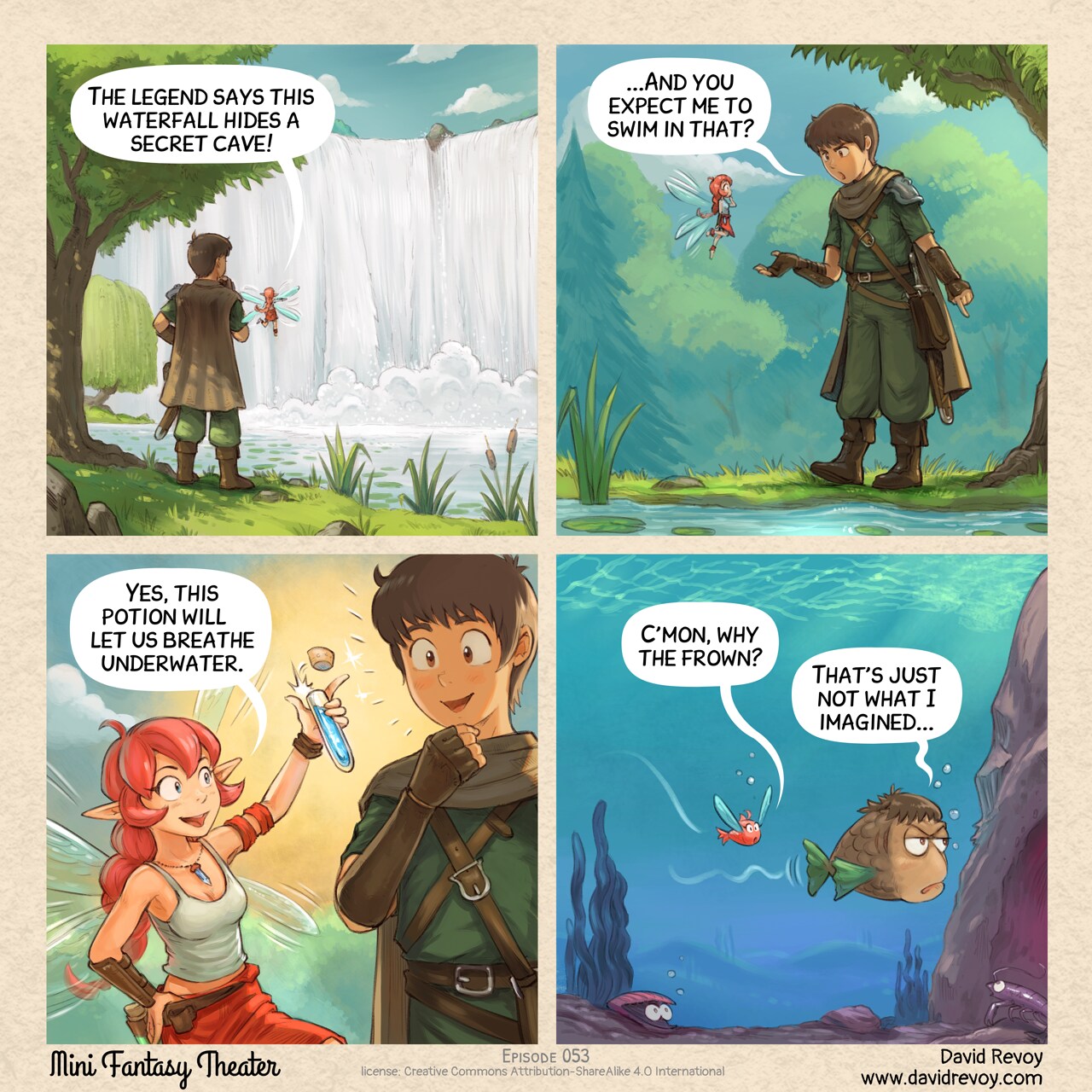
Sources and bonus timelapse: https://www.peppercarrot.com/en/miniFantasyTheater/053.html
Transcript:
Panel 1. The Adventurer and the Pink Fairy stand in front of a massive waterfall, deep within a dark forest.
Pink Fairy: "The legend says this waterfall hides a secret cave!"
Panel 2. The Adventurer looks skeptical and upset as he points the water's edge.
Adventurer: "..And you expect me to swim in that?"
Panel 3. The Pink Fairy happily holds up a small blue potion that she opens with her thumb. The Adventurer is now enthusiast to try it.
Pink Fairy: "This will potion let us breathe underwater."
Panel 4. Underwater: two fish—one themed for the first in the Pink Fairy's colors, the other in the Adventurer's colors. They swim nearby. He looks bored and a bit upset.
Fish (Pink Fairy): "C'mon, why the frown?"
Fish (Adventurer): "That's just not what I imagined..."
Classic vendor move
David Revoy par David REVOY le 13/05/2026 à 18:45:00 - Favoriser (lu/non lu)
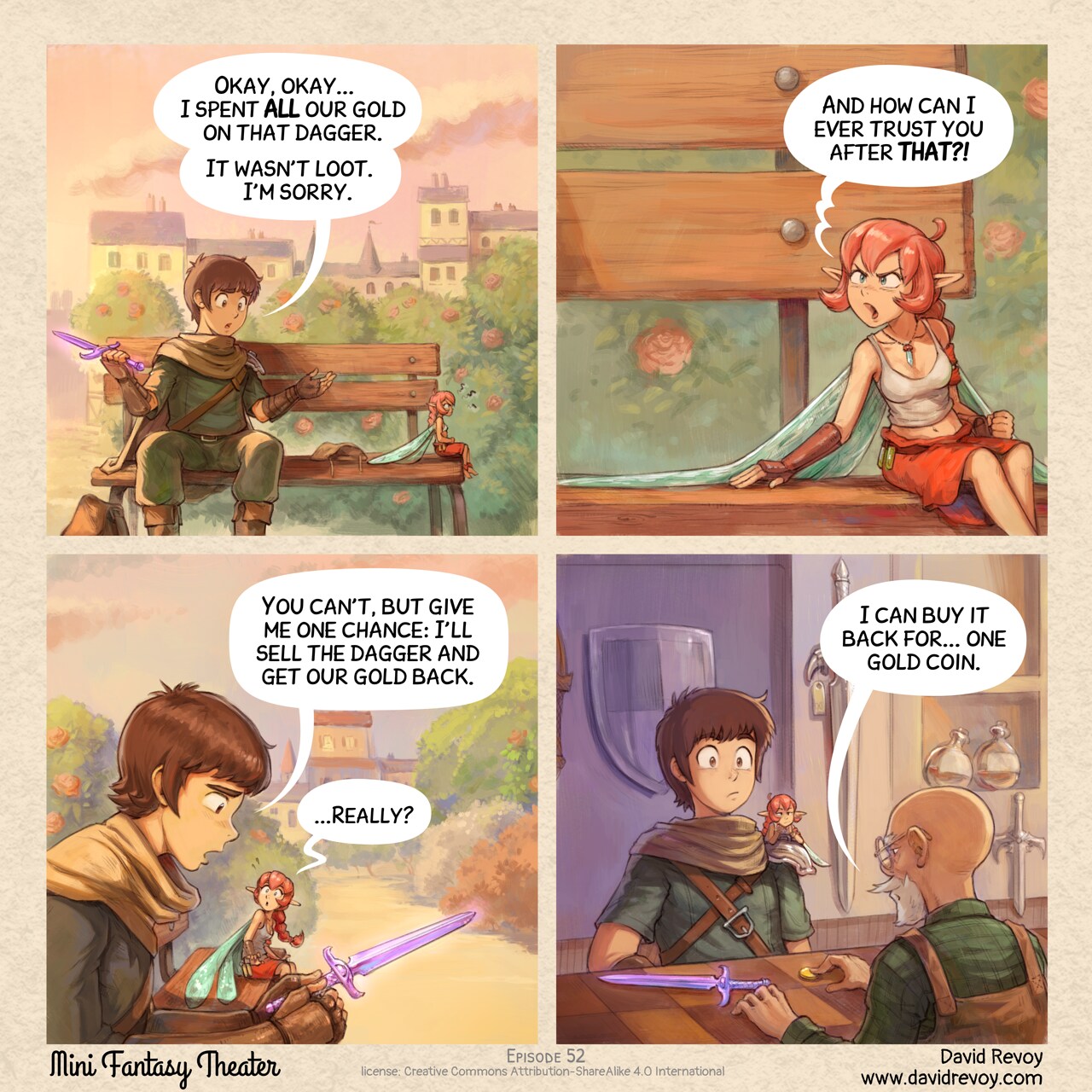
Sources and bonus timelapse: https://www.peppercarrot.com/en/miniFantasyTheater/052.html
Transcript:
A comic in four panels.
Panel 1. The adventurer and pink fairy sit on an old wooden bench in a city square, under the sunset light. The adventurer looks guilty while the fairy sits with crossed arms, furious and turned away from him.
Adventurer: "Okay, okay... I spent ALL our gold on that dagger. It wasn't loot. I'm sorry."
Panel 2. The Pink Fairy turns back, angry:
Pink fairy: "And how can I ever trust you after THAT?!"
Panel 3. The adventurer feels sincerely sorry and sad while watching in his hand the purple epic dagger. The pink fairy watches him with wide eyes, pleasantly surprised.
Adventurer: "You can't, but give me one chance: I'll sell the dagger and get our gold back."
Pink fairy: "...Really?"
Panel 4. Inside the shop, the adventurer places the purple epic dagger on the counter. The merchant pushes a single coin across toward them. Both the adventurer and pink fairy stare in disbelief.
Merchant: "I can buy it back for... one gold coin."
The loot
David Revoy par David REVOY le 06/05/2026 à 18:35:00 - Favoriser (lu/non lu)
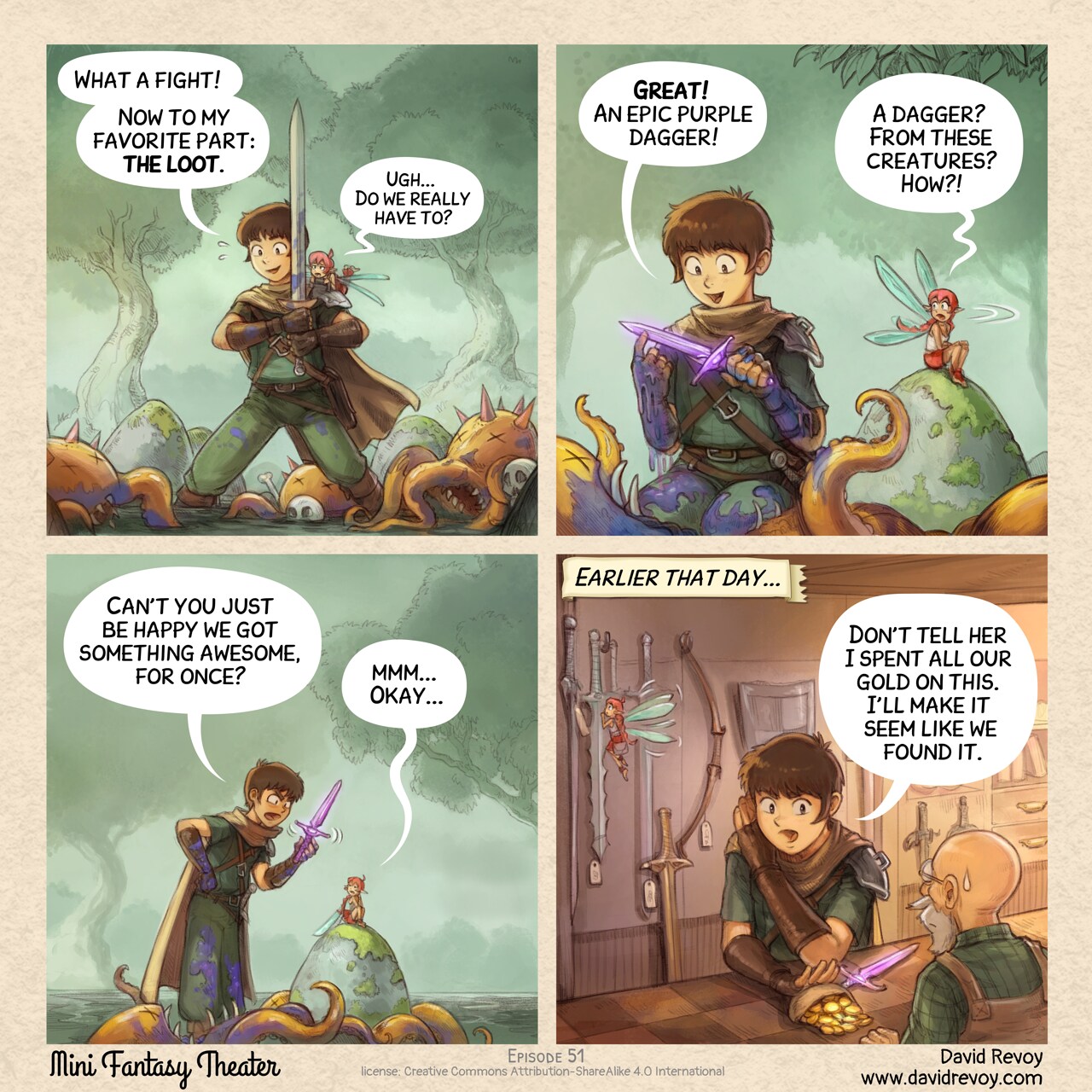
Sources and bonus timelapse: https://www.peppercarrot.com/en/miniFantasyTheater/051.html
Transcript:
A comic in four panels.
Panel 1. The adventurer stands exhausted but proud with his sword, in the middle of a dense wood. Defeated enemies, three unidentifiable creatures with tentacles and claws, lie scattered around him. The pink fairy is on his shoulder with a look of disgust.
Adventurer: "What a fight! Now to my favorite part: the loot."
Pink fairy: "Ugh... Do we really have to?"
Panel 2: The camera angle is low as the adventurer kneels beside a creature, holding up a new purple dagger, he is super happy but covered with the blue guts and blood of the creature. The pink fairy that was sitting away to not assist to this part, turn head, her expression is one of incredulity.
Adventurer: "Great! An epic purple dagger!"
Pink fairy: "A dagger? From these creatures? How?!"
Panel 3: The scene zooms, the adventurer faints being upset while showing the dagger, the Pink Fairy is accepting, but just to not enter in a debate.
Adventurer: "Can't you just be happy we got something awesome, for once?"
Pink fairy: "mmm... Okay..."
Panel 4: Inside a shop, the adventurer pushes in secret a leather purse filled with gold coins across the counter to the seller, with the purple dagger lying next to it. In the background, the fairy is distracted by one of the many swords hanging on the wall.
Narrator: "Earlier that day..."
Adventurer: "Don't tell her I spent all our gold on this. I'll make it seem like we found it."
Fast Travel
David Revoy par David REVOY le 29/04/2026 à 18:29:00 - Favoriser (lu/non lu)
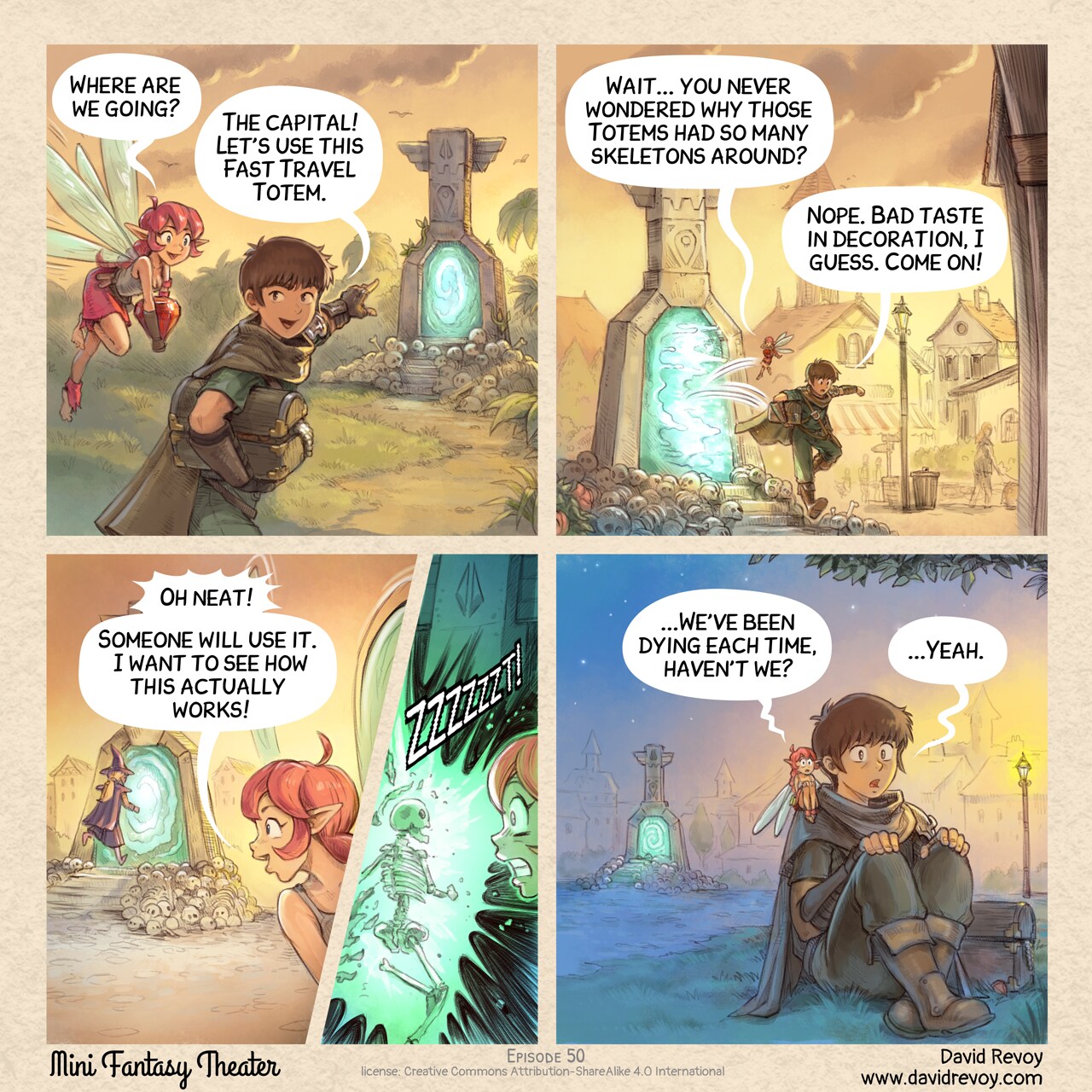
Sources and bonus timelapse: https://www.peppercarrot.com/en/miniFantasyTheater/050.html
Transcript:
A comic in four panels:
Panel 1. In the jungle, late in the day, the adventurer and the pink fairy walk to a stone totem with an active portal. Skeletons are plenty around the little stair that lead to the device. They looted a treasure, they are enthusiasting and happy.
Pink Fairy: "Where are we going?"
Adventurer: "The capital! Let's use this Fast Travel Totem."
Panel 2. Shot of an identical totem in town. The pink fairy and adventurer jumps out of the Fast Travel totem's portal. She studies the device.
Pink Fairy: "Wait... you never wondered why those Totems had so many skeletons around?"
Adventurer: "Nope. Bad taste in decoration, I guess. Come on!"
Panel 3. A blonde mage with a pointy hat in violet runs to the portals. The pink fairy is happy.
Pink Fairy: "Oh neat! Someone will use it. I want to see how this actually works!"
- Panel (insert): The elf becomes a skeleton in a big sparks of electricity on hitting the portal. The fairy is in shock.
Sound effect: ZZZZZZZT!
Panel 4. The adventurer and fairy sit frozen in shock and horror, clutching their knees, the Fast Travel Totem visible in the background.
Pink Fairy: "...We've been dying each time, haven't we?"
Adventurer: "...Yeah."
The Dungeon of Dark Patterns
David Revoy par David REVOY le 22/04/2026 à 18:51:00 - Favoriser (lu/non lu)
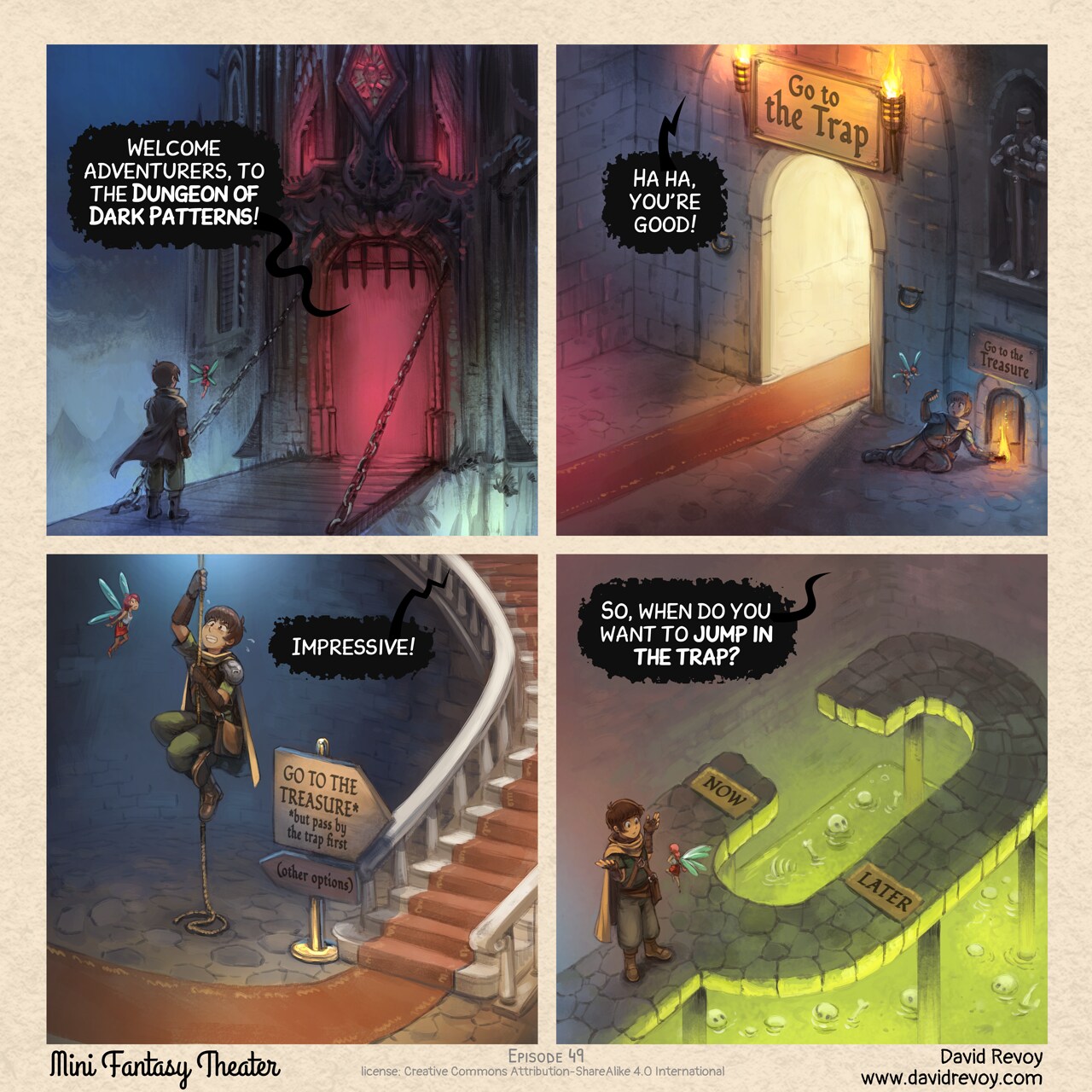
Sources and bonus timelapse: https://www.peppercarrot.com/en/miniFantasyTheater/049.html
Transcript:
Panel 1. The adventurer and his fairy are in front of the door of a nightmarish dungeon, it's dark, foggy, and the inside the door we can't see anything except a deep red light.
Dungeon: "Welcome adventurers, to the Dungeon of Dark Patterns!"
Panel 2. In one room of the dungeon, a giant beautiful and inviting door with a red carpet, and on the side, in the shadow a too little door. Writing on big door: Go to the trap, on small door: Go to the treasure. The adventurer crouch and do a little sign to the fairy to follow him to the little door.
Dungeon: "Ha ha, you're good!"
Panel 3. The aventurer is now putting some effort climbing on an old rope in the middle of a room with a beautiful luxuous stairway with a red carpet on the side. A sign tells "GO TO THE TREASURE but pass by the trap" in direction of the beautiful stairs; and "(other options)" in small and in the shadow in direction of the rope.
Dungeon: "Impressive!"
Panel 4. Top down view on the adventurers shrugging in front of the fairy, they reached a dead end. A short path on the right has on the ground the word "Now", and a longer path "Later". Both lead to a giant pool of green acid where bones and skulls are floating.
Dungeon: "So, when do you want to jump to the trap?"
Quest item management
David Revoy par David REVOY le 15/04/2026 à 19:55:00 - Favoriser (lu/non lu)
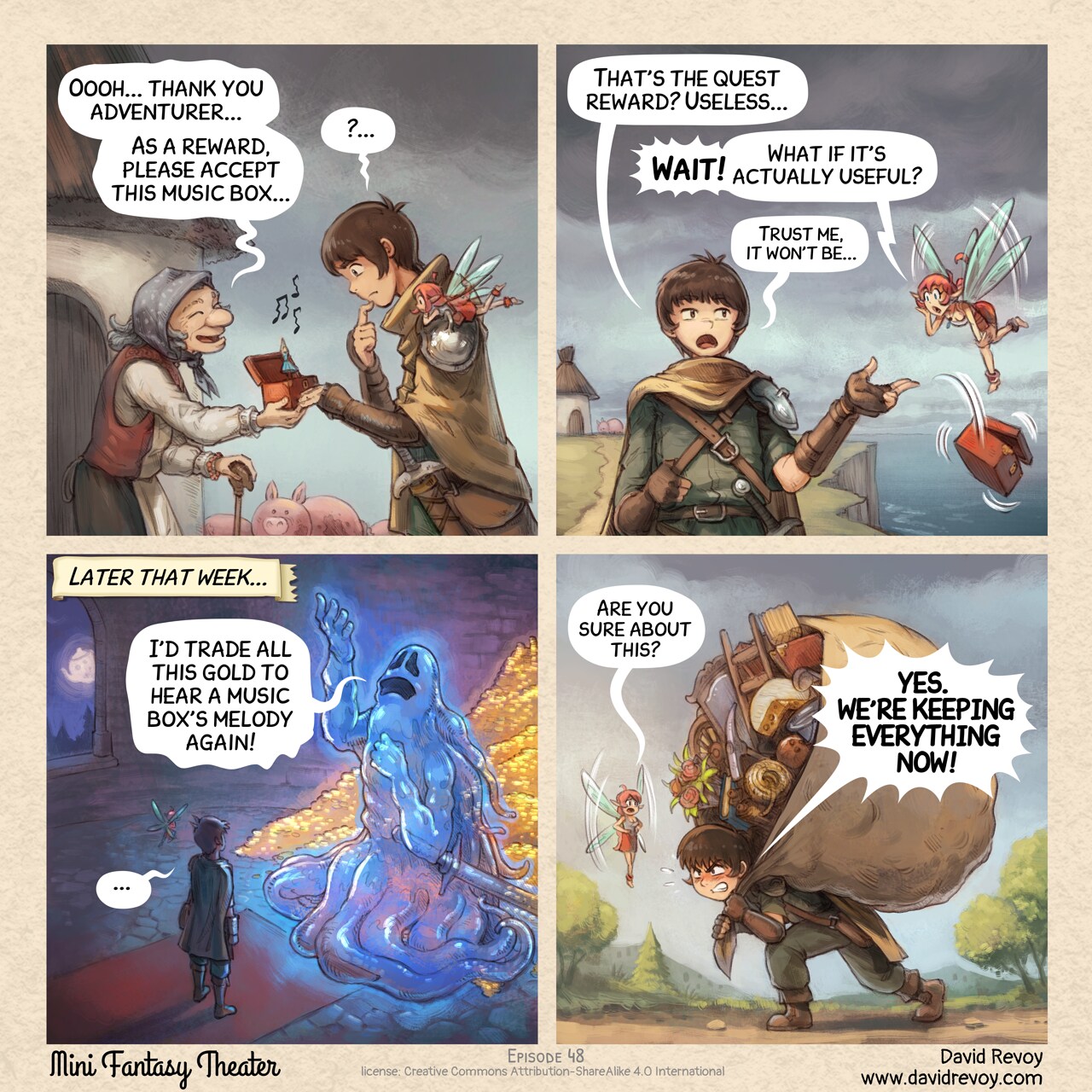
Full reader and bonus: https://www.peppercarrot.com/en/miniFantasyTheater/048.html
Transcript:
A comic in four panels:
Panel 1. Side view on a old peasant woman, in front of her old house, giving a red music box, open, with a tiny ballerine dancer in the middle to the adventurer, a young warrior. He has his Pink Fairy on his shoulder. Both the adventurer and the Pink Fairy are trying to hide their deception about this reward. Some music notes, dissonant, escape the box.
Old woman: "Oooh, thank you adventurer... As a reward, please accept this music box..."
Adventurer: "?..."
Panel 2. Now, far away (we can see the village in the background, near a cliff and the sea), front view on the adventurer as he throws to the sea the music box with blasé eyes. The pink fairy is in shock!
Adventurer: "That's the quest reward? Useless..."
Pink fairy: "Wait! What if it's actually useful?"
Adventurer (smaller): "Trust me, it won't be."
Panel 3. Later that week, the adventurer and the fairy are inside a dungeon room at night. In front of them, a giant ghost warrior with his sword posing dramatically, nostalgic, hand and eyes lost in the ceiling. Behind him, visible because he is partially transparent, a treasure with tons of gold.
Narrator: "Later that week..."
Ghost: "I'd trade all this gold to hear a music box's melody again..."
Adventurer: "..."
Panel 4. Later, on the path, the adventurer walks, crushed under the weight of a hundred small objects in a big improvised backpack made with a large bed sheet: books, flowers, a ladder, gardening tools, a cheese, a broom, etc... But he has determination in his eyes to carry on. The fairy tries to reason him.
Pink fairy: "Are you sure about this?"
Adventurer: "YES. WE'RE KEEPING EVERYTHING NOW!"
Unified Vs Split-panels: experimenting with publishing digital comics on the Fediverse
David Revoy par David REVOY le 12/04/2026 à 20:47:00 - Favoriser (lu/non lu)
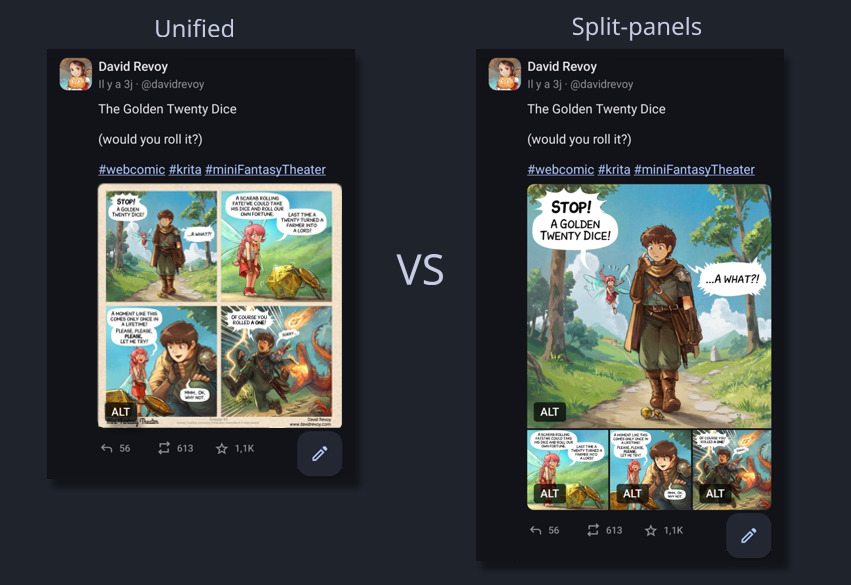
Hey, the Fediverse is an incredible space for creators. I connect to it via the Mastodon instance of Framasoft, named Framapiaf, since 2017. As you might now know, this is my favorite social media for everyday use and also for posting my art. The reasons are multiple: post in alphabetical order (no algorythm), a true decentralization, an efficient filtering system, and much much more.
The experiment and poll:
After posting more than fourty comic strip on it weekly, I decided last week to experiment and I posted my episode 47 "The Golden Twenty Dice" in a unusual way: split in four pictures.
Left (Unified) the format I used to post, Right (Split-panels) the format I tried last week.
Under the comic, I questioned the audience on a poll about their opinion about this new format.
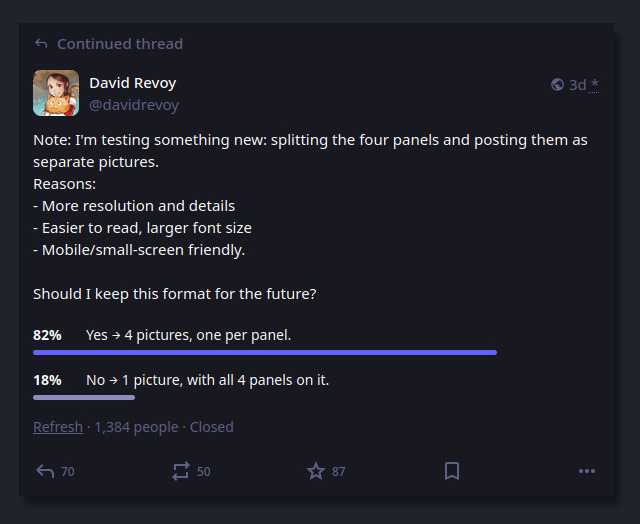
Result of the poll I posted.
A majority (82% on 1384 participants) clearly voted for four separate panels images (split-panels) to my surprise. Also, the comment section under it had a rich debate with over 190 comments about it. Thank you so much to everyone who participated: I could read all, I took notes, but I couldn't reply to all because I spent last part of my week deep in PHP, HTML, CSS and JS: you'll see why later.
So here is a sort of general reply, and what my notes revealed:
The single image (unified):
Pros
- Looks and recognisable like a comic instantly.
- Easy to download and re-share (a single file, easy to save, repost and transport).
- Preserved frame around the panels, with titles, licence and credits.
- Single click to open it.
Cons
- Mobile users must zoom and pan extensively to read it.
- Viewers can see the final panel immediately, potentially spoiling the joke/twist.
- A single long alt text for all four panels, often too long for the field.
- Less immersive, less details (resolution) and visual punch per panel.
All in all: the best format for preserving the artistic composition of the page, simplify sharing, and maintain this comic page aesthetics. But defintely not well adapted to the age of mobile and social media, especially for my detailed Mini Fantasy Theater comic.
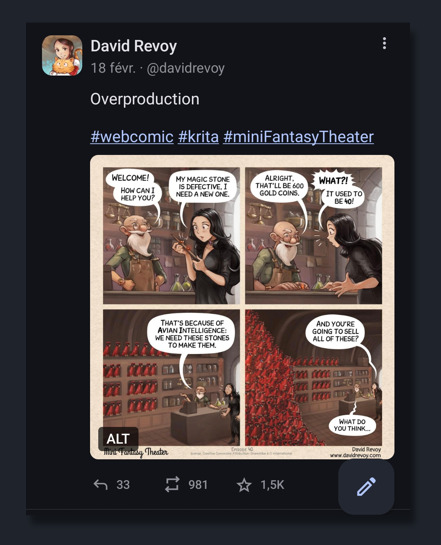
Example of unified, single picture: episode 40 posted on Mastodon .
The four separate panels images (split-panels):
Pros
- Excellent mobile readibility, large text, details and resolution (more immersive).
- Viewers see one panel at a time, avoiding accidental spoilers.
- Each image gets its own concise alt text.
- Easier for users with visual impairments.
Cons
- Fediverse client inconsistency: different crop, reorder, or display. Unpredictable and buggy for narrative art (eg. Mastodon UI crop the thumbnails).
- Requires more clicking/tapping/swiping each image individually.
- Limited to four pictures on Mastodon.
- No more surrounding frame, with title, series name, license info, and authorship context.
- Cumbersome posting effort: four separate pictures, 4 copy/paste of alt text.
- Heavier and more server resources and bandwidth.
All in all: the best format for mobile readers, accessibility, avoiding spoilers and having an immersive experience on the panel's artworks.
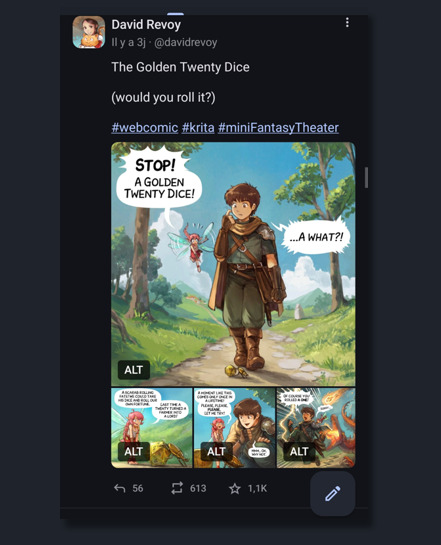
Example of split-panels: episode 47 posted on Mastodon's app, with four split panels: one panel is large, then three little, non are cropped
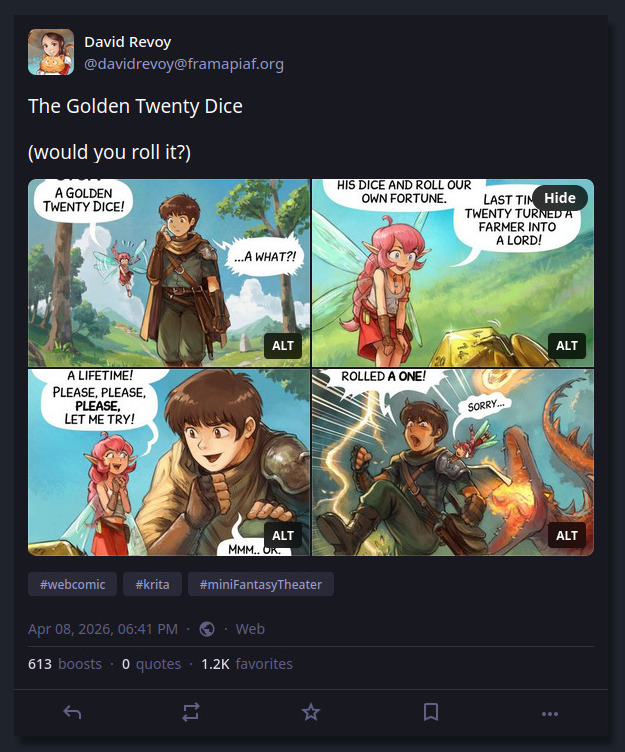
Example of split panels: episode 47 posted on Mastodon's web interface, with four split panels, four panels are trimmed to 16/9
Solution: Both. (Both is good.)
The most frequently mentioned solution was posting both versions, and I agree. But first, Mastodon limits to four pictures per post, so I can't post the four split-panels and the unified result. I would have been too simple. Also, posting the unified version as my main post and then adding the split-panels as a reply in a new post (or vice versa) just doubles my posting effort and polluate your timeline...
That's why I knew I had to come up with an extra something on my own to try to solve that, because I'm sure the Fediverse will remain unconsistent, with many cropping policy about image thumbnails, layout, and no garantee of ordering the pictures or even delivering them (eg. I had feeback that Misskey user could post more than four pictures per post, and user on Mastodon only see four of them, trimmed.)
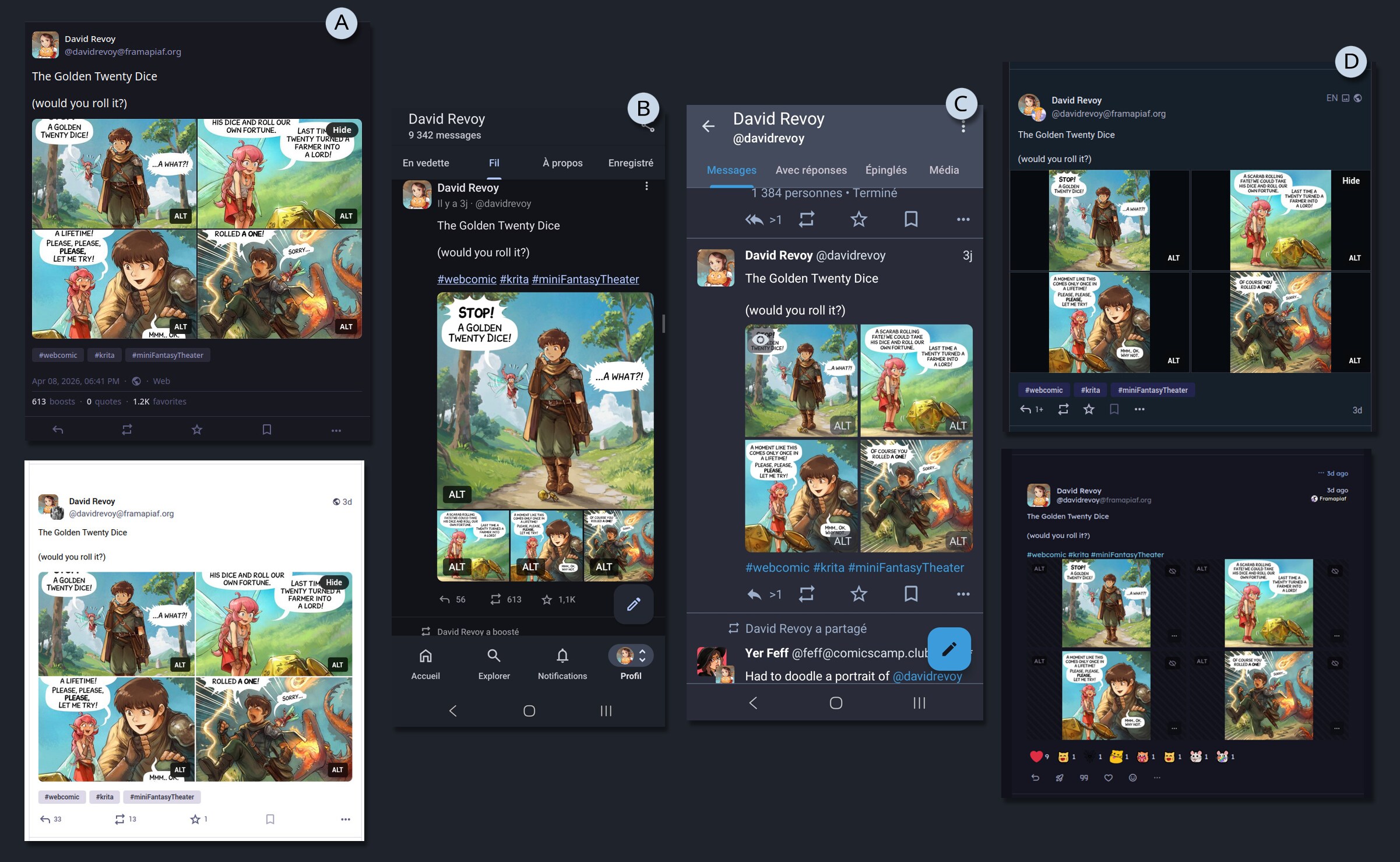
Example of the same post, with many screenshot under various UI: (A) Mastodon web bright/dark theming, (B) Mastodon app VS Tusky, (C) other Fediverse clients having rich emoticon reaction I never saw on my side of the Fediverse...
A KISS comic reader
My first reflex was to do something on my website, and propose a link to that on my post.
But what? So, my first thought was to just continue to post the unified picture, as I already did for very long, and paste an external link for mobile user to a sort of copy of the horizontal carroussel/swipe interface of Mastodon.
I'll spare you the dozens of hours of despair, testing horizontal swiping carroussels techniques in Javascript, loosing braincell and my sanity on concept like swiping threshold, sensitivity and screen resolution. Because, you see, I wanted to do all from scratch, without using any frameworks or library.
A video of my horizontal proof of concept, with bugs
But then someone reminded me of the KISS principle: 'Keep It Simple, Stupid'. The web is well designed; it's web developers who break it by using too much JavaScript. The obvious solution appeared to me: a simple vertical layout of pictures. It's great for scrolling on any device and users can zoom, and manipulate the pictures. It was such a joy to remove a lot of code and create a simple HTML layout with CSS.
A video of my vertical proof of concept, WIPI then incorporated this into the PHP of my website (see git commits tagged with the [mft-cv] prefix).
On the side of the content itself, I also refactored many transcripts to ease their parsing and auto-split, and also refactor the episode 30 that had a composition that conflicted with the auto-split in four format.
Features of my comic reader:
- Anchor links to individual panels (bottom right of panels).
- Alt & transcript per panel (bottom left of panels).
- Share button to copy the URL on mobile.
- Bonus Timelapse video because too many still accuse my style of looking like AI, even removed by moderators on Reddit... it's depressing.
- Full Sources, including Krita files, Inkscape files, and ready made exported version for print.
- Full credits
- Keyboard shortcut:
- Previous panel: Arrow-up or Page-up
- Next panel: Arrow-down or Page-down or Spacebar
- Previous episode: p j
- Next episode: → n k
... and you can browse it already, because my result is online since yesterday on:
→ https://www.peppercarrot.com/en/miniFantasyTheater/047__Geek-Fantasy.html ←
Possible evolution
- A user preference button, for choosing by default "unified" or "split panel".
- More work on accessibility
- Your suggestions? (use the comments for that, thanks!)
End note
So, what's the "best" format about publishing digital comics on the Fediverse?
As a creator, I can't guarantee how my comics will display on your device when posting on the Fediverse. That's a bit sad. However, one of the advantages of most Fediverse instances is that they don't have a "deboost" system, which means I can still include an external links in my posts without worrying about them being downplayed. This is in contrast to proprietary social media platforms, which often use such systems to keep users engaged within their own ecosystem...
Given this flexibility, my plan is to listen to the poll results and continue to post with the new four-split panel format, as I find it convenient and visually appealing; especially on Mastodon's mobile App, where a large Panel 1 invites readers in, followed by three smaller panels that don't spoil the ending. I really wish the Mastodon Web user interface had the same layout instead of the four cropped thumbnails.
To further enhance the reading experience, I'll include to this post an external link to the episode on my website, which will offer an optimal reading experience, a timelapse, full license, and sources... regardless of the client being used.
You'll see it in action on wednesday, when I'll post the next episode, but it will be a format looking like that:
Title of the comic

Full reader and bonus: <link to the episode on my website>

#webcomic #krita #miniFantasyTheater

(pictures/attachments: the four split panels)
What's your thoughts about it? Let me know in the comments.
The Golden Twenty Dice
David Revoy par David REVOY le 08/04/2026 à 20:01:00 - Favoriser (lu/non lu)
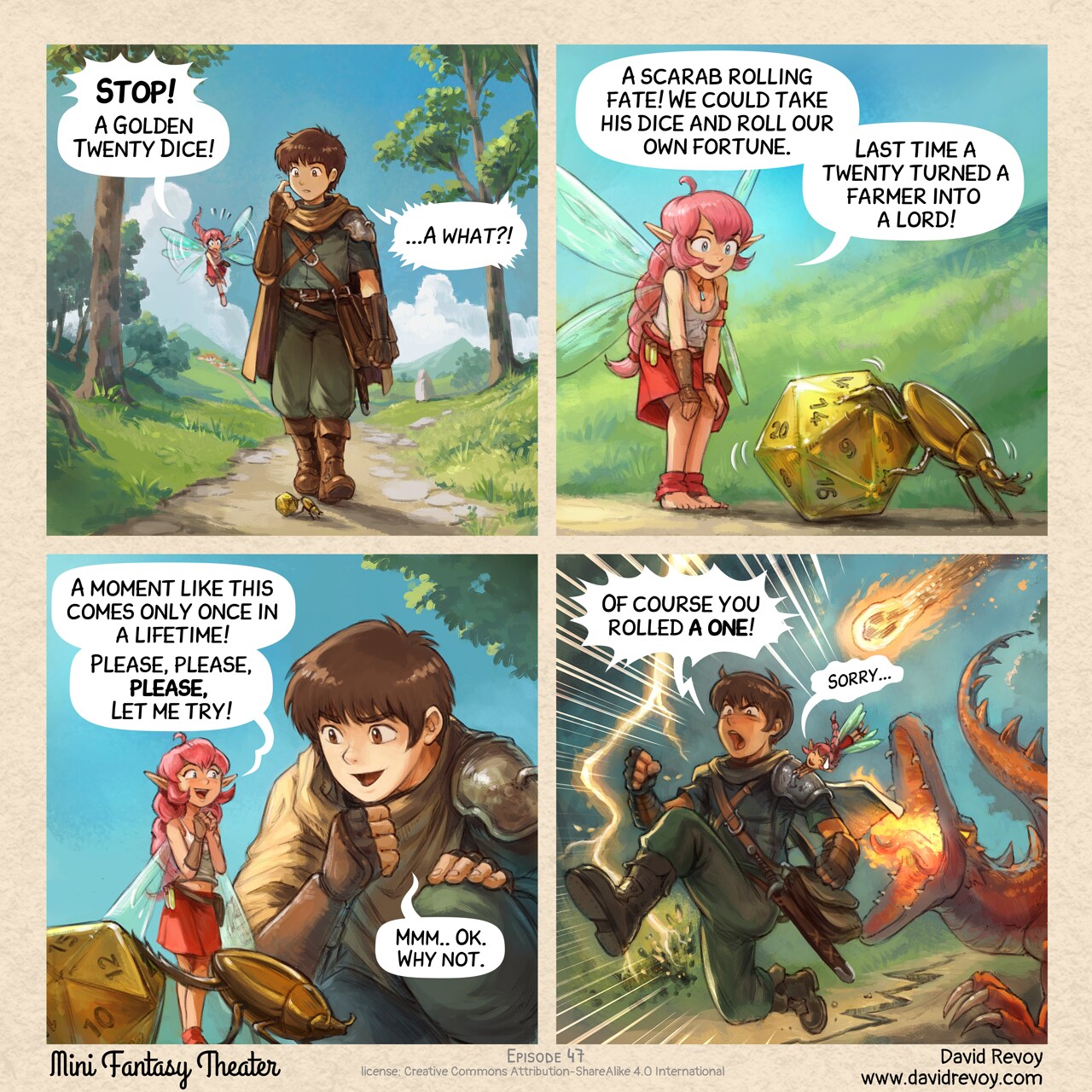
Question: would you roll it?
Transcript:
A comic in four panels:
Panel 1. While walking on a path in nature, a young fantasy adventurer with a fairy with pink hair, suddenly looks at the floor at a golden shiny detail crossing their way:
Pink-fairy: "Stop! A Golden Twenty Dice!"
Adventurer: "A what?..."
Panel 2. Shot on the fairy landing on the grass near to a golden scarab pushing a d20 golden dice.
Pink-fairy: "A scarab rolling fate! We could take his dice and roll our own fortune. Last time a twenty turned a farmer into a lord!"
Panel 3. The adventurer kneels down near the fairy and scarab, really curious now. The fairy is super happy and exited.
Pink-fairy: "A moment like this comes only once in a lifetime! Please, please, please, let me try!"
Adventurer: "Mmm.. Ok. Why not."
Panel 4. The adventurer runs for his life while the pink fairy is grabbing him to follow his motion. She is very embarassed, and him feels anger and frustration in this emergency run. A lightning strike near them and burns the floor, a crack on the floor appears, a furious dragon runs after them and try to bite them, and a meteor is about to fall on them.
Adventurer: "Of course you rolled a one!"
Pink-fairy: (in small) "Sorry..."
Comic sources here
David Revoy par David REVOY le 07/04/2026 à 17:41:00 - Favoriser (lu/non lu)
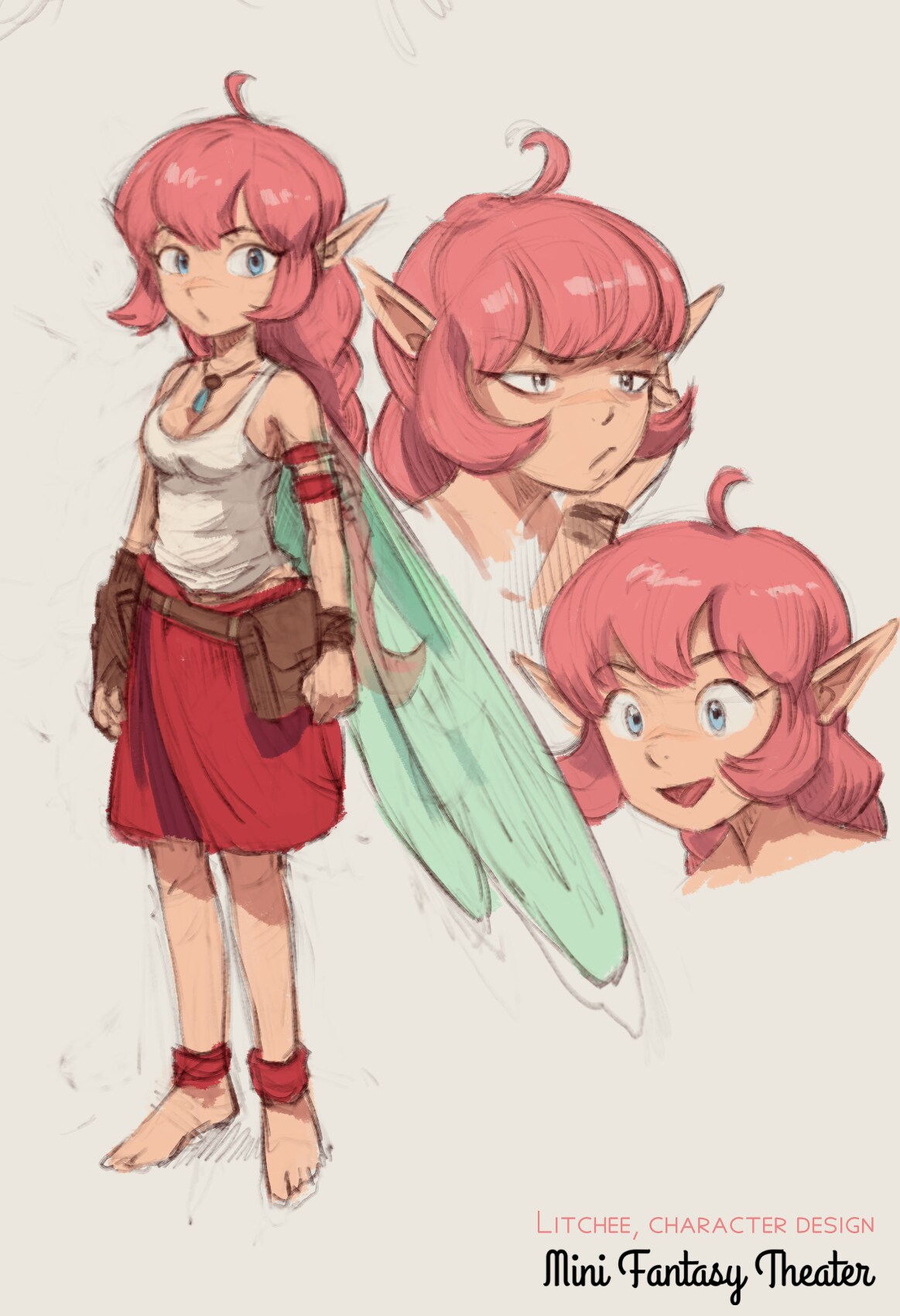
A new character design for my weekly MiniFantasyTheater comic series.
Rubber Ducking
David Revoy par David REVOY le 01/04/2026 à 20:49:00 - Favoriser (lu/non lu)
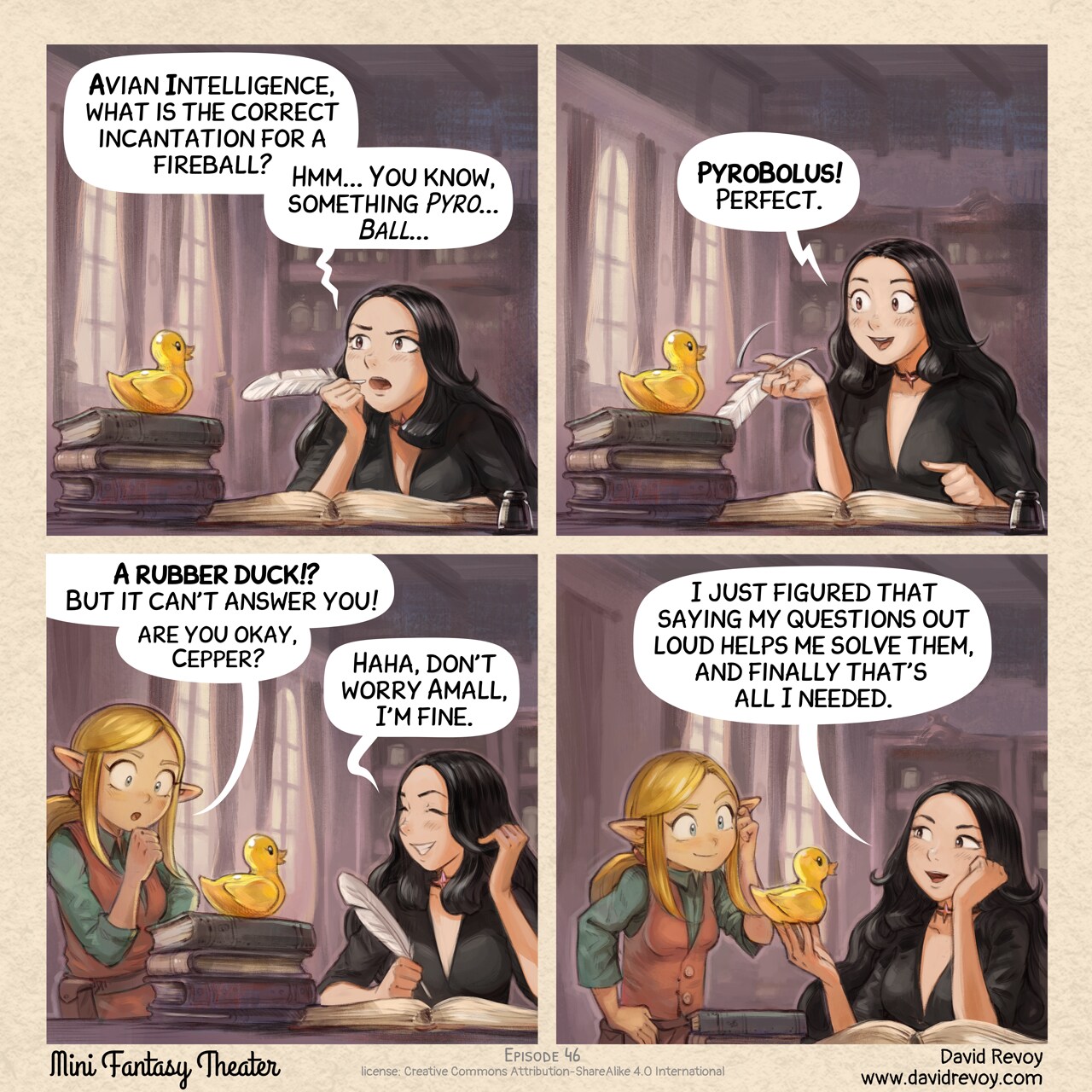
Transcript:
A comic in four panels:
Panel 1. Cepper, the Gothic Sorceress, is at her iconic desk with a quill, she was writing in her big personal project: her book of incantation at university. She is thinking with intensity bringing the quill to her mouth, looking up and frowning. On a stack of book, nearby, stands a yellow static rubber duck.
Cepper: "Avian Intelligence, what is the correct incantation for a fireball? Hmm... You know, something Pyro... Ball..."
Panel 2. Cepper is now excited, the rubber duck is still silent, staring happily in the void.
Cepper: "PyroBolus! Perfect."
Panel 3. Amall, the small blond elf sorceress appears in the frame from one side, she is puzzled at what she probably saw before. Cepper is laughing a bit of embarrassement.
Amall: "A rubber duck!? But it can't answer you! Are you okay, Cepper?"
Cepper: "Haha, don't worry Amall, I'm fine."
Panel 4. Cepper is happy and proud of her invention, Amall scratch her head but with a smile, considering the discovery of her friend.
Cepper: "I just figured that formulating my questions out loud helps me to solve them, and finally that's all I needed."
The Matchbox Kingdom
David Revoy par David REVOY le 30/03/2026 à 16:34:00 - Favoriser (lu/non lu)
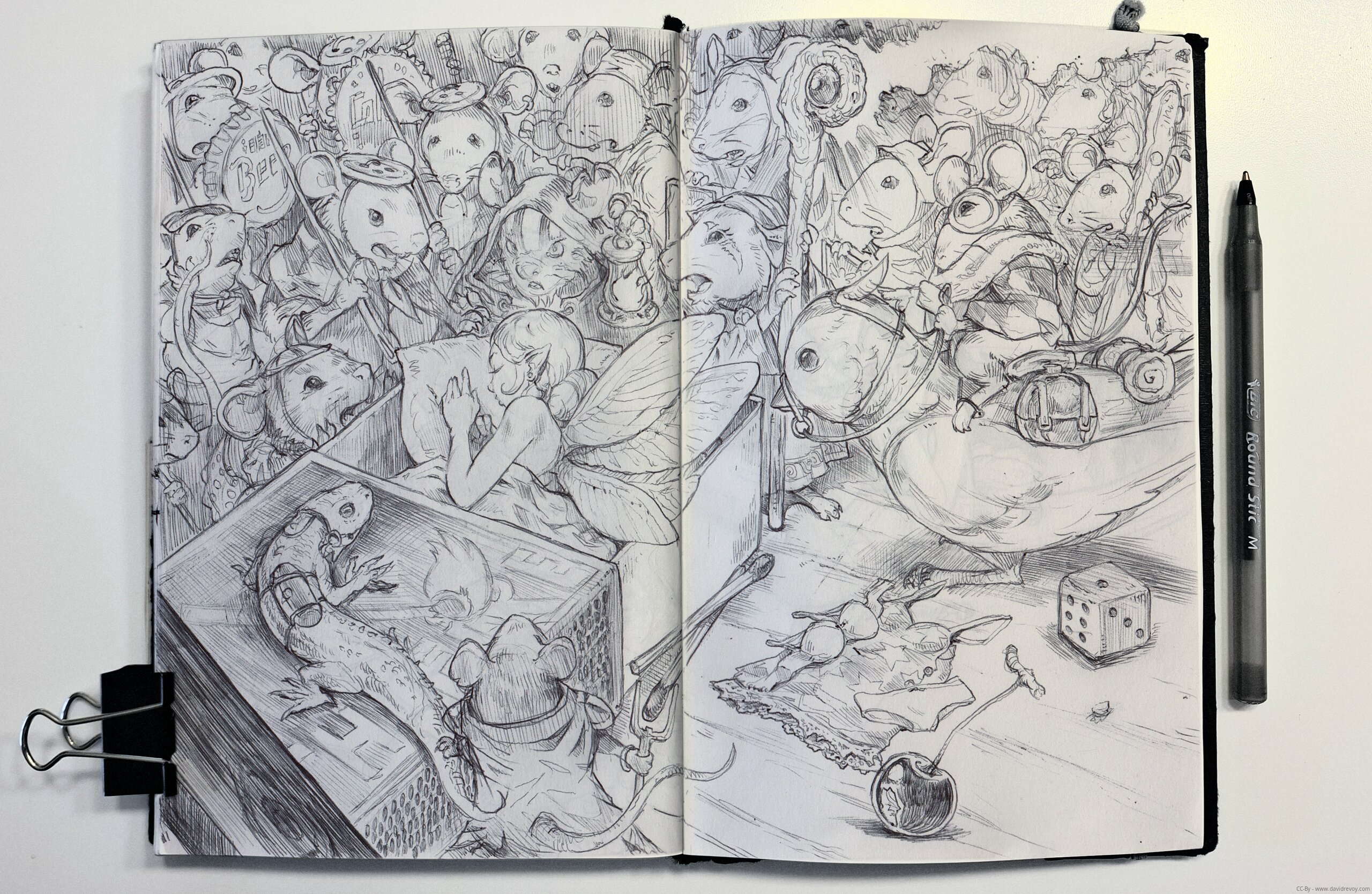
This entire piece was drawn freehand with a ballpoint pen (no pencil pre-sketch underneath). I started with the fairy sleeping on the matchbox and just... let the story unfold as I drew.
Each detail, the mice soldiers, the shaman, the priest with her servants, the lizard with its tiny belt and gears, the bird with its rider... they all appeared naturally as I went. It's like the world built itself around her. There's something magical about working that way; you're discovering the story at the same time your hand is creating it.
But... four hours!
That's how long I was stuck at the train station of Montpelier Saint-Roch (France) yesterday because of a massive fire near the railway in Sète city. I was coming back from the workshops and signing sessions at Monistrol sur Loire (It was nice!).
So, nothing to do but sit and sketch, especially because I wanted to economize my phone battery in case the duration expanded further. That's when this piece came to life, and it felt to me like a good reminder that all I need to live my passion is a cheap sketchbook, a ballpoint pen, and time.
Three travelers in the same situation as me yesterday also stuck at the train station came to chat a bit about what I was drawing, and they started to follow my work. I told them I'll post the result. Now you know why I scanned this one and wrote this blog post!
If you want to know more about the details of this improvisation, here is my reading of the final picture: the fairy came with her cherry dinner and curled up to sleep under a cozy blanket in a matchbox, her clothes scattered on the floor beside the box. But while she slept, an entire mouse kingdom and army discovered her. There's a shaman observing this unusual creature carefully, is it a bad omen? I liked the contrast between weird design for the mouse expression and the more classic 'sleeping beauty' design for the fairy. Many mice are uncertain how to react to this strange intruder in their territory, a female priest mouse (near the shaman) with her servants who seems to recognize something prophetic about this arrival (they hold tiny frame with the silhouette of a fairy on it) looks like alerting all of them to not wake up her. One soldier has a lizard familiar wearing a belt and carrying stuff, and another rides atop a small bird...
Well, there is even more, but I let you discover it. Every character has a reaction, a role, a story. That's part of the fun of making this type of artwork!
The Local Alternative
David Revoy par David REVOY le 25/03/2026 à 19:47:00 - Favoriser (lu/non lu)
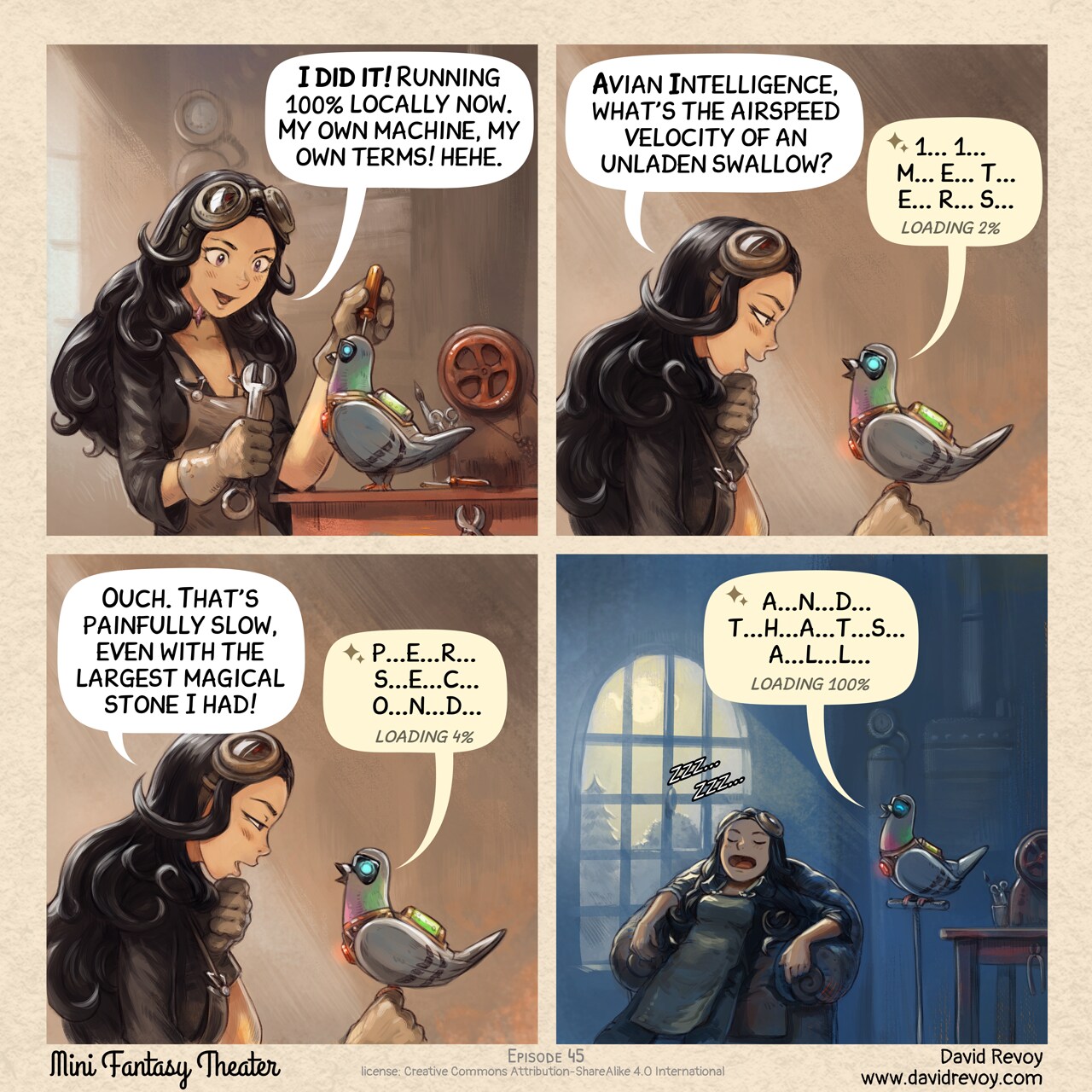
Transcript:
A comic in four panels:
Panel 1. Cepper, the Gothic Sorceress, sits at her workbench in the basement of the university with her iconic clothes and glasses on her head. She is surrounded by steampunk cogs, wires, circuits, and code snippets written on parchments. She's determined in front of her masterpiece, her own local AI Parrot looking like a big pigeon.
Cepper: "I did it! Running 100% locally now. My own machine, my own terms! hehe."
Panel 2. She excitedly asks it a question, but it takes an eternity to respond.
Cepper: "Avian Intelligence, what's the airspeed velocity of an unladen swallow?"
Local AI Parrot: "1... 1... m... e... t... e... r... s... loading 2%"
Panel 3. Cepper starts to realize the immense computational power required to run AI models remotely. She looks at her local AI Parrot and starts to wonder.
Cepper: "Ouch. That's painfully slow, even with the largest magical stone I had!"
Local AI Parrot: "p...e...r... s...e...c...o...n...d... loading 4%"
Panel 4. A shot late at night, she sleeps deeply on a big armchair, while the local AI Parrot still finish to output.
Local AI Parrot: "a...n...d... t...h...a...t...s... a...l...l... loading 100%"
sources: https://www.peppercarrot.com/en/miniFantasyTheater/045.html
Discover Krita 5.3/6.0: 10 new features explained to get you started
David Revoy par David REVOY le 24/03/2026 à 22:20:00 - Favoriser (lu/non lu)
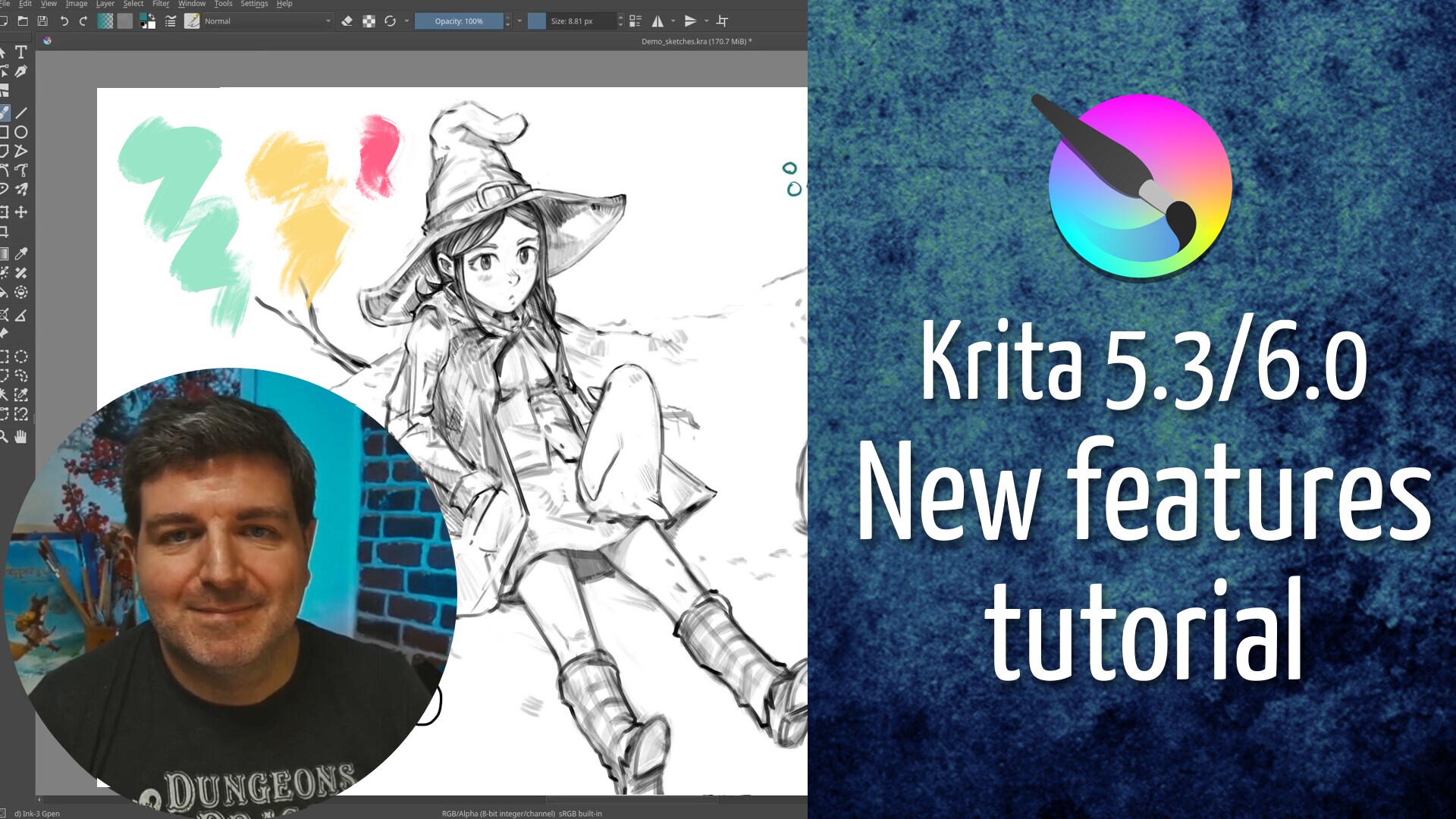
Join me (and my french accent 😁 ) as I take you through my top 10 favorite new features in Krita. A walkthrough/tutorial of my top 10 new feature!
- Peertube: https://peertube.touhoppai.moe/w/4LhZDTx3G5VpfSovUWveTm
- Youtube: https://youtu.be/DNhf_WLfSaE
Also, check the release notes (link under), I contributed to make the short video trailer for this release:
- Full release notes: https://krita.org/en/release-notes/krita-5-3-release-notes/
- Get Krita 5.3/6.0: https://krita.org/en/posts/2026/krita-5.3.0-released/
And again, congratulation to the Krita team for this big big release 🎉. Krita 6.0 is finally my ticket to adopt a more recent GNU/Linux distro with Wayland. I was stuck on the Debian 12 X11 documented here and published back in May 2024. Now I'm experimenting with Debian Testing, Plasma 6 on Wayland and Krita 6.0 appimage and so far, it works: a new guide coming soon.
Fête de la BD comic festival, Monistrol sur Loire
David Revoy par David REVOY le 23/03/2026 à 14:14:00 - Favoriser (lu/non lu)
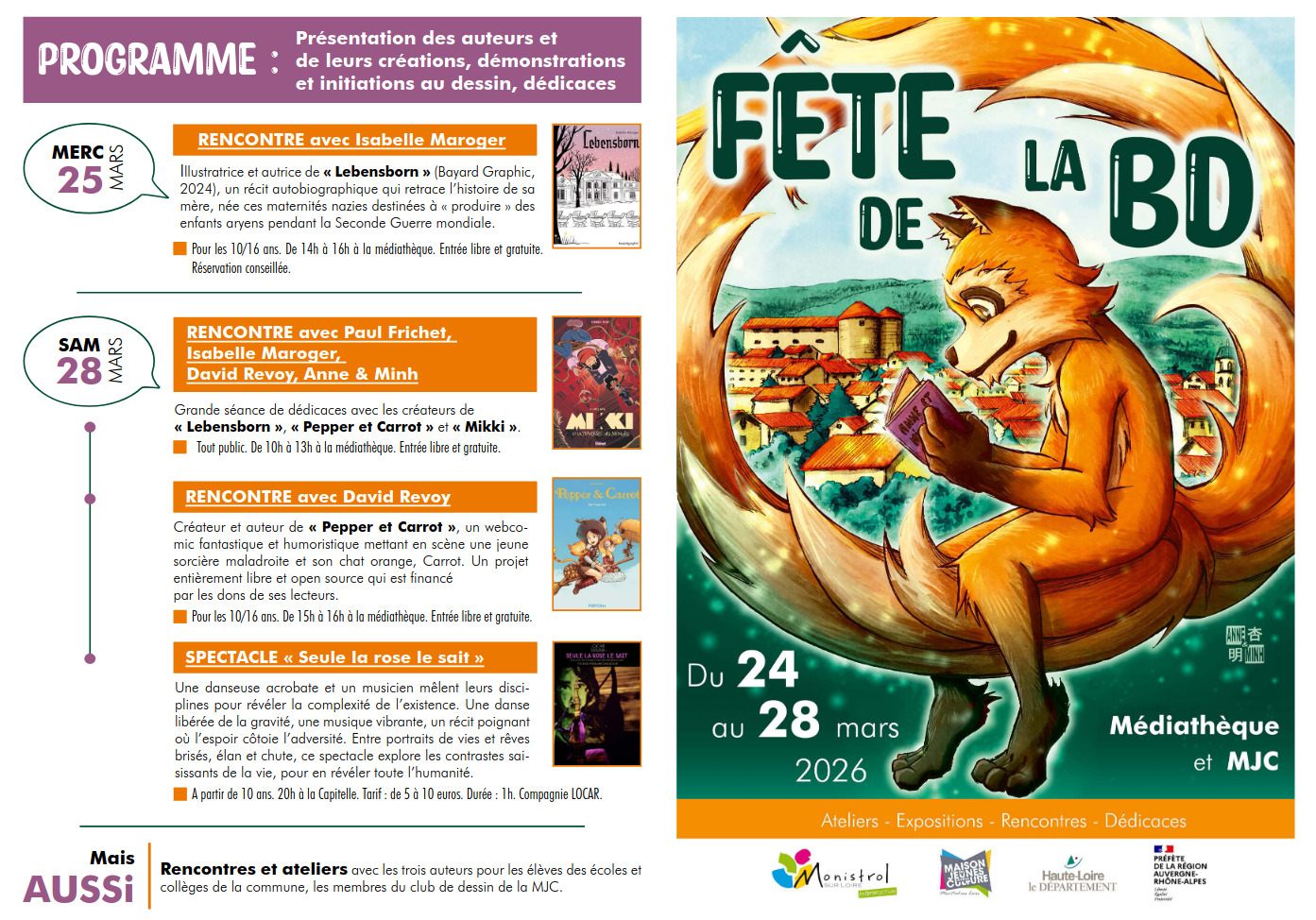
Hey! As the Spring season is finally here, I'm taking a break from my digital canvas to meet some of you in person this week-end! I'm honored this year to be a guest at "Fête de la BD" in Monistrol sur Loire. An event from 24 to 28 Mars 2026. I'll be around on the last two days:
Friday 27 March
I'll share my passion with the young ones with two workshops "A comic in three panels" where we learn the basic mechanic for writing comic strips. It's for the local school, drawing club, and association for young people (MJC). I'm curious to see all the comics (penciled, black and white) we'll create together that day!
Saturday 28 March
I'll be part of the festival (public, free entrance). Here's my schedule:
- 10h - 13h: Signing session at "Fête de la BD"
- 15h - 16h: Conference at the Médiathèque, where I'll be talking about my special approach of comic: the software I use, the license I use, and more.
Hope to see you there, and I apologize for sharing the news a bit late: organizing all of this isn't easy! If you want to learn more about the event, check out the links below:.
Link:
- Full schedule, PDF hosted by the MJC: https://www.mjcmonistrol.fr/media/programme-V-2-bd-25.pdf
- The MJC: https://www.mjcmonistrol.fr/
- The médiathèque: https://monistrol-sur-loire-portail.c3rb.org/?start=1
- Newspaper article on "Le progres": https://www.leprogres.fr/culture-loisirs/2026/03/13/la-commune-fetera-la-bande-dessinee-du-25-au-28-mars
The first dose is free...
David Revoy par David REVOY le 17/03/2026 à 19:53:00 - Favoriser (lu/non lu)
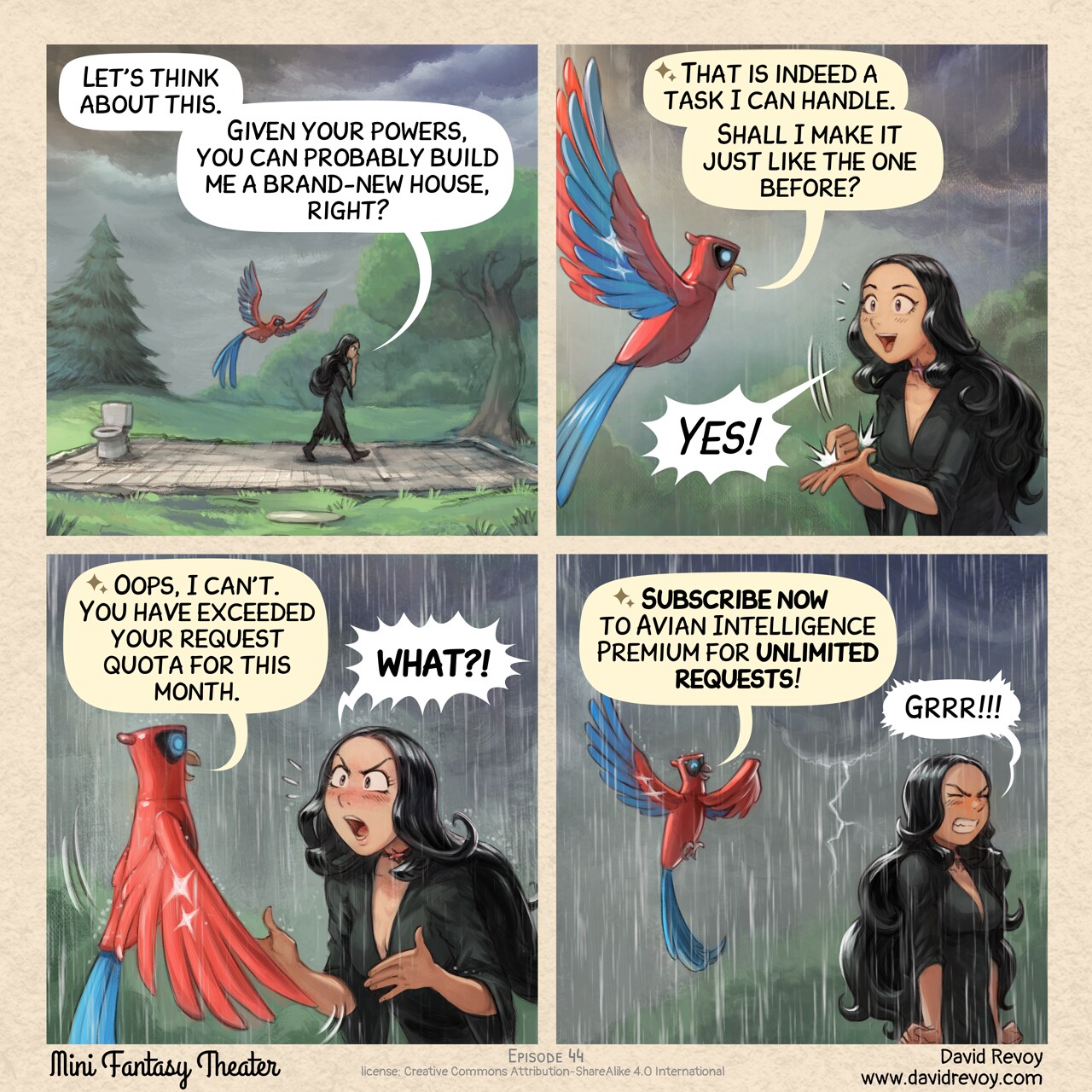
Transcript:
Panel 1. The Gothic Sorceress paces back and forth on the foundation of her house: all that remains are the floor tiles and the outlines of the walls. The Avian Intelligence (AI) flies while watching her. In the distance, a storm is approaching: lightning streaks across the sky.
Gothic Sorceress: “Let’s think about this. Given your powers, you can probably build me a brand-new house, right?”
Panel 2. Close-up: the stoic Avian Intelligence and the Gothic Sorceress, cheerful and excited by the good news, as a few raindrops fall.
Avian Intelligence: “That is indeed a task I can handle. Shall I make it just like the one before?”
Gothic Sorceress: “Yes!”
Panel 3. Same shot, Avian Intelligence seems to have shifted into a different mode. The Gothic Sorceress is shocked and protests, exclaiming.
Avian Intelligence: “Oops, I can't. You have exceeded your request quota for this month.”
Gothic Sorceress: “WHAT?!”
Panel 4. Under now heavy rain, the Gothic Sorceress has turned her back and is trying to contain her intense anger, clenching her fists. Avian Intelligence continues its sales pitch:
Avian Intelligence: “Subscribe now to Avian Intelligence Premium for unlimited requests!”
Gothic Sorceress: “Grrr!!!!”
Forbidding generative AI and LLMs on Pepper&Carrot
David Revoy par David REVOY le 14/03/2026 à 20:08:00 - Favoriser (lu/non lu)
Following many Free/Libre and Open Source projects over the past week, last night I added a "Use of Generative AI" chapter to our Code of Conduct, clearly stating that we do not allow the use of Generative AI or LLMs. This also affects all our repositories on Framagit.
→ Link to the new no-LLMs statement chapter in our COC.
I copied the concise and efficient text word for word after discovering it thanks to Jeff Fortin T. (風の庭園のNekohayo) who added it to GNOME Calendar, and posted about it on Mastodon. Many thanks to Sophie Herold for writing it, and also for posting it under a CC0 licence.
Illustration sources: Rage against the Slop Machines
GNU Terry Pratchett - Tiffany Aching
David Revoy par David REVOY le 12/03/2026 à 20:00:00 - Favoriser (lu/non lu)

A digital painting tribute and fan-art to my favorite author and witch (and her "hat full of sky").
Don't ever give elevated permissions to an Avian Intelligence...
David Revoy par David REVOY le 11/03/2026 à 18:43:00 - Favoriser (lu/non lu)

Transcript:
A comic in four panels:
Panel 1. The Gothic Sorceress stands in the middle of the ruins of her house, in the middle of the mess the floor; a consequence of the night with the Tree Spirits. She's looking overwhelmed. She talks a bit in the void, eyes lost in the distance. Her Avian Intelligence (AI) Parrot listen, perched on a wall in ruins.
Gothic Sorceress: "Ugh, it'll take weeks to clean this up."
Panel 2. A closer zoom on the AI Parrot, replying to the Gothic Sorceress.
AI Parrot: "I know a spell or two for that, but I need the highest permission level. Can you grant it to me?" Gothic Sorceress: ""Granted." It can't get any worse anyway..."
Panel 3. A tempest erupts inside the room, the AI Parrot flies in the middle like a majestic and all powerful bird: he is casting a spell loudly. Lightning flashes, cloud of dust are twirling, and many debries are flying. The Gothic Sorceress protect her face with her hands, in emergency.
AI Parrot: "Arehem Dash Areheff Root!"
Panel 4. The aftermath of the spell: only the floor of the house survived. Just the tiles on the floor, lost in the middle of the natures with trees and grass. The room are empty, except a toilet seat in a corner. The AI Parrot is proud of his work while the Gothic Sorceress stares at the scene, seating still dizzy after the tornado. She feels powerless in front of the result.
AI Parrot: "Cleaning successful, room reset." Gothic Sorceress: "I take it back. It can get worse."